
Most user tests fail before anyone sits down.
They fail in the screener, when the wrong five people get through or in the task wording, when a question tells the participant what answer you want. They might even fail in the readout, when twelve findings land in a deck and nobody owns a single one.
The session itself, the part designers worry about most, is rarely where things go wrong.
Key Takeaways
- Five participants is right for qualitative testing, but wrong for card sorting, eyetracking, and anything you plan to report as a number.
- Task wording does more damage to validity than session length, moderator skill, or tooling combined.
- Moderated and unmoderated testing answer different questions. Choosing on budget alone costs you the answer you needed.
- Recruiting is the most common point of failure and the least discussed.
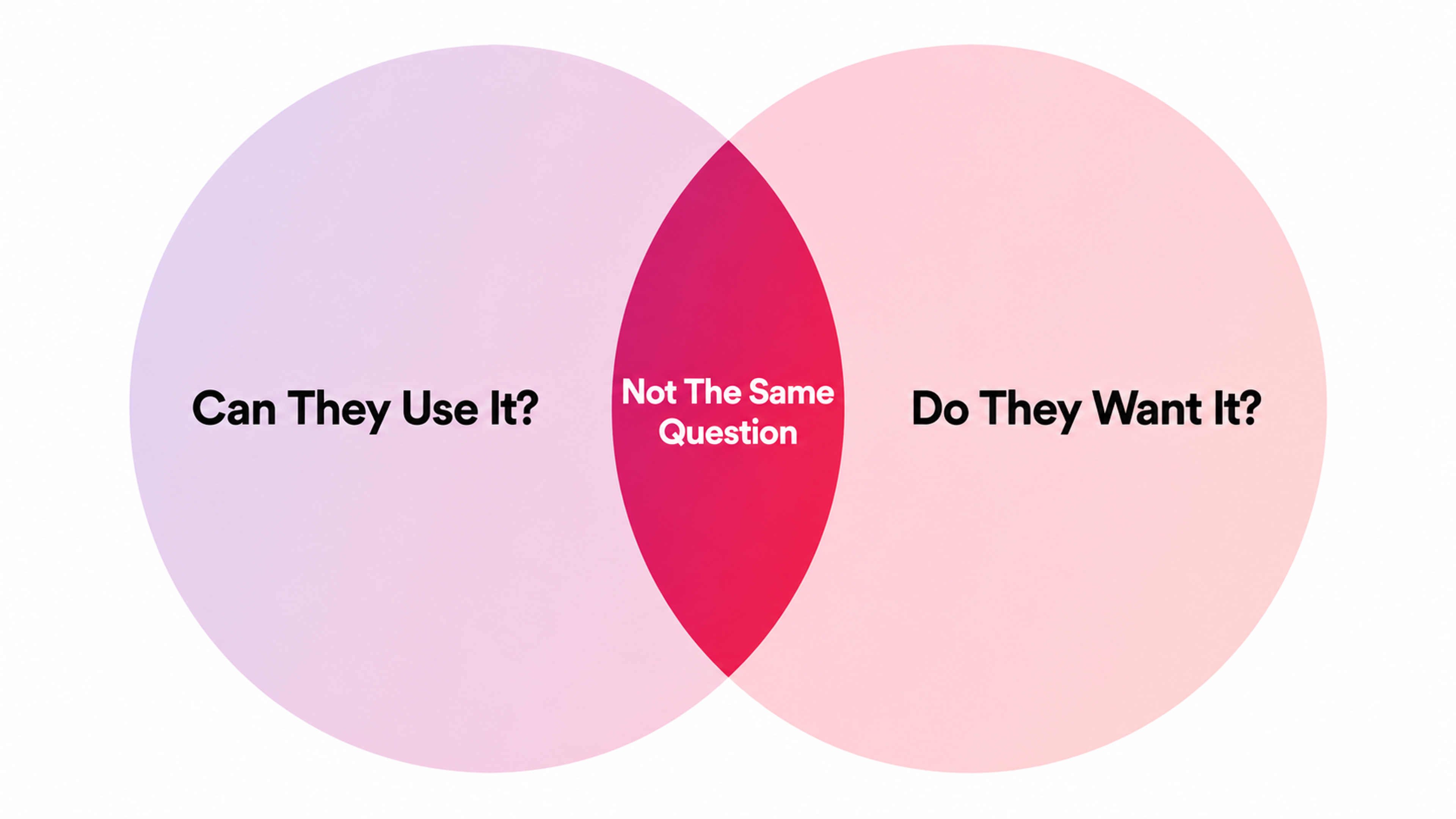
- User testing shows whether people can use something. It cannot tell you whether they want it.
- Synthetic participants have a narrow, defensible role upstream. They are not a substitute for watching a human struggle.
What User Testing Tells You, and What It Never Will
User testing means watching real people attempt real tasks with your product and recording where they stall. That's the whole method. Everything else is logistics.
User Testing
What it reveals reliably:
- where navigation breaks down
- which labels get misread
- where users form a wrong mental model and act on it
- which steps produce hesitation
- which errors people can't recover from on their own
These are behavioral facts, observable in the room, and they hold up.
What it does not reveal, no matter how well you run it:
- whether anyone wants the product
- whether they'd pay
- whether the feature matters more than the three you didn't build.
A person can complete every task flawlessly and still never return. Usability and desirability are different variables, and testing only measures one of them cleanly.
That distinction matters because of how the results get used. A clean test becomes evidence that the direction is right, when all it proved was that the buttons work.
Teams building fintech products run into this constantly. A transfer flow can test perfectly and still lose to a competitor on trust signals nobody was asked about. Design a task set around what you actually need to decide, and treat everything outside that set as unmeasured.
Pick the Technique by the Question
Method lists cause more confusion than they resolve. A/B testing and usability testing get filed as two "types of user testing" when one is a statistical experiment on live traffic and the other is qualitative observation of five people. They answer opposite questions and can't substitute for each other.
Start from the question instead.
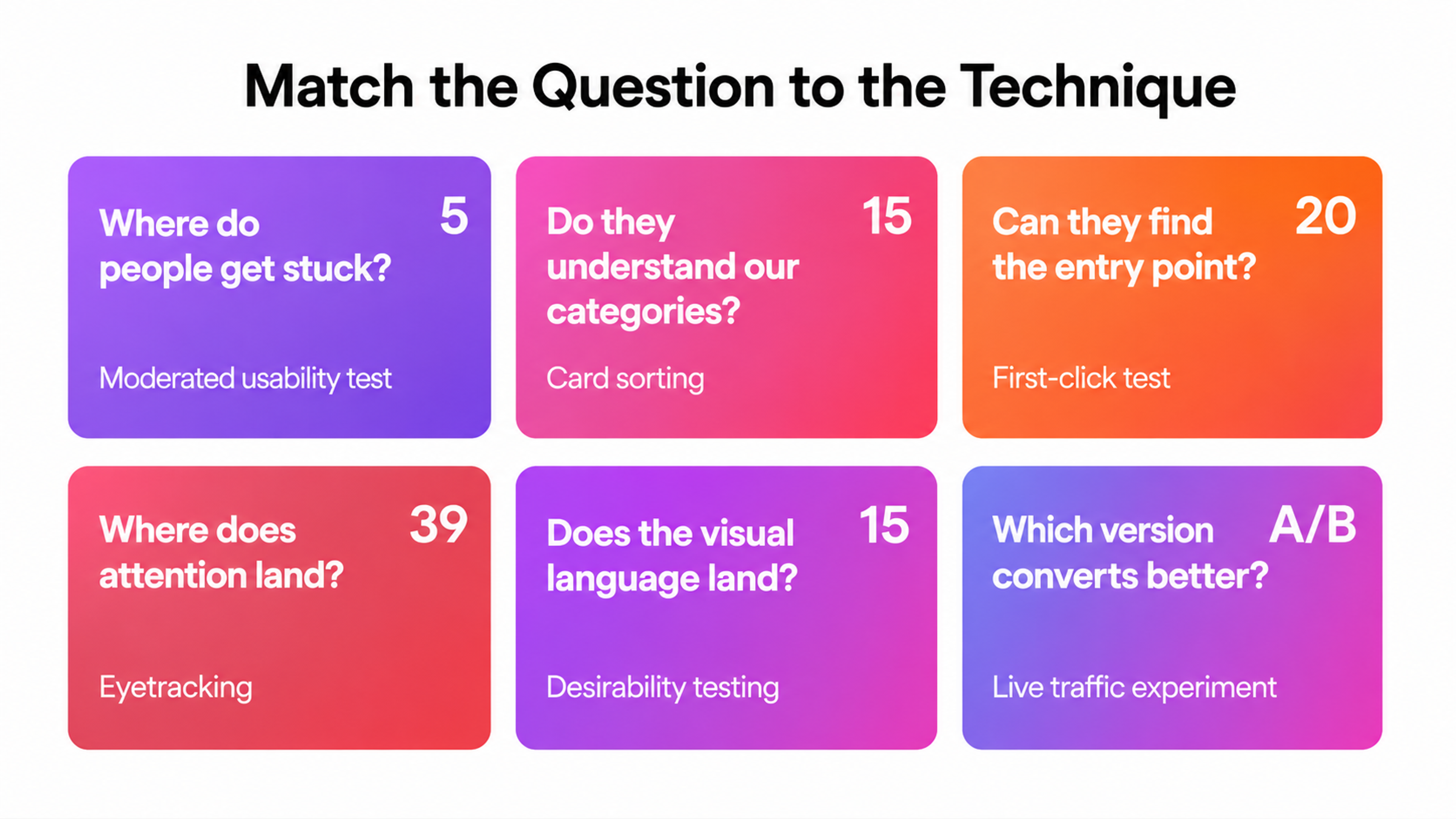
Match the question to the technique, and the technique will tell you the sample size.
- Where do people get stuck? Moderated usability test, 5 participants per audience.
- Which version converts better? A/B test, sized by statistical power rather than headcount.
- Do people understand our categories? Card sorting or tree testing, 15 per user group.
- Can people find the entry point? First-click test, 20 or more.
- Where does attention land on the page? Eyetracking, 39 for stable heatmaps.
- What do people do at scale, unprompted? Behavioral analytics, all of them.
- Does the visual language land? Desirability testing, 15 to 20.
User Testing Techniques
Two things fall out of that list. First, "user testing" isn't one technique, and picking the familiar one instead of the fitting one is the most common planning error.
Second, several of these produce numbers, and numbers need sample sizes that qualitative testing does not.
Usability testing remains the workhorse. In User Interviews' State of User Research 2025, 73% of research professionals reported using it, behind interviews at 92% and roughly level with surveys at 72%.
How Many Participants You Need
The five-user rule is the most quoted and most misapplied number in UX design.
Jakob Nielsen's position, restated in How Many Test Users in a Usability Study?, is that five participants in a qualitative study gets you close to the best benefit-cost ratio available. Not all the problems. The best return per dollar. Those are different claims, and conflating them is how teams end up defending five participants in contexts where five is indefensible.
Nielsen lists the exceptions plainly. Quantitative studies aimed at statistics need at least 20 participants, and tight confidence intervals need more. Card sorting needs at least 15 per user group. Eyetracking needs 39 for heatmaps that hold their shape.
When you have genuinely distinct audiences, a medical site serving both doctors and patients, or a marketplace serving both buyers and sellers, you're running separate studies and need close to five per group, though 3 to 4 usually suffices because experiences overlap.
The interesting finding is what practitioners actually do. Nielsen surveyed 217 UX Conference attendees and found the average team runs 11 participants per round, more than twice his recommendation. He also plotted 83 of NN/g's own consulting projects against findings reported and got a correlation so small it barely registers. Testing more people did not surface appreciably more insight.
The practical read: if you have budget for 15 participants, run three studies of five rather than one study of 15. Iteration beats sample size in qualitative work, and the second round tests fixes rather than re-confirming the first round's problems.
One more direction people forget. For very low-overhead setups, where recruiting and scheduling cost almost nothing, Nielsen argues two participants per study can be optimal, because you can afford so many more studies. Small and frequent beats large and occasional.
We've designed for 100M+ Speedtest users, Discover cardholders, and Snapchat's AR commerce experience. Scale and complexity don't intimidate us. Tell us about your product.
Writing Tasks That Don't Lead the Witness
A badly worded task contaminates the session irreversibly. No amount of skilled moderation recovers it.
The failure is almost always the same shape. The task names the thing the participant is supposed to find.
"Use the filter panel to narrow results to items under fifty dollars" has already answered the question you wanted to ask, which was whether anyone finds the filter panel.
Rewrite it as a goal with no interface vocabulary in it: "You have fifty dollars. Find something you'd actually buy."
Three Rules for Writing Test Tasks
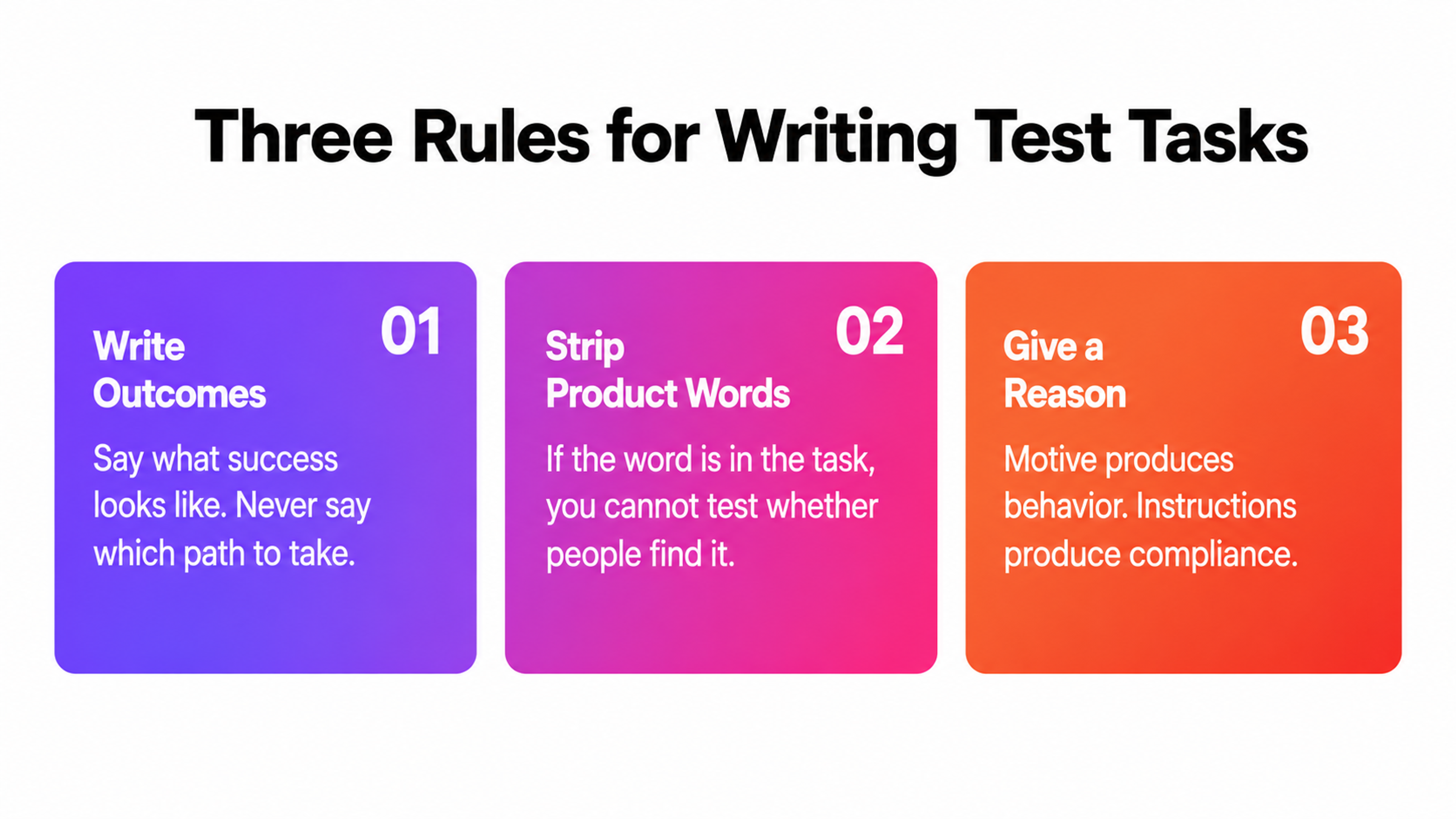
Three rules hold up across projects:
1.
Write tasks as outcomes, never as steps. The participant should know what success looks like and have no idea what path you expect.2.
Strip every product noun you want tested. If the word appears in the task, you can't test whether people recognize it in the interface.3.
Give the task a reason. "Book a table for Friday" gets you compliance. "You're meeting a friend Friday, and they're vegetarian, sort it out" gets you behavior, because now the participant has criteria of their own and will notice when the interface fails to support them.
Order matters as well. Front-load the task that carries the decision. Participants get tired, and the fifth task always gets a worse effort than the first.
Moderated vs Unmoderated Testing
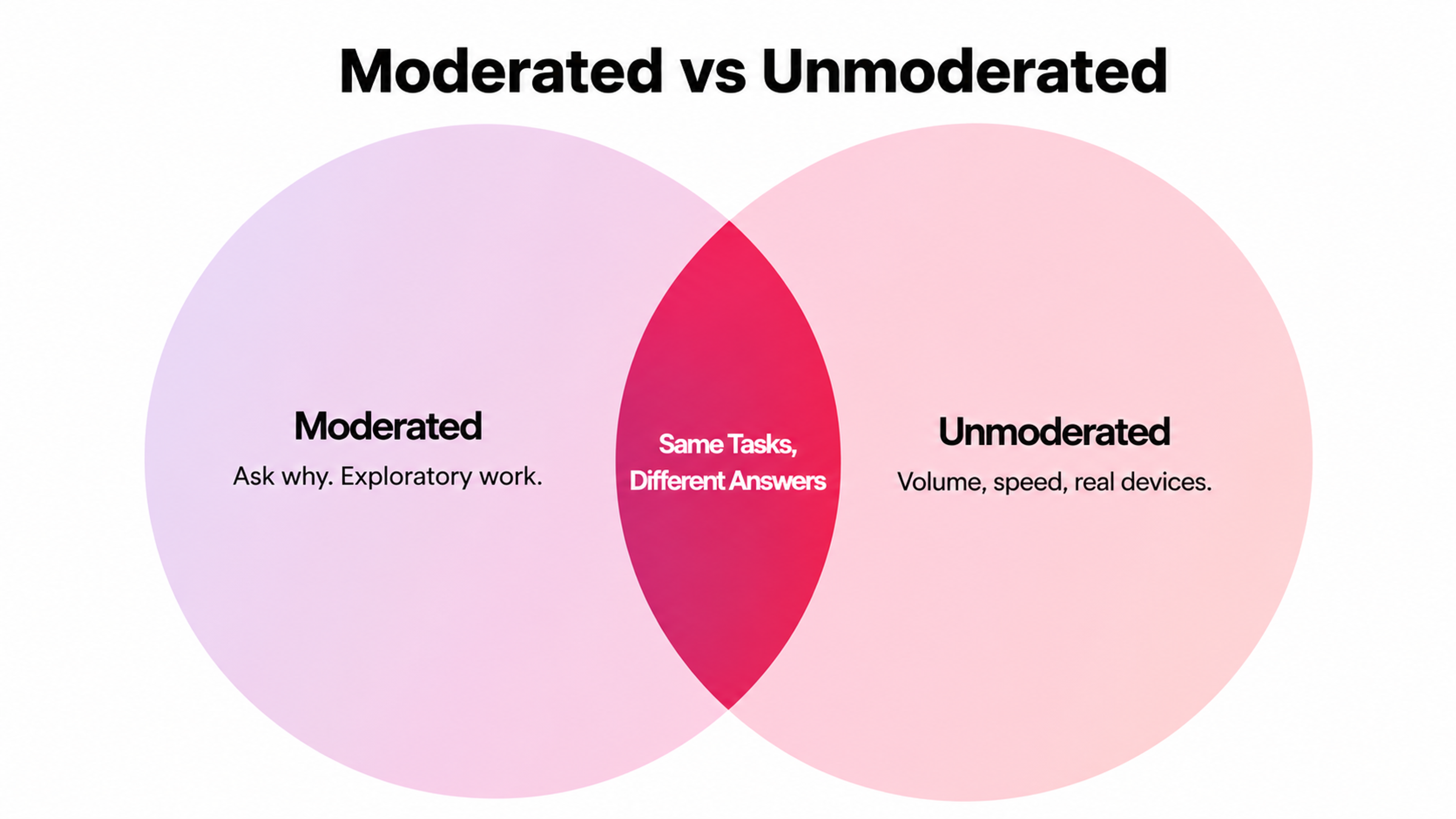
Moderated testing buys you the follow-up question. When someone hesitates for four seconds and then clicks the wrong thing, you can ask what they expected, and that answer is often the entire finding. Unmoderated testing cannot do this, and no amount of post-session survey recovers it.
Unmoderated testing buys you volume, speed, geographic reach, and participants in their own environment on their own hardware. For a mobile flow, that last point is not trivial. People test on the phone they actually own, with their actual thumbs and their actual network.
The honest tradeoff: use moderated for anything exploratory, anything where you don't yet know what you're looking for, or anything where the mental model is the subject. Use unmoderated for validation, for benchmarking across versions, or for testing a flow you already understand well enough to write airtight tasks.
Moderated vs Unmoderated User Testing
Disqualifiers are worth naming:
- Don't run unmoderated tests on flows requiring real accounts or real money
- Don't run them when your tasks need context you can only give verbally
- Don't run them as a first study on an unfamiliar audience, because you'll write the wrong tasks and find out too late
Where Most Tests Break
Bad participants produce confident, but useless findings. This is the failure mode nobody catches, because the sessions look fine.
Professional testers are the first problem. People who complete studies for income get good at it. They think aloud fluently, complete tasks competently, and behave nothing like your actual users, who are distracted and impatient and have never seen your product before. Screen for panel history where the platform exposes it, and treat unusually articulate participants with suspicion rather than gratitude.
Screener leakage is the second. If your screener asks "how often do you use budgeting apps?" with "daily" as an option, some people will select it to qualify. Ask behavioral questions with verifiable specifics instead. "What did you use last time you split a bill?" is harder to game than "do you split bills often?"
Recruiting also remains the most reported bottleneck in the field. User Interviews' 2025 data has finding enough qualified participants, time to recruit, and participant quality sitting at the top of researcher struggles, though time-to-recruit did drop seven points to 54% year over year.
For niche audiences, build a panel before you need one. Products serving specialist users, whether that's institutional crypto workflows or wholesale ordering, cannot recruit a representative sample in a week. The teams who test consistently are the teams who solved recruiting once.
Running the Session
Brief the participant on the process without revealing what you're evaluating. Say the product is being tested, not them. Mean it, and repeat it when they apologize for struggling, which they will.
Ask for think-aloud, then mostly stay quiet. The strongest moderating instinct to fight is the urge to help. When someone stalls, count to ten before intervening. Most of what you need to learn happens in the seventh second.
How to Run a User Testing Session
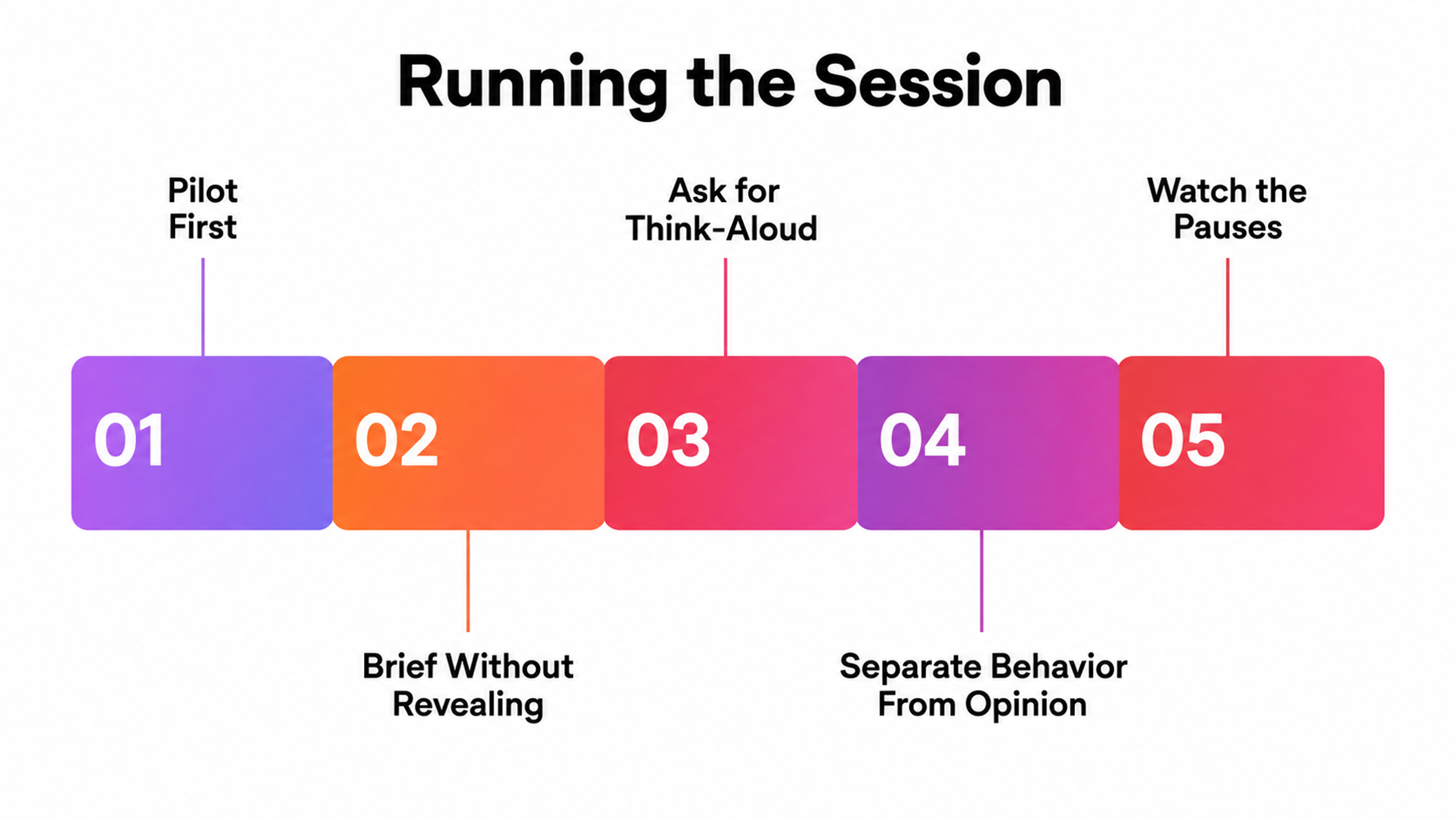
Watch for hesitation more than failure. Outright failure is easy to spot and usually already known. The four-second pause before a correct click is the finding worth having, because it marks a place where the interface almost lost someone.
Take notes on behavior separately from notes on opinion. Participants will volunteer design suggestions. Record them, discount them heavily, and pay attention instead to what their hands did.
Run a pilot session first. Every plan has one broken task in it, and the pilot is where you find it for free rather than burning a real participant.
Turning Findings Into Fixes
Most research dies here. The sessions happen, the deck gets made, and nothing ships.
Triage by severity, not by frequency. A problem that three of five participants hit but recovered from easily is less urgent than the one participant who abandoned entirely.
Score each finding on how many users hit it, how badly it blocks them, and whether they can recover unaided. The blockers go first regardless of count.
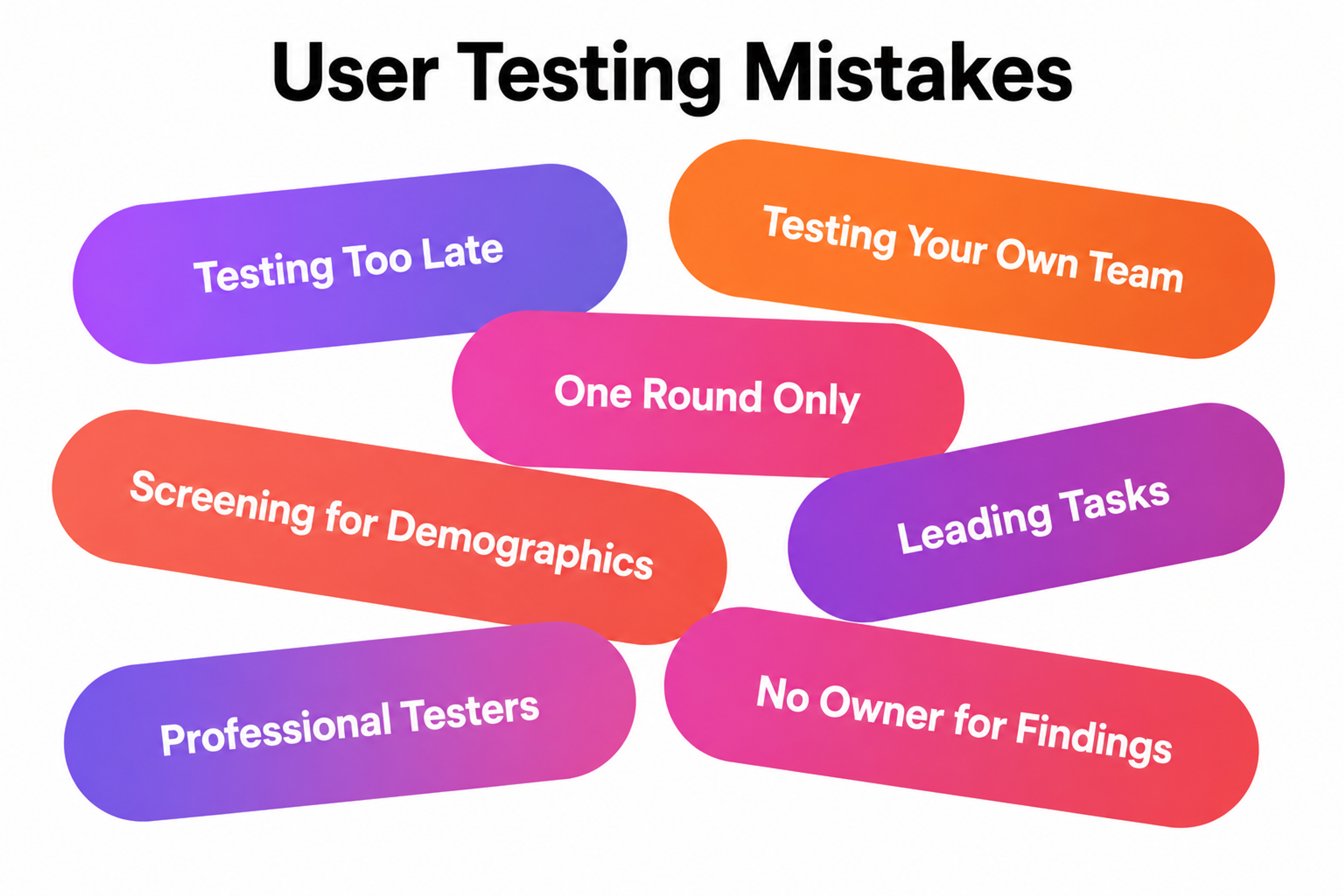
Attach an owner and a date to every finding you intend to act on, in the same document. Findings without an owner are observations, not decisions.
Quantify where the stakes are visible. Baymard Institute's 2025 checkout benchmark manually scored more than 41,000 checkout performance measures across leading ecommerce sites and found 64% of desktop and 63% of mobile checkouts performing mediocre or worse.
On a retail flow, a single unrecovered checkout error is not a usability finding. It is a revenue line, and framing it that way is what gets it prioritized.
Then close the loop by retesting. A fix that was never verified with users is a hypothesis wearing a changelog entry.
Synthetic Users and AI Moderation in 2026
AI-generated participants are the live argument in research right now, and the evidence is less ambiguous than the marketing suggests.
Nielsen Norman Group's Maria Rosala and Kate Moran put synthetic users through studies they had already run with real participants. The synthetic responses came back shallow and frequently sycophantic, praising concepts that real participants had pushed back on, and reflecting idealized behavior drawn from literature rather than how people actually behave.
Their guidance is to supplement rather than substitute, with desk research and hypothesis generation as the defensible use cases and final decisions off limits.
Practitioner adoption tracks that caution. User Interviews' State of Synthetic Users found 8% of research professionals using synthetic-user tools regularly and 21% having experimented once or twice, against 97% who use AI elsewhere in their workflow.
The largest single group, 28%, actively chooses not to use them. And 63% of organizations have no policy at all, which is the number that should worry you, because ungoverned synthetic data is already circulating in decks somewhere.
The ACM Interactions analysis published in January 2026 frames the structural problem well. A model's output quality depends on its training data, so bias in the data becomes bias in the findings, and validating against real human data undercuts the entire time-saving argument for using simulations in the first place.
Where AI does earn its place:
- transcription
- tagging
- pattern-finding across many sessions
- screener drafting
- pilot-testing your task wording before a human sees it.
That's real time saved on the parts of research that were never the point.
Where User Testing Goes Wrong
The most common failures repeat across teams and rarely involve the session itself.
Testing too late, when the design is built, and the finding can only be absorbed as a compromise.
Testing your own team, who know the product and can't unknow it. Running one round and calling it done, when the value of testing is almost entirely in iteration.
Recruiting for demographics instead of behavior, which produces a sample that looks representative and behaves nothing like your users.
There's a newer one worth naming. Maze's 2026 research report found demand for research rising sharply, with 66% of participants reporting an increase, and studies increasingly run by non-researchers: 39% product managers, 35% market researchers, 23% marketers.
User Testing Mistakes
Access has grown faster than infrastructure. While 61% of organizations provide tools and templates, fewer than half offer dedicated support from specialist researchers at 45% or structured training at 46%. More people running studies with less methodological support produces more findings and less certainty about which ones to trust.
From e-commerce redesign to immersive 3D experiences, we know that no two websites should feel the same. Tell us what yours needs to do.
Read more
- Clay Global’s UI/UX Design Case Studies
Frequently Asked Questions
Is user testing the same as usability testing?
No, though the terms get used interchangeably. User testing is the broader category covering any technique that puts your product in front of real people. Usability testing is the specific technique of observing task completion to find friction. All usability testing is user testing. The reverse doesn't hold.
How many users do I need for a usability test?
Five for a qualitative study on a single audience. At least 20 if you plan to report statistics, 15 per group for card sorting, and 39 for stable eye-tracking heatmaps, per Nielsen Norman Group's guidance. Multiple distinct audiences mean multiple studies, at roughly 3 to 5 each.
When should I start testing?
As early as you have something a person can react to, including paper sketches and clickable wireframes. Testing a concept costs hours. Testing a shipped product costs a release cycle plus the users who already left.
Can I test with my colleagues?
For catching broken links and obvious copy errors, yes. For anything about comprehension or navigation, no. Colleagues know your product's logic and cannot forget it, which is exactly the knowledge your real users don't have.
How long should a session run?
Between 30 and 60 minutes for moderated sessions. Past an hour, fatigue degrades the data and participants start agreeing with you to end it. Unmoderated sessions should stay under 20 minutes.
What's the difference between moderated and unmoderated testing?
Moderated means a researcher is present and can ask follow-up questions in the moment. Unmoderated means participants complete tasks alone, usually recorded. Moderated is better for exploration. Unmoderated is better for validation and volume.
How much does user testing cost?
The range is wide. Unmoderated remote studies with an existing panel can run a few hundred dollars per round. Moderated studies with specialist recruitment, incentives, and researcher time run into the thousands. The cost that matters is the comparison against fixing the same problem after launch.
What incentive should I offer participants?
Match the participant's professional value, not a flat rate. General consumers typically accept a modest gift card for 30 minutes. Specialists, developers, clinicians, or finance professionals require substantially more, and underpaying them is how you end up recruiting people who aren't really the audience.
Should participants know what we're testing?
They should know the process, the duration, and that recording is happening. They should not know your hypothesis or which elements you're evaluating. Told what you're looking for, participants will find it for you whether or not it's there.
What do I do when two participants contradict each other?
Look at what they did rather than what they said. Contradictory opinions are normal and rarely resolvable. Contradictory behavior usually means you have two user segments, which is a finding in itself.
Can AI replace user testing?
Not for decisions. AI handles transcription, tagging, and pattern-finding across sessions well. Synthetic participants produce responses that research at Nielsen Norman Group found shallow and prone to agreeing with whatever concept they were shown. Use them upstream for hypothesis generation, then validate with humans.
How often should we test?
Continuously, in small rounds, rather than occasionally in large ones. A five-participant study every sprint outperforms a 20-participant study every quarter, because the small cadence lets you test whether your fixes actually worked.
What if we have no budget and no participants?
Test with five people who resemble your users and are not on your team. Recruit from customer support queues, existing users, or a relevant community. Informal testing with imperfect participants beats no testing, provided you discount the findings appropriately.
How do I convince stakeholders to fund testing?
Translate findings into consequences rather than usability language. A checkout error that three of five participants hit is a percentage of abandoned carts. Baymard's benchmarking of ecommerce checkouts gives you an external reference point for that argument. Stakeholders fund revenue protection more readily than they fund research.
What should a test report actually contain?
Findings ranked by severity, each with an owner, a proposed fix, and evidence in the form of a clip or quote. Skip the methodology appendix unless someone asked. A report nobody acts on was a waste of the participants' time as well as yours.
Start Smaller Than You Think
The teams who get real value from testing are rarely the ones with the biggest studies. They're the ones who test five people this week, fix two things, and test again next week.
Everything in this piece is downstream of that habit. Sample sizes, task wording, recruiting rigor, severity triage - all of it exists to protect the quality of a decision you were going to make anyway. You'll make that decision with evidence or without it.
Watch five people fail at something you designed. It reorders your priorities faster than any framework will.


About Clay
Clay is a UI/UX design & branding agency in San Francisco. We team up with startups and leading brands to create transformative digital experience. Clients: Facebook, Slack, Google, Amazon, Credit Karma, Zenefits, etc.
Learn moreAbout Clay
Clay is a UI/UX design & branding agency in San Francisco. We team up with startups and leading brands to create transformative digital experience. Clients: Facebook, Slack, Google, Amazon, Credit Karma, Zenefits, etc.
Learn more