
In today’s digital world, creating experiences that truly connect with users makes all the difference. Great UX builds trust, boosts satisfaction, and drives real business results.
To maximize impact, it’s essential to align UX surveys with project goals from the outset. Integrating surveys into the design process ensures that the feedback collected is actionable and directly informs design decisions.
Structured user surveys surface issues that standalone testing may miss. Effective design relies on a deep understanding of users, and surveys provide systematic insight for that purpose.
As a versatile method, UX surveys offer flexibility and strategic value across different stages of the design process. This article explains why UX surveys matter, how to use them effectively, and how to turn feedback into meaningful improvements.
What Is a UX Survey?
UX surveys capture customer feedback about their experience with a product or service. As a type of user surveys, they combine quantitative and qualitative elements so users can share opinions, ratings, and suggestions for improvement.
These surveys focus on usability, feature satisfaction, and overall interface impressions. Thoughtful survey design is crucial to ensure questions are clear and the feedback collected is actionable.
The best surveys use simple language to avoid confusion. They track metrics over time, showing whether interface updates actually helped users. Different survey methods can be strategically applied in user research to gather targeted and ongoing feedback. This ongoing feedback creates a loop where products get better with each iteration.
UX Survey
Why UX Surveys Matter
UX surveys give you direct insights from users and allow you to gather insights that inform design decisions in a straightforward way. They let people state their preferences and highlight where they face problems. Well-designed surveys create a clear path to improvements that actually matter.
You can measure satisfaction using structured approaches like the Net Promoter Score. NPS asks one simple question: How likely are you to recommend us to a friend? Scores above 30 indicate strong customer loyalty. The Customer Satisfaction Score measures how happy users are right now, while Customer Effort Score evaluates how easy your product is to use.
Companies using continuous feedback loops see meaningful improvements in customer retention. When Airbnb implemented post-booking surveys, they identified checkout friction that led to design changes improving conversion rates. Google uses systematic user research to validate every product decision.
Design validation matters too. Surveys help you develop user-centric thinking and create lasting impact. Using an effective method for analyzing user insights from surveys, such as sorting responses by user segments, helps uncover trends and opportunities.
Whether you’re launching something new or refining what exists, thorough survey analysis can transform results into valuable insights for product improvement, ensuring your product truly serves users.
Types of UX Surveys
Different survey types address different goals. Understanding the options helps collect the right insights at the right time. Research indicates that selecting the appropriate survey type significantly improves feedback quality. Matching the method to specific project goals ensures the most effective way to gather meaningful insights.
Longitudinal Surveys
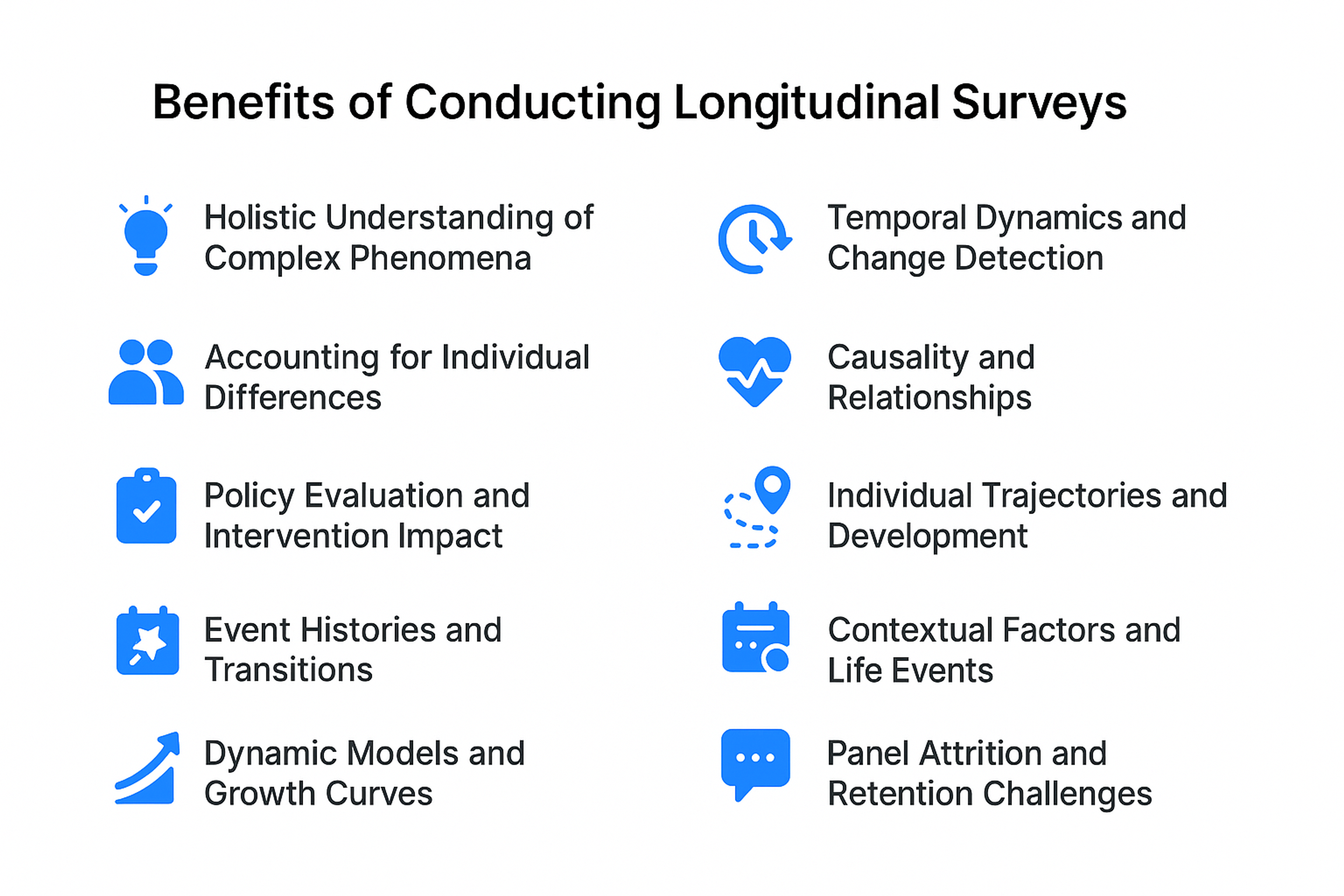
Longitudinal surveys collect data over extended periods, tracking users at multiple points across weeks, months, or years. This approach reveals trends and shifts in user behavior, preferences, and experiences over time.
The patterns you identify show changing consumer needs or measure the success of changes made from previous feedback. Longitudinal surveys prove particularly valuable for understanding long-term effects and the lasting impact of product updates.
Use longitudinal surveys when you need to understand how user behavior evolves as your product matures.
benefits of conducting longitudinal surveys
Cross-Sectional Surveys
Cross-sectional surveys gather information from a specific user group at one point in time. They capture a snapshot of user sentiments and behaviors, helping inform immediate design decisions or assess current satisfaction levels.
These surveys establish baseline understanding of user perceptions. Market research teams often deploy cross-sectional surveys to gauge initial reactions or measure satisfaction after major releases.
Think of cross-sectional surveys as a photograph of user sentiment right now, perfect for making quick decisions based on current conditions.
Pulse Surveys
Pulse surveys consist of quick, frequent checks that capture instant feedback on specific aspects of user experience. Typically taking just minutes to complete with only a few questions, they gauge user sentiment immediately following updates or feature changes.
Leading tech companies like Google and Amazon continuously deploy pulse surveys after feature launches, catching usability issues within 24 hours. This rapid feedback allows teams to make fast adjustments that enhance satisfaction and experience.
Slack maintains high customer satisfaction by deploying pulse surveys after major updates, ensuring changes actually improve user experience.
In-App Surveys
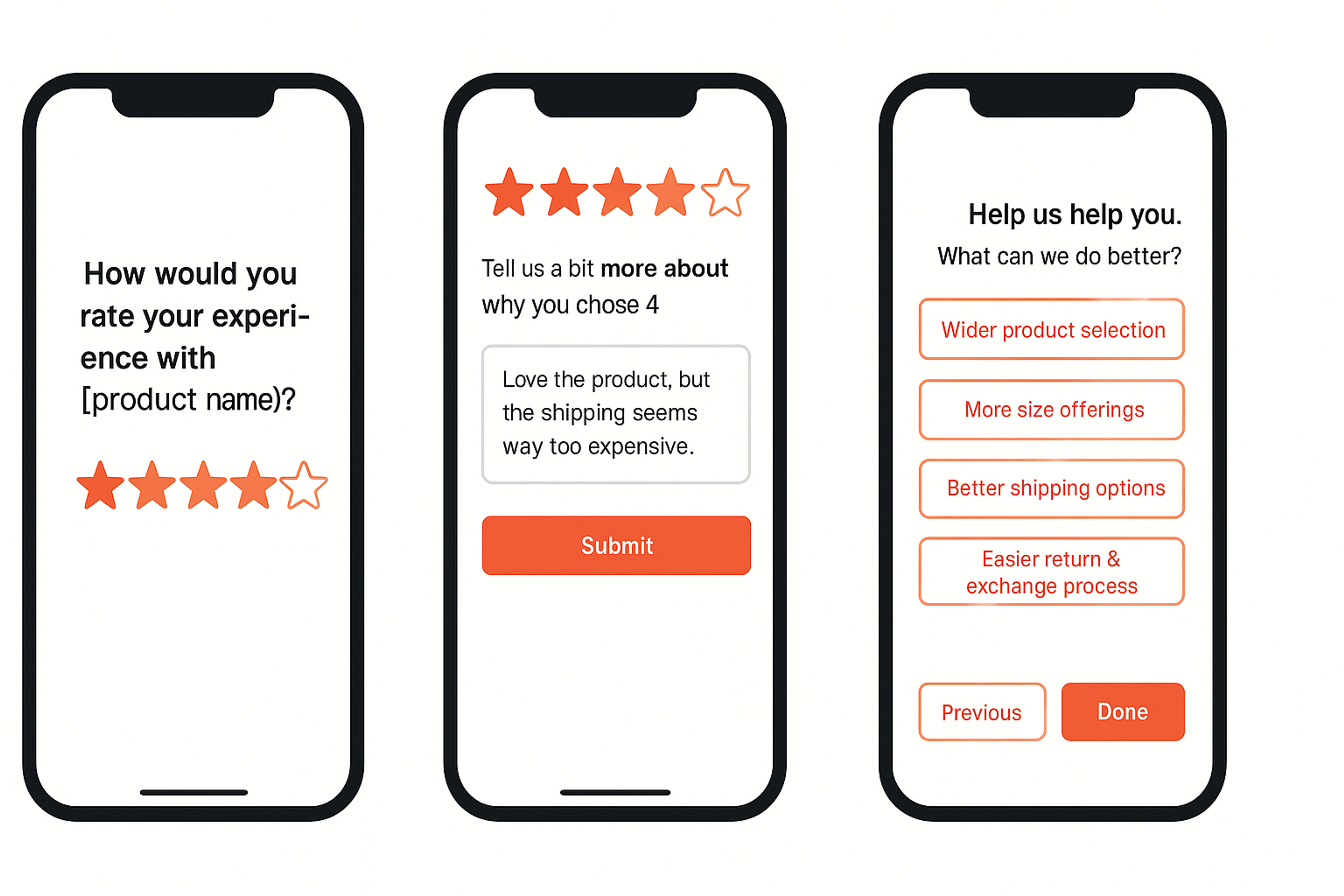
In-app surveys appear directly within your application, making it convenient for users to provide feedback while actively using your product. This immediate response proves invaluable for understanding context-specific experiences and improving usability.
These surveys typically present as pop-ups or notifications, inviting users to share insights with minimal disruption. Including a progress indicator can further enhance the user experience by making the survey process clearer and more manageable. Real-time feedback about specific features helps you understand exactly how people interact with what you’ve built.
In-app Survey
Transactional Surveys
Transactional surveys appear after specific interactions like completing a purchase or receiving customer support. These surveys often include a question about overall satisfaction to gauge the user's contentment with the specific interaction. They focus on experience during that exact moment, providing insights into satisfaction levels and improvement opportunities.
These surveys identify specific strengths or pain points within the user journey. E-commerce sites deploying exit-intent surveys can identify why customers abandon carts and address those specific issues.
UX Survey Questions
The questions you ask determine the insights you get. Well-designed questions balance structure with openness, giving users clear ways to express their thoughts. Knowing how to write questions that are clear, unbiased, and targeted is essential for gathering accurate data. It's also important to keep questions neutral to avoid bias.
Avoiding leading questions and leading question types is crucial to ensure data integrity and prevent influencing respondents' answers.
When considering question types, multiple choice questions offer advantages for quick, clear responses and can improve respondent engagement.
For multi-select questions, using multiple choice options can enhance response clarity and flexibility.
Types of UX Survey Questions
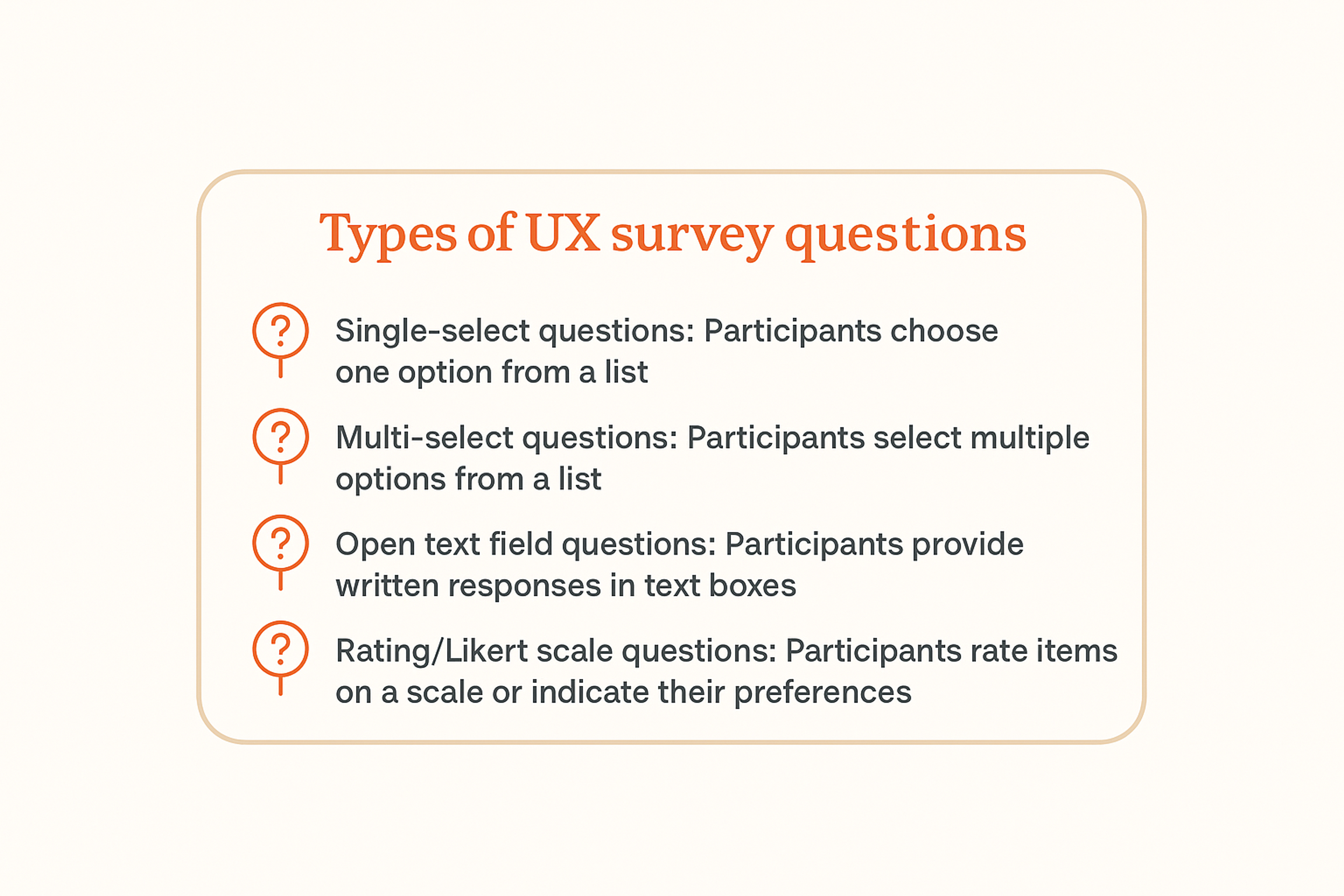
Single-Select Questions
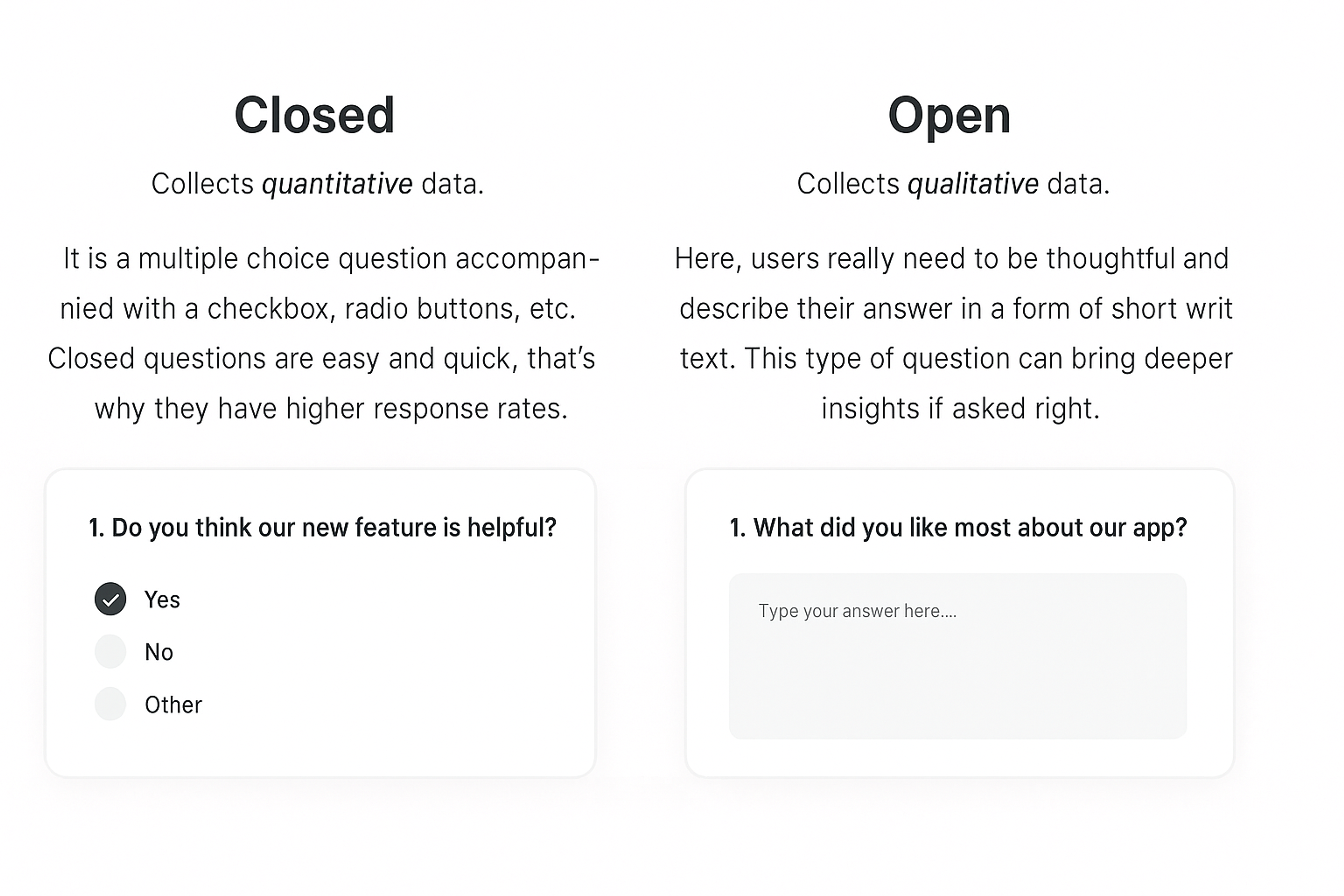
Dropdown menus work well for longer lists where participants pick just one option. Radio buttons suit simple questions like yes or no choices. These questions give you clean, quantitative data that’s easy to analyze.
Multi-Select Questions
Checkboxes let users pick multiple answers from short lists. You can adapt other formats for multi-select needs, like choosing several images or items from a dropdown. This flexibility captures the full range of user preferences. By using logic functionality, you can tailor follow-up questions based on previous responses, creating a more personalized survey flow and improving data accuracy.
Open Text Fields
Short and long text boxes let participants give detailed, nuanced answers. Use these for flexible input like contact forms or when you want to understand the “why” behind user choices. Identity verification fields like phone numbers or emails help filter bots from real responses.
Rating Scales and Grids
Sliding bars let users visually rate by dragging along a scale. Label your anchors clearly and keep scales uniform across multiple questions. Radio button grids efficiently collect multiple responses, perfect for evaluating different items or repeating similar questions.
Types of UX Survey Questions
UX Survey Best Practices
Following established best practices makes your surveys more effective. Usability consultant Steve Krug’s principle “Don’t make me think” applies perfectly to surveys. Keep questions clear and simple. Pilot testing is essential for creating a good survey, as it helps identify and fix issues before full deployment.
Here are a few quick tips for effective UX survey design:
- Use straightforward language.
- Limit the number of questions.
- Test your survey with a small group first.
Maintain Focus and Brevity
An effective survey is brief and focused. Evidence shows that surveys under 10 minutes achieve significantly higher completion rates; shorter forms reduce fatigue and frustration. Reducing length and complexity lowers respondent effort and improves overall experience.
Priority should be given to critical questions, and unnecessary complexity that discourages completion should be removed. Each item should justify its place by producing actionable insight.
Blend Question Types
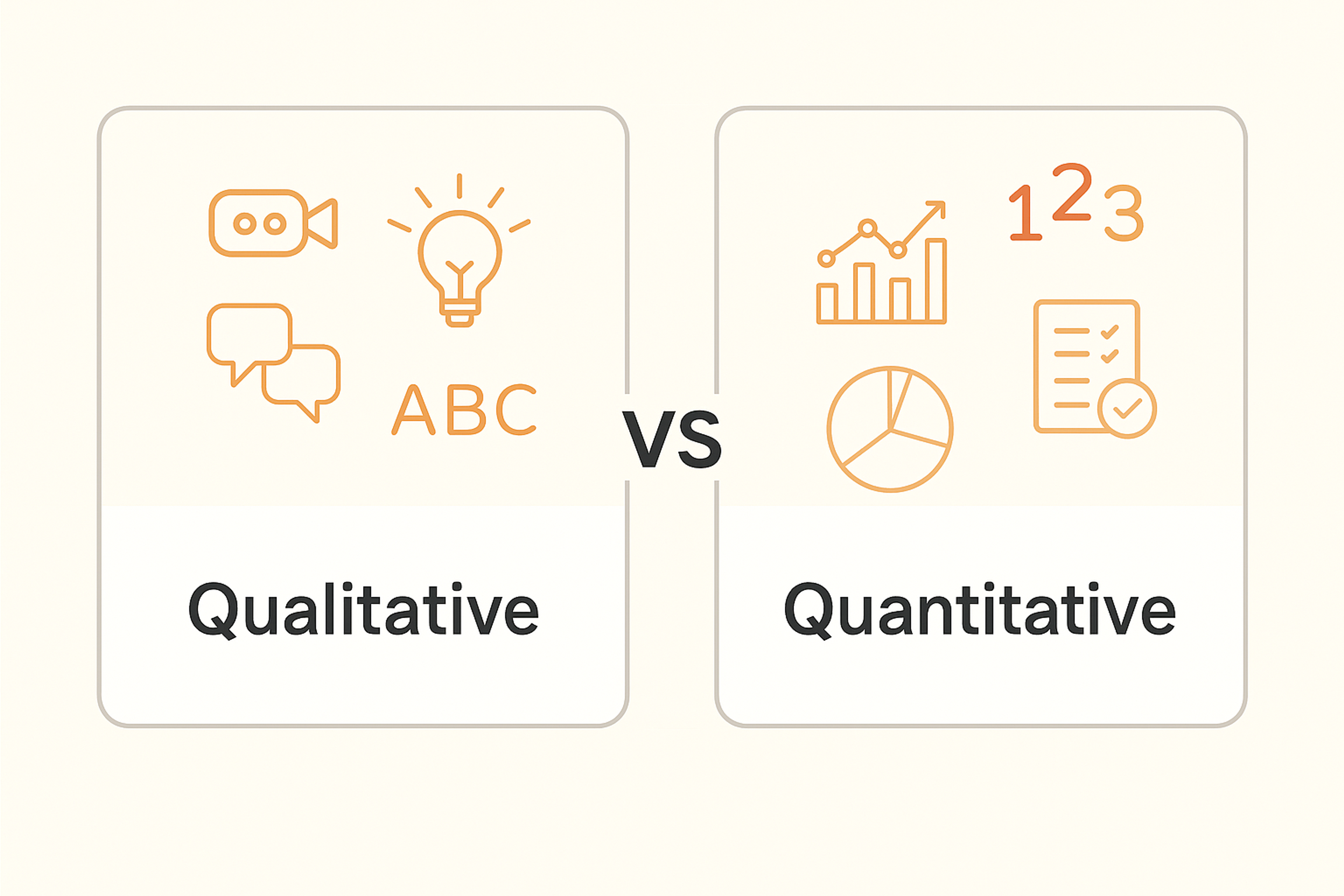
Combining quantitative and qualitative questions creates comprehensive understanding. Quantitative questions offer measurable data about user activities, like satisfaction ratings or time spent on specific tasks. These give you the numbers you need for tracking and comparison.
Qualitative questions provide deeper insights into emotions and motivations. They explore feelings about your product and the reasoning behind user actions. Open-ended queries let people express themselves in their own words, refining feedback by revealing underlying concerns or creative suggestions that numbers can't show.
Quantitative and Qualitative UX Research Methods
Qualitative Surveys Explore Experiences
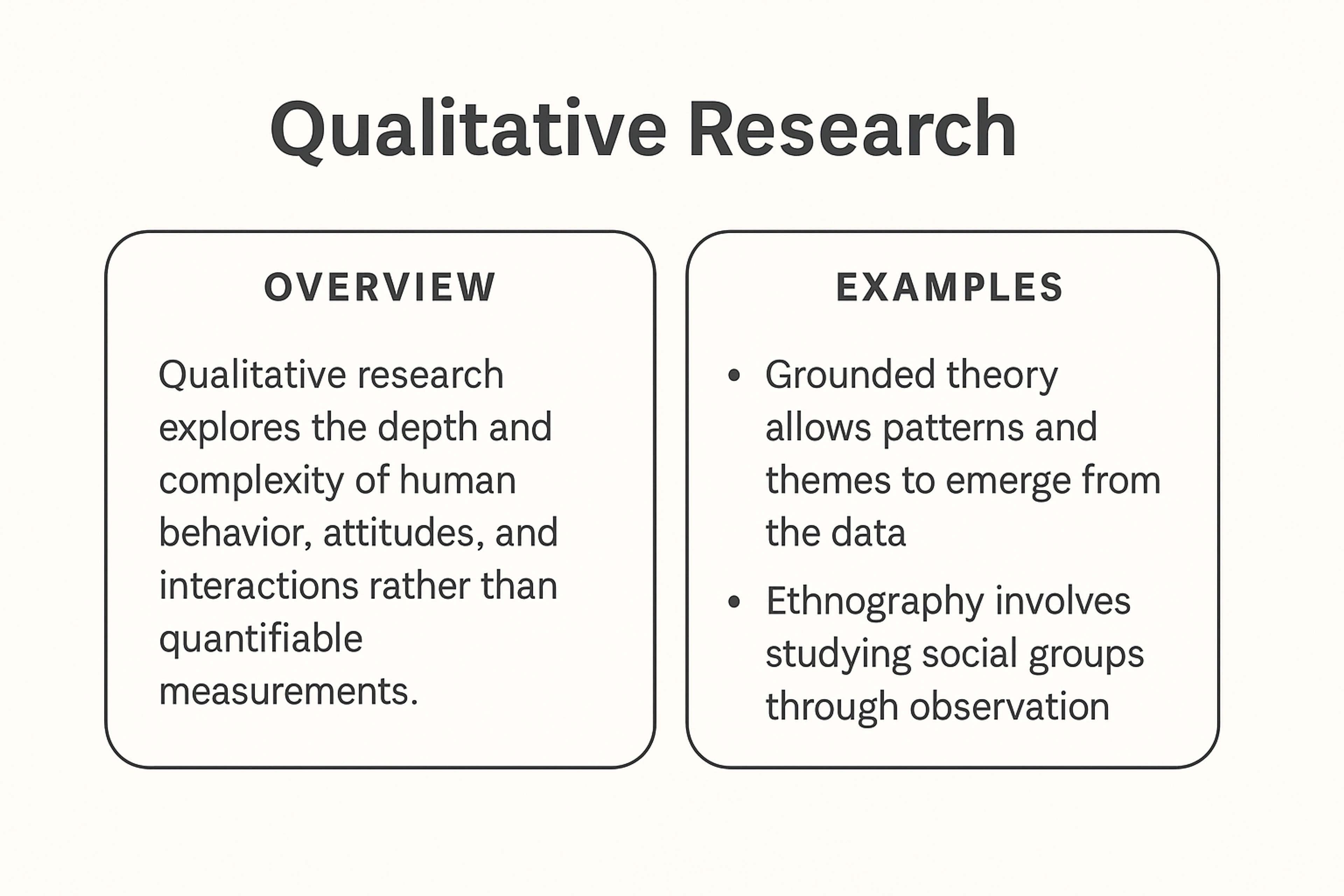
Qualitative surveys collect data about how people perceive and experience the world. In business, they help companies understand how consumers interact with products, services, and brands. By exploring behaviors and motivations, these surveys provide insights into customer opinions and actions.
Qualitative user research, through methods like open-ended surveys and interviews, offers a deeper understanding of user needs and behaviors, informing better design and business decisions.
The goal is uncovering what people think and why. Using in-depth questions often inspired by psychology and sociology, qualitative surveys explore feelings and motivations.
This data helps businesses understand customer decision-making and connect on a personal level, while qualitative insights are especially valuable for understanding customer sentiment and journey mapping.
Methods include observation, ethnography, and case studies, but businesses mainly rely on interviews and surveys to gather qualitative data.
Qualitative Research
Quantitative Surveys Measure with Numbers
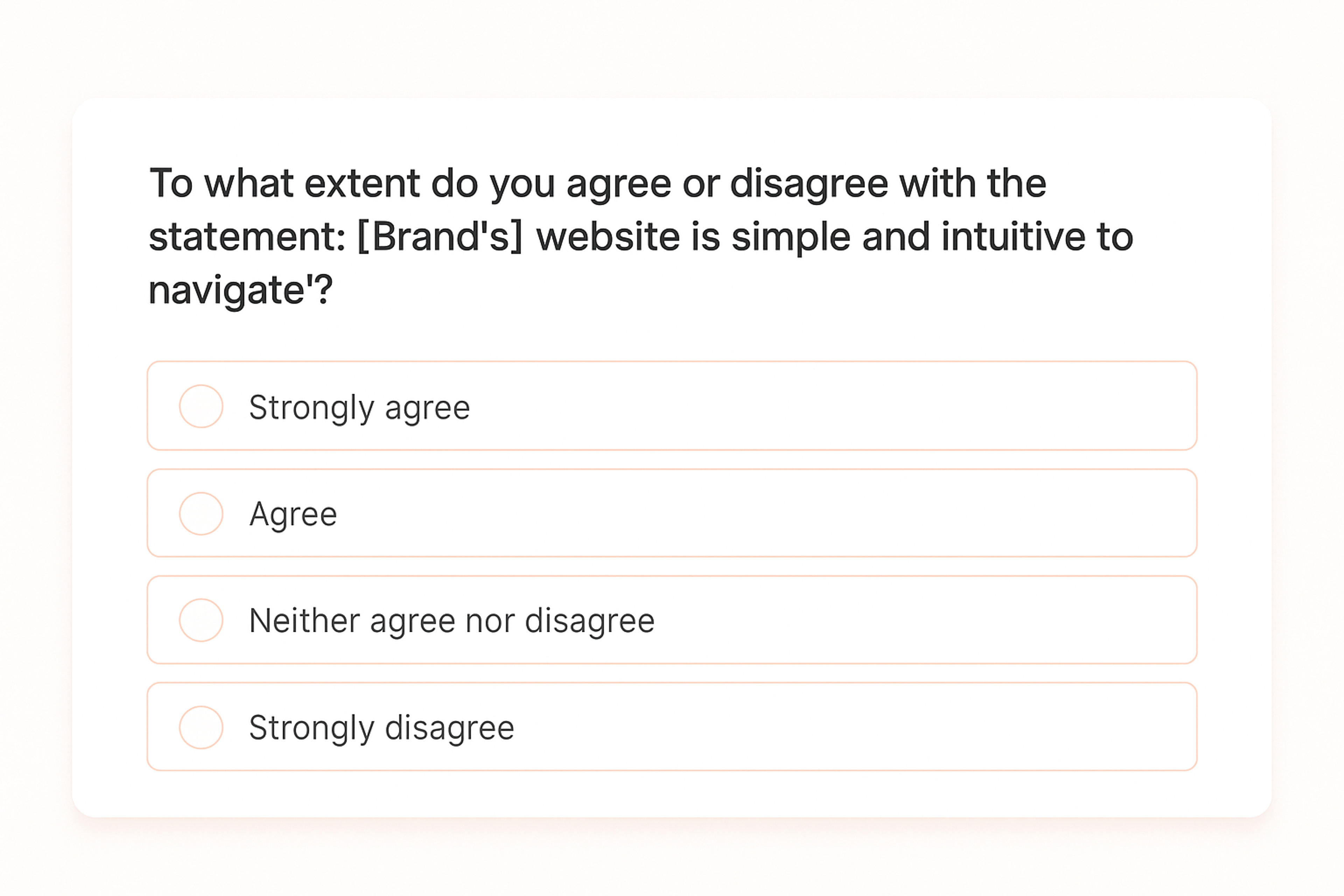
Quantitative research gathers numerical data using rating scales or ranking questions. It may include open-ended questions where responses get coded into numbers for analysis.
A key benefit of quantitative research is its support for statistical analysis. Surveys often use close-ended questions, providing clear, actionable insights. Paired with open-ended responses, they offer more complete understanding by combining structured data with deeper context.
Survey Example
Analyzing Survey Data
Analyzing survey data means deeply understanding user feedback and translating insights into meaningful improvements. Interpreting survey results helps inform product decisions by highlighting trends and user needs.
Well-designed surveys provide valuable data for evaluating features and guiding improvements, ensuring that product changes are based on high-quality, actionable insights.
Effective data collection through surveys is essential, and selecting the right tools can streamline the process and enhance the quality of insights gathered. Tracking performance metrics is also crucial to measure the impact of changes informed by survey insights.
Using UX Survey Tools
Survey tools make gathering and analyzing feedback efficient. Qualtrics offers enterprise-grade analytics with advanced branching logic. SurveyMonkey provides user-friendly templates that get you started quickly.
Typeform creates conversational survey experiences that feel more like dialogue. Google Forms is a free, user-friendly tool for creating and analyzing surveys, with easy customization and integration with other Google services. UserTesting combines surveys with video feedback for richer context. Hotjar integrates surveys with heatmaps, showing behavior alongside opinions.
Enterprise teams often choose Qualtrics when they need sophisticated analytics and integration with existing tools. Startups prefer Typeform’s intuitive interface and visual design. Choose based on your team size, budget, and technical requirements.
These platforms feature customizable questionnaires, real-time analytics, and user segmentation. They help you make data-driven decisions to refine design and functionality. Whether launching new features or enhancing existing ones, the right survey tool ensures your product aligns with user needs and expectations.
Source: Unsplash+

Identifying Patterns and Trends
Analyzing feedback works like detective work. Look for overarching trends rather than focusing on individual comments. A recurring complaint about a specific feature reveals critical insights. A notable increase in positive feedback following an update tells you what’s working.
AI-powered sentiment analysis automatically categorizes thousands of open-ended responses within minutes, revealing patterns human analysts might miss. By monitoring these patterns over time, you can address potential issues before they escalate and reinforce aspects that resonate with users.
However, be cautious of clustering bias when interpreting patterns in survey data, as it can lead to seeing groupings or trends that are actually random or nonexistent.
Translating Insights into Action
Data analysis creates real value when insights lead to concrete actions. Take those “aha” moments and implement visible, meaningful changes that directly address user feedback. This could mean fixing persistent bugs or adding frequently requested features.
After implementing changes, collect additional feedback through post-task or post-test surveys to validate improvements and gather further user insights.
The key is showing users that their input matters and gets acted upon. This builds trust and loyalty. UX researcher Jared Spool notes that continuous user feedback creates products people genuinely love.
Challenges and Limitations
Collecting feedback through surveys offers tremendous value, but comes with real challenges. Understanding these obstacles helps you gather better insights that lead to meaningful improvements. Survey fatigue can reduce participation rates, and not receiving enough responses can impact the quality and validity of your research findings.
Bias is another major concern. Psychological factors such as confirmation bias, where respondents tend to confirm their preexisting beliefs, and hindsight bias, where events seem more predictable after they occur, can both distort survey results.
Survey Fatigue
When users face constant survey requests, they quickly tire of them. This leads to fewer responses and lower-quality feedback. People rushed or annoyed by too many surveys might speed through answers, give incomplete responses, or ignore requests entirely.
This skews your data and reduces its usefulness. Plan survey timing and frequency carefully. Ensure each survey has a clear purpose and stays as brief and relevant as possible. Let users know how their feedback gets used. This encourages future participation and shows their time matters.
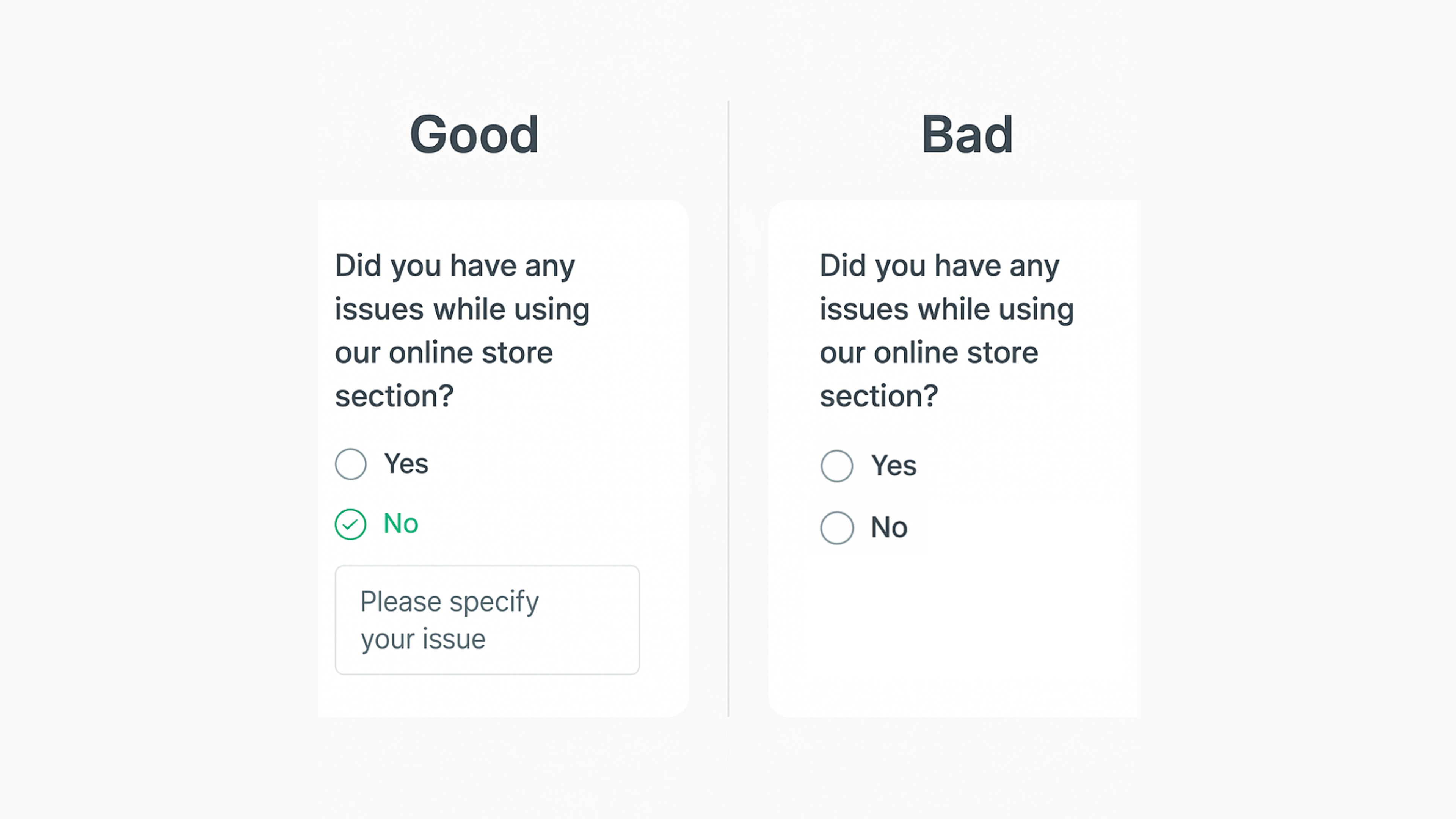
Good and Bad Survey Examples
Bias in Responses
Bias creeps into surveys in several ways. Poorly worded questions or ones suggesting particular answers produce skewed results. Self-selection bias occurs when certain user types, usually those with strong opinions, participate more than others. This doesn’t reflect your broader user base accurately.
Reduce bias by writing questions with neutral language. Include diverse question types and ensure your sample represents your full audience.
Test surveys with small groups first and use random sampling to get more balanced responses. Involve business stakeholders in survey design to ensure the questions align with business needs and further minimize bias.
The Future of UX Surveys
The future of UX surveys lies in seamless integration with other research methods. Companies gain holistic views of user satisfaction by combining surveys with usability testing, user interviews, analytics, and other methods such as qualitative interviews and observational field studies. Combining surveys with other methods enhances research insights and validates findings.
This approach enables triangulation, where multiple data sources validate each other. Cross-referencing findings from various methodologies builds comprehensive understanding of user interactions and challenges, letting companies refine strategies with precision. UX surveys can be used throughout the development process to inform design decisions and ensure ongoing product improvement.
AI-assisted surveys are expected to speed up feedback analysis while maintaining accuracy. Machine learning automatically identifies patterns and trends, producing more actionable insights. The following examples show how survey results informed product improvements, including refining navigation and adding new features.
While user interviews provide depth, surveys offer scale. Usability testing shows what users do; surveys explain why. Surveys can also be used to test prototypes and gather actionable feedback during the validation phase. The most effective research strategy uses surveys for breadth and interviews for depth, creating a complete picture of user experience.
This data-driven approach keeps organizations agile and responsive to user expectations, fostering stronger customer relationships and business success. In journey mapping, understanding user's interactions at each touchpoint helps improve usability and decision-making.
Building a comprehensive understanding also involves referencing previous research to inform survey questions and identify knowledge gaps. In discovery and user research, surveys help identify potential users and understand why users visit a product, providing valuable insights for targeted improvements.
Source: Akwatoria

Read more:
FAQ
What Is A UX Survey?
A UX survey is a structured questionnaire that collects users’ attitudes, behaviors, and pain points about a product or service. It complements interviews and analytics by providing scalable, quantifiable feedback.
How To Make A UX Survey?
Define the goal and target audience, choose the moment in the journey, write clear unbiased questions, mix closed (Likert, multiple choice) and a few open questions, pilot with 5–10 users, then distribute and track completion rate.
What Does UX Stand For?
UX stands for User Experience - the overall quality of a person’s interactions with a product, from first impression to long-term use.
How To Analyse A UX Survey?
Clean the data, segment by user type or task, segment by user group to identify patterns among different audiences, summarize key metrics (e.g., CSAT, SUS, NPS, task success), run cross-tabs to find drivers, code open-ended responses into themes, and convert insights into prioritized actions with owners and timelines.
Conclusion
UX surveys give you direct access to what users think, feel, and need. By combining structured methodology with modern tools and expert insights, you can gather feedback that truly improves your product.
Start with clear goals, choose the right survey type, ask focused questions, and act on what you learn. The companies that listen to users and respond to their needs build products people love and recommend. Now is the time to implement effective survey strategies that drive user-focused design and create loyal customers.


About Clay
Clay is a UI/UX design & branding agency in San Francisco. We team up with startups and leading brands to create transformative digital experience. Clients: Facebook, Slack, Google, Amazon, Credit Karma, Zenefits, etc.
Learn moreAbout Clay
Clay is a UI/UX design & branding agency in San Francisco. We team up with startups and leading brands to create transformative digital experience. Clients: Facebook, Slack, Google, Amazon, Credit Karma, Zenefits, etc.
Learn more