
Want to design apps and websites people actually love? If you’re curious about becoming a UX designer, you’re looking at one of the fastest-growing careers in tech. Jobs in this field are growing fast, salaries are strong, and the work blends creativity with problem-solving. This article covers everything you need to know to start your UX career.
We’ll also explore the essential skills you need to become a successful UX designer.
Why UX Design Matters Now
User experience refers to every aspect of how people interact with a product. This understanding now guides the development of everything from mobile apps to complex platforms.
A well-designed user experience directly shapes the customer's experience, influencing overall satisfaction, brand perception, and the emotional connection users feel with a product or service.
The field keeps expanding. More companies hire UX designers every year. More people recognize that design drives business success. If you have the dedication, you can build a career here.
What UX Design Really Means
User experience design goes beyond making things look nice. It’s about making products feel right. Great UX starts with empathy. You need to understand how people think and what frustrates them. Great UX design is about understanding users' goals and addressing their pain points to create seamless experiences.
Process of User-Centered Design
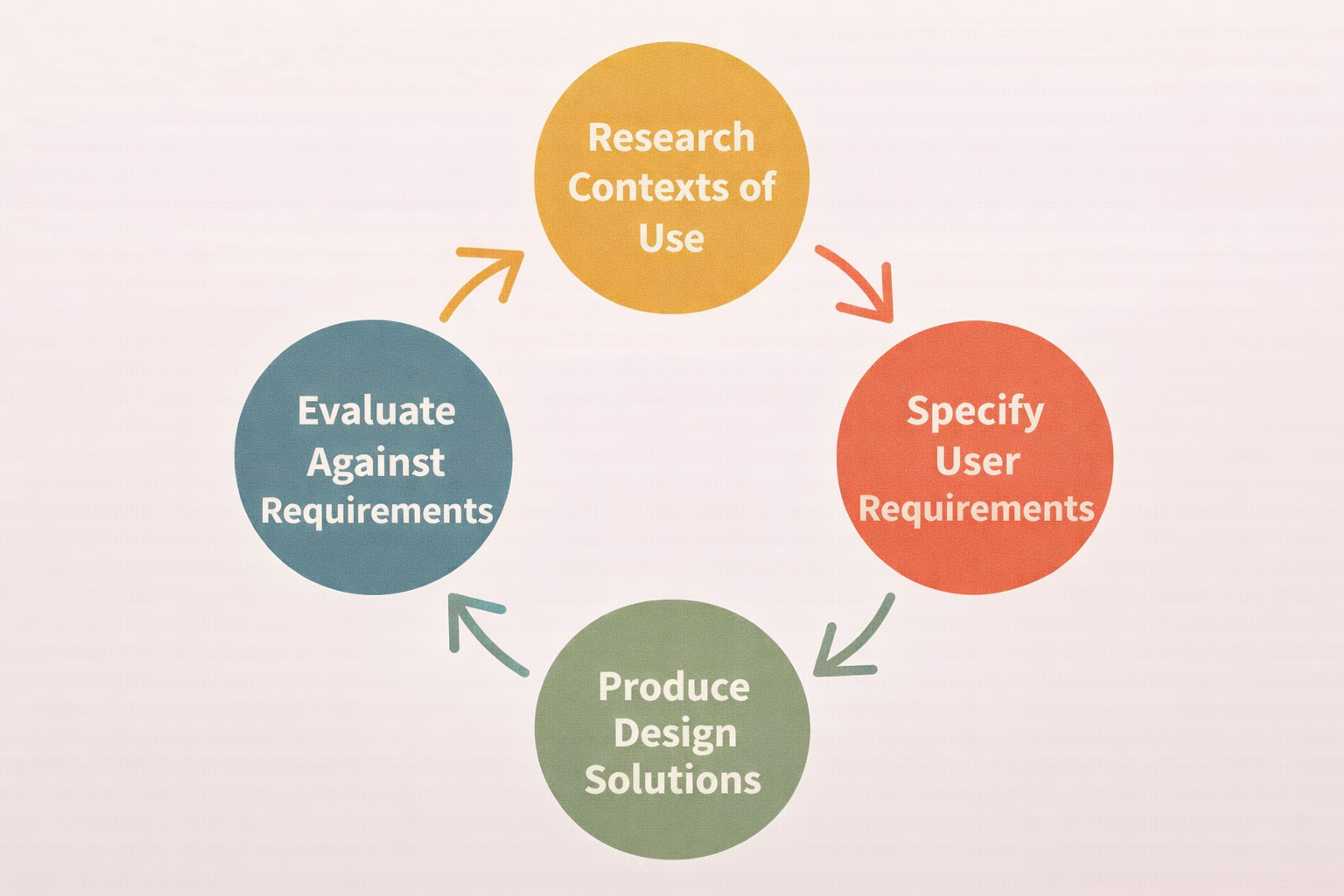
When UX works, users don’t notice the design. They just accomplish what they need. Bad design catches attention because it creates friction. Good design disappears because it removes obstacles.
Think about apps you use daily. The ones you love probably have excellent UX. They anticipate your needs. They make complex tasks simple. That’s what UX designers create.
What UI Design Brings
User interface design handles what users see and touch. Every button color, every icon shape, every screen layout falls under UI. This is where form meets function.
Visual design and graphic design play a crucial role in crafting user interfaces that are both visually appealing and user-friendly by focusing on visual elements such as color, typography, and layout.
Great UI doesn’t just look modern. It guides users through experiences without them realizing it. Smart use of space, typography, and visuals creates intuitive paths. Today’s minimal designs help users focus and work faster.
As technology evolves, UI adapts. Tools now exist that help personalize experiences. The goal stays the same though: make interactions smooth and satisfying.
Getting Started with UX Design
Breaking into UX design takes creativity and strategic thinking. The job market rewards those who combine artistic vision with user focus. Here’s how to build the foundation you need.
To succeed, focus on developing key skills such as problem-solving, communication, user research, and visual aesthetics, and gain practical experience through hands-on projects, internships, or freelance work. Gaining practical experience will help you apply your knowledge in real-world settings and stand out to employers.
Learn Core Design Principles
Before diving into software, learn the fundamentals. Making things pretty is not enough. You need to solve user problems and create smooth interactions. A strong grasp of typography, color theory, animation, and layout principles is essential for effective UX.
Strong principles guide every decision you make. They help you explain your choices. They let you create designs that work, not just designs that shine.
1. Understanding Your Users
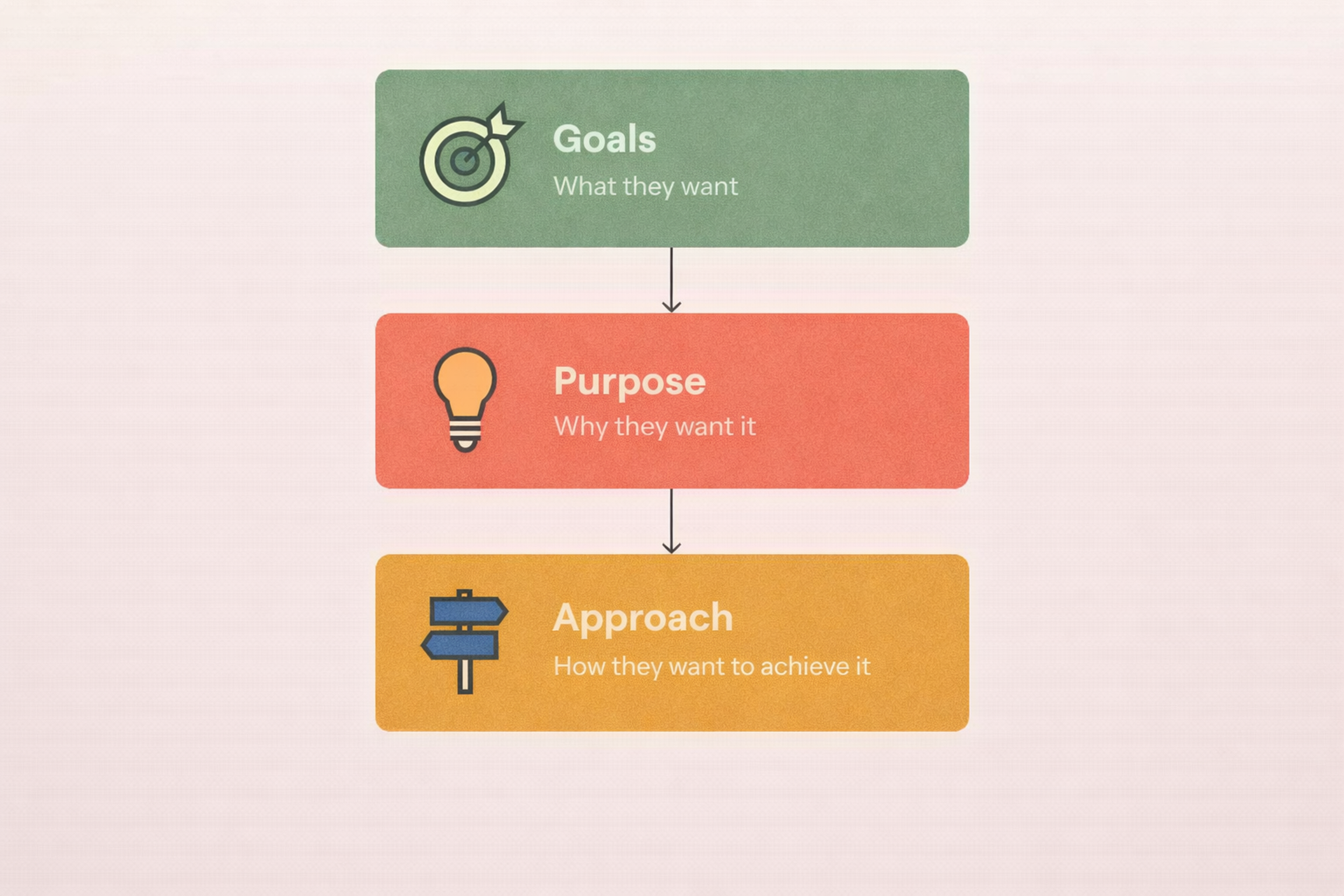
User personas help you visualize who you’re designing for. These profiles include age, goals, frustrations, and habits. Real personas prevent generic solutions.
Defining your target audience and considering the end user's perspective are crucial steps in creating effective user personas that truly reflect the needs and behaviors of those you aim to serve.
When you know your audience deeply, you design with precision. You create experiences that match actual needs instead of assumed ones. This targeting makes products genuinely useful.
How to Build a User Persona
2. Wireframing
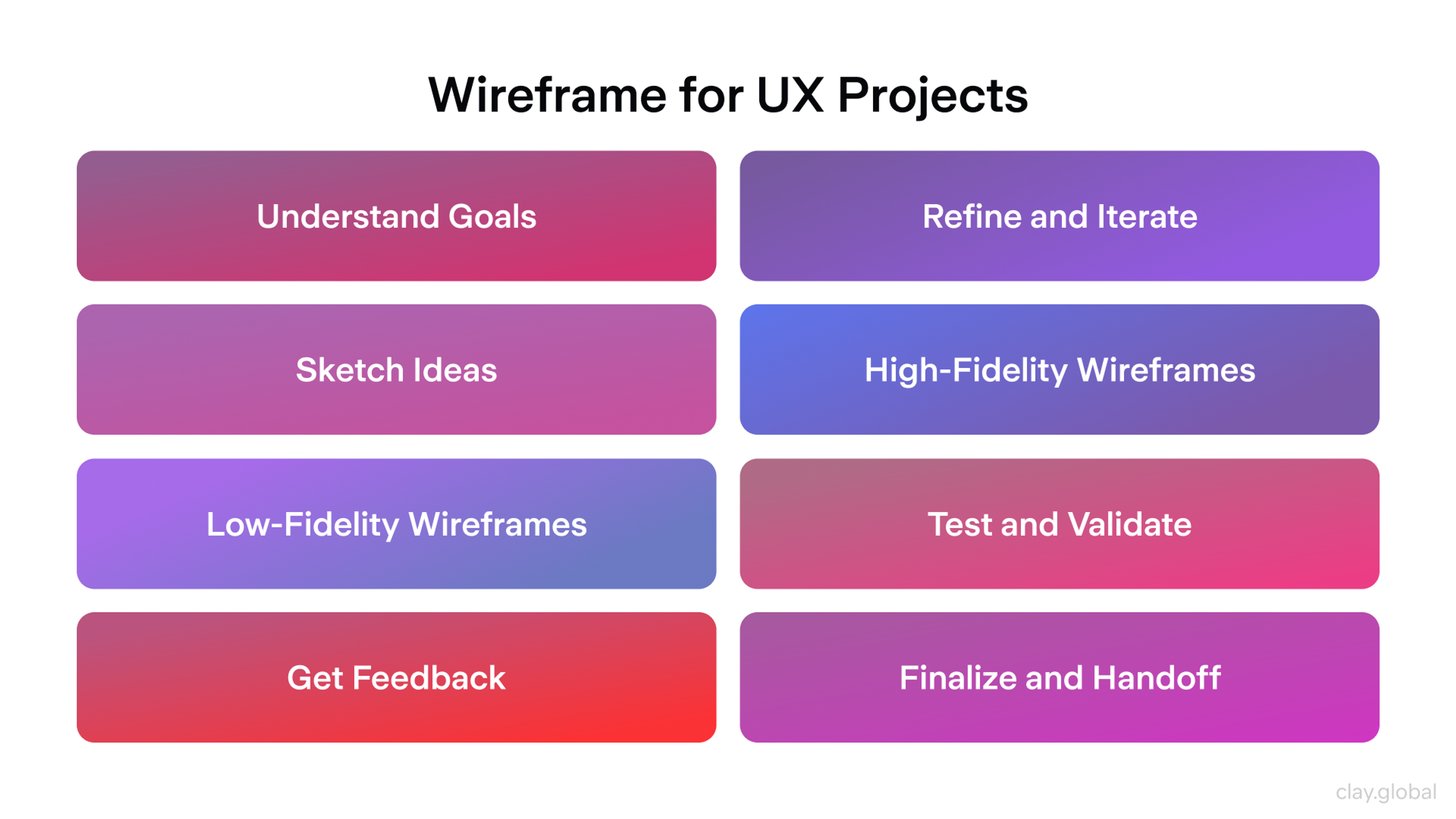
Wireframing creates your product’s skeleton. You map out structure and flow without getting distracted by colors or images. Wireframes show information hierarchy and navigation paths.
Creating wireframes and user flows helps visualize the different elements of your design and the steps users take through a product, ensuring a smooth experience.
This step forces you to think through the user journey. You spot problems early when fixes are cheap. You test different approaches before committing to details.
Wireframe for UX Projects by Clay
3. Prototyping
Prototypes bring wireframes to life. They show how users will actually interact with your product. Prototypes range from simple clickable mockups to near-final versions.
Modern tools make prototyping fast. Figma has become the industry standard for collaborative design. Teams use it to build prototypes together in real-time. Sketch remains popular among Mac-focused designers. Adobe XD works well for enterprise teams.
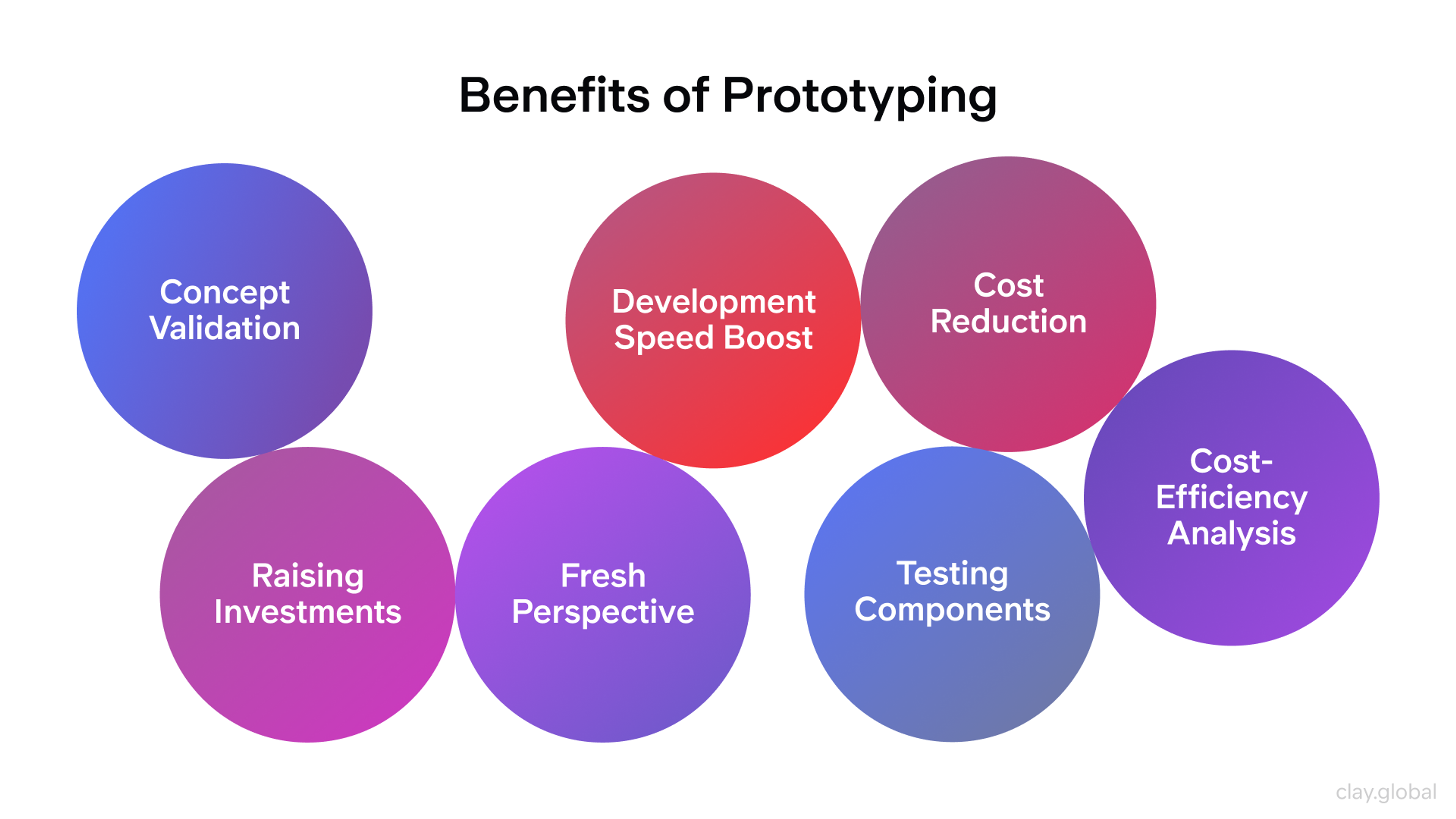
These tools let you test ideas quickly. You identify usability issues before building anything permanent. Each iteration improves the design and refines the experience. Conducting user tests and testing designs at this stage is essential to validate your design solution, ensuring it meets user needs and is ready for final development.
Benefits of Prototyping by Clay
Key UI Principles to Master
1. Color Psychology
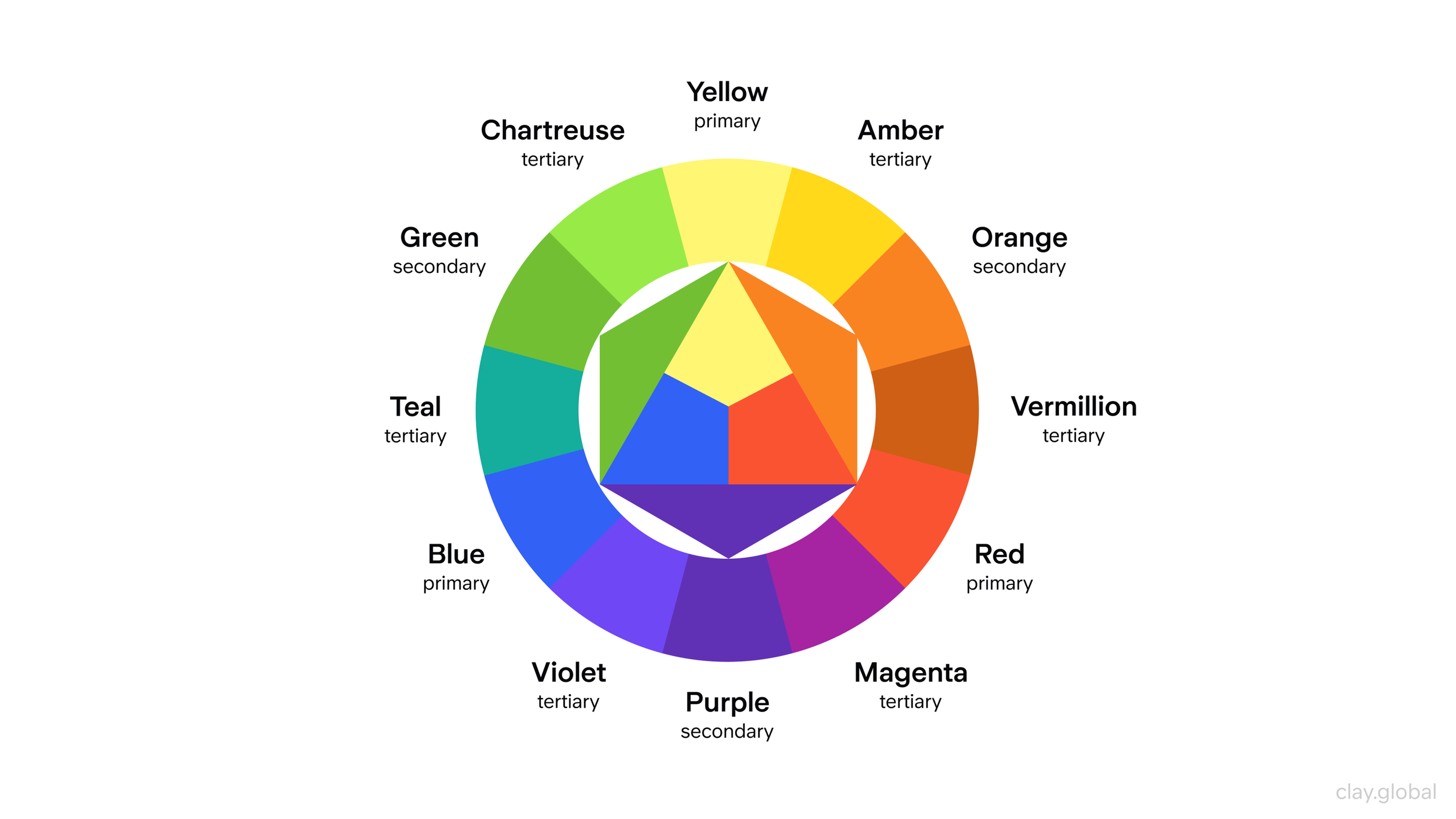
Colors shape how users perceive your interface. They trigger emotions and guide attention. Understanding color theory helps you design with intention.
Blue builds trust, which is why banks use it heavily. Red signals urgency, perfect for warnings or calls to action. Smart color choices strengthen your design while keeping it accessible.
Google's Material Design system demonstrates how color creates consistent, scalable interfaces. Apple's Human Interface Guidelines show how restraint and intention work together.
Color Wheel by Clay
2. Typography Choices
Typography does more than display words. It sets readability and brand identity. Users shouldn't strain to read your content. Every font choice should guide them effortlessly through information.
Font size, spacing, and hierarchy all impact usability. Designers balance beauty with function. The right typography enhances content instead of competing with it.
Typography breaks up content and shapes navigation. When done well, it makes complex information accessible. It creates rhythm and helps users scan efficiently.
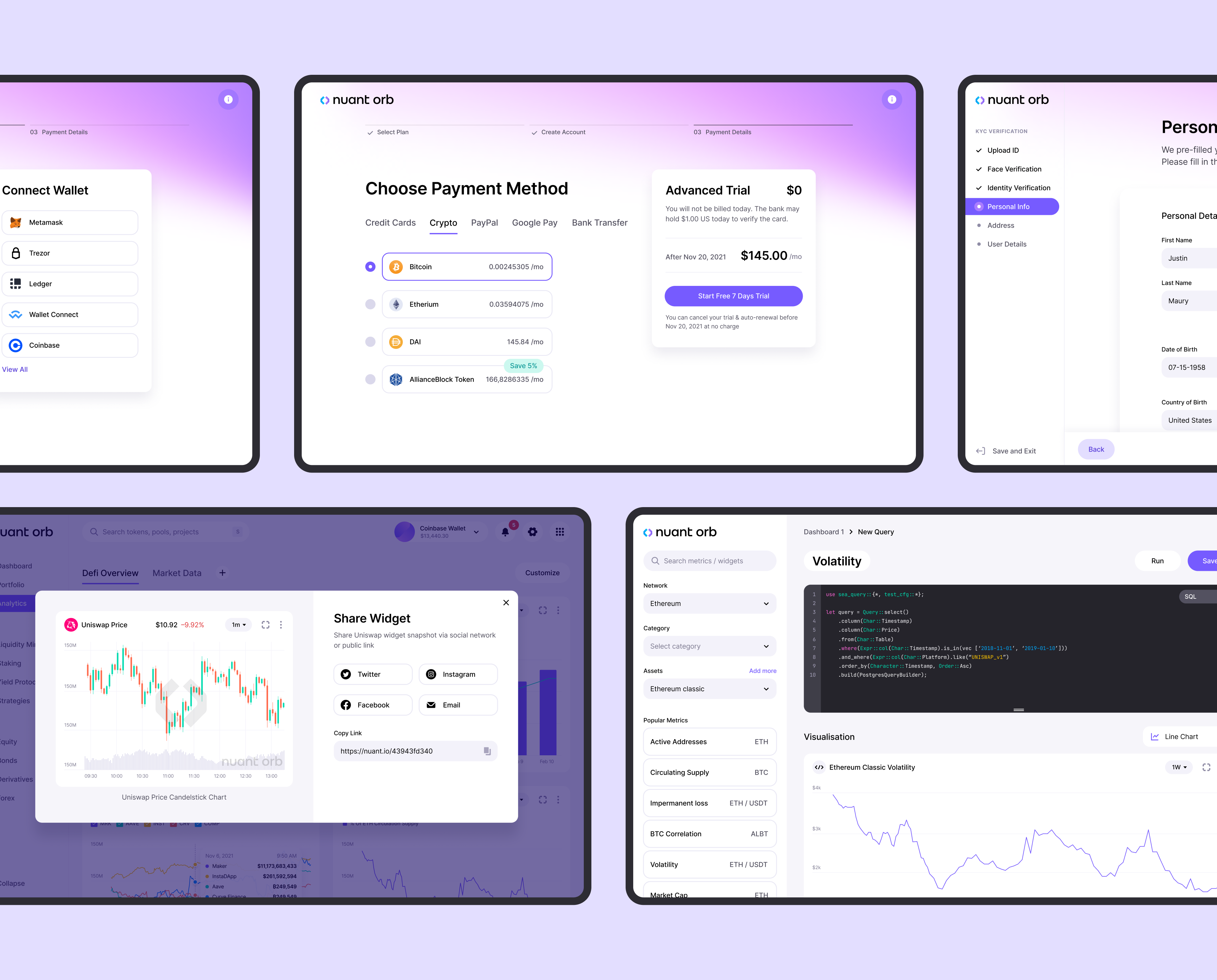
In the Nuant project, we focused on using typography to effectively break up content and guide users through the platform's navigation. Understanding the importance of typography, the designers selected fonts that enhance readability and contribute to the overall user experience.
The careful application of typography played a crucial role in making complex data more accessible and intuitive for users, ensuring a seamless interaction with the platform.
At Clay, we understand that in the dynamic world of crypto, clarity is key. We craft experiences where every design element, including typography, is carefully chosen to speak to both the technology and the user’s needs.
With crypto interfaces, where every detail matters, we ensure that typography doesn’t just convey information, but enhances the connection between the user and the complex, often abstract world of finance and blockchain.
Nuant Screens by Clay
3. Layout and Space
Layout determines how users process information. Good structure highlights what matters and makes navigation intuitive. Grid systems and careful spacing prevent clutter.
White space isn't wasted space. It gives content room to breathe. It improves readability and makes interfaces feel calm rather than overwhelming. Users stay engaged when information flows naturally.
These principles work together to create experiences that feel effortless.
Different Types of Layout Structures by Clay

UI/UX Design Courses and Certifications
Online Platforms for Learning
1. Coursera
Coursera provides various courses and certifications for aspiring UI/UX designers. With courses from top universities and industry leaders, you’ll learn the skills necessary to become a professional graphic designer. Some popular classes include User Interface Design, UX Design Fundamentals, and Mobile App Design.
2. Udemy
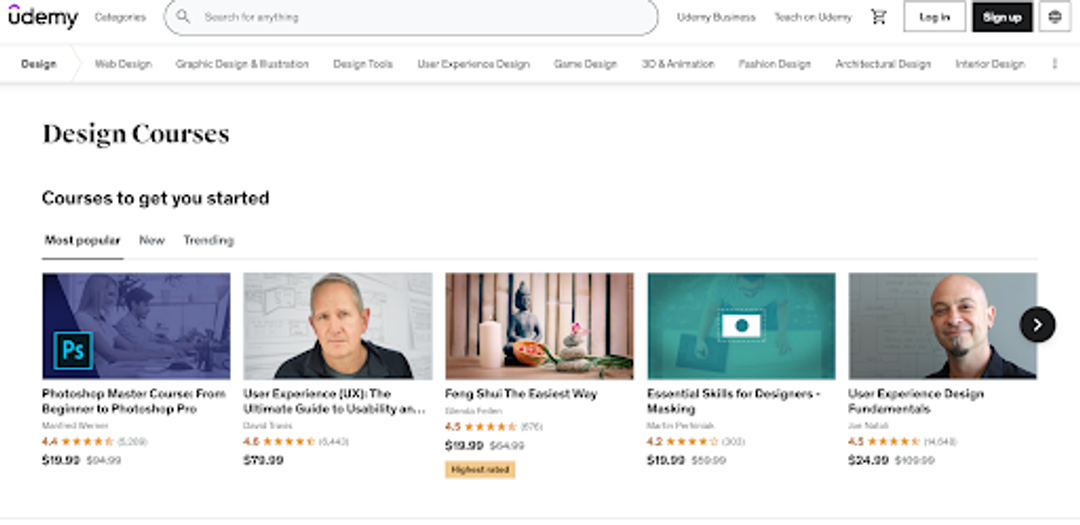
Udemy also has a range of helpful courses for UI/UX beginners. They offer three classes covering all design aspects: UX Design Fundamentals, Mobile App Design, and User Interface Design.
Source: Udemy
3. LinkedIn Learning
LinkedIn Learning focuses on providing practical training to help you become a successful professional in almost any field—including computer science and UI/UX design. Their most popular class (and our recommendation) is UX Design Fundamentals.
4. Lynda
Lynda offers several comprehensive courses with different specializations in UI/UX design, such as Mobile App Design or User Interface Design; their offerings will teach you everything you need to know how to become UX designer and be successful in this field! Now a part of LinkedIn Learning.
Building Your Portfolio
Projects and Process
Having skills matters. Showing your skills matters more. Companies want to see how you think and work.
Don’t just showcase final products. Document your entire process. Include research, planning, wireframes, prototypes, and testing. Employers want to see your problem-solving approach. Highlight your problem-solving skills, technical communication, and how you collaborate effectively with others throughout your projects.
Show how you moved from initial ideas to final solutions. Explain the decisions you made and why. Include any user feedback or insights you gathered.
If you conducted surveys or interviews, share those findings. If you adjusted designs based on feedback, show the evolution. This proves you understand user-centered design.
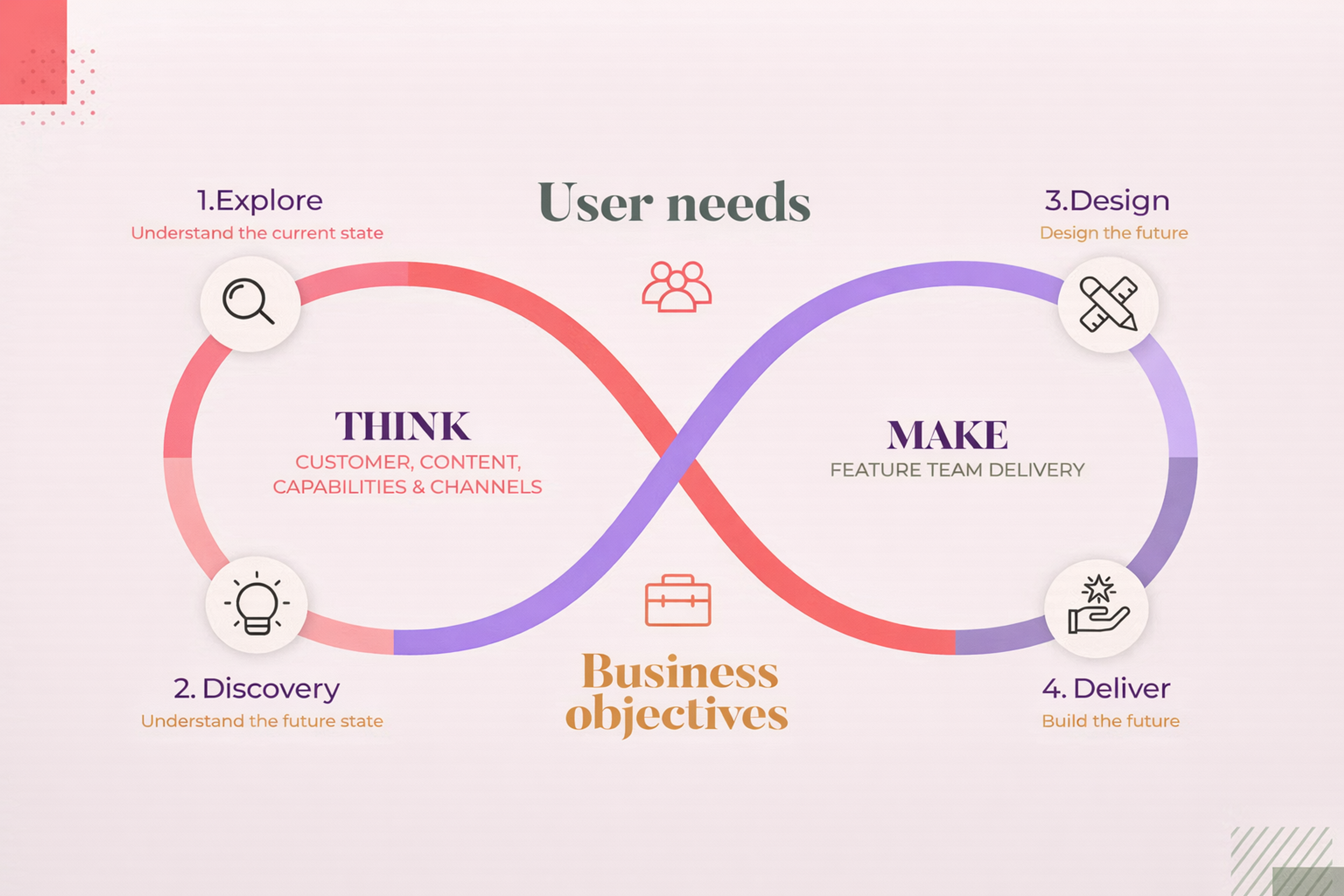
Design Flow
Add creative elements like sketches, storyboards, or mood boards. These reveal your thinking process. They help employers understand your unique approach.
Personal Projects and Case Studies
Coursework provides a foundation. Personal projects show initiative. They let you experiment with techniques and explore ideas freely. Include freelance projects, redesigns of existing products, and innovative design ideas in your case studies to demonstrate versatility.
Design an app from scratch. Redesign an existing website or improve an existing product. Experiment with different interfaces and generate new design ideas. Personal projects let you try new approaches without client constraints.
Case studies add depth to your portfolio. They prove your designs work. Analyze what succeeded and what failed in past projects, including freelance projects and updates to existing products.
Explain your research methods. Share customer feedback and testing results. Describe your prototyping approach. Detail the decisions that shaped your final design.
Airbnb transformed its business through design focus. Spotify succeeds through personalized user experiences. Duolingo keeps millions engaged with smart gamification. Study these successes and learn from them.
Finding Your First UX Role
Creating Strong Applications
Landing a UX job requires two things: an impressive resume and a compelling portfolio.
Resumes should highlight relevant skills and experience. Be concise but comprehensive. Focus on UX achievements and concrete results. In addition, showcasing your coding skills, familiarity with coding languages, and understanding of both UI and UX design can make your application stand out to employers.
Tailor your resume for each position. Emphasize qualifications that match the job requirements. Skip unnecessary jargon. Make your strengths obvious.
Portfolios prove your abilities. Choose projects carefully. Show your best work that demonstrates user experience thinking.
Explain your problem-solving approach for each project. What challenges did you face? How did you contribute? What made your solution effective?
Everything in your portfolio must be perfect. Every detail matters. Polish shows clients and employers your dedication to quality.
Interview Preparation
UX interviews can feel intimidating. Preparation makes all the difference.
User Interviews
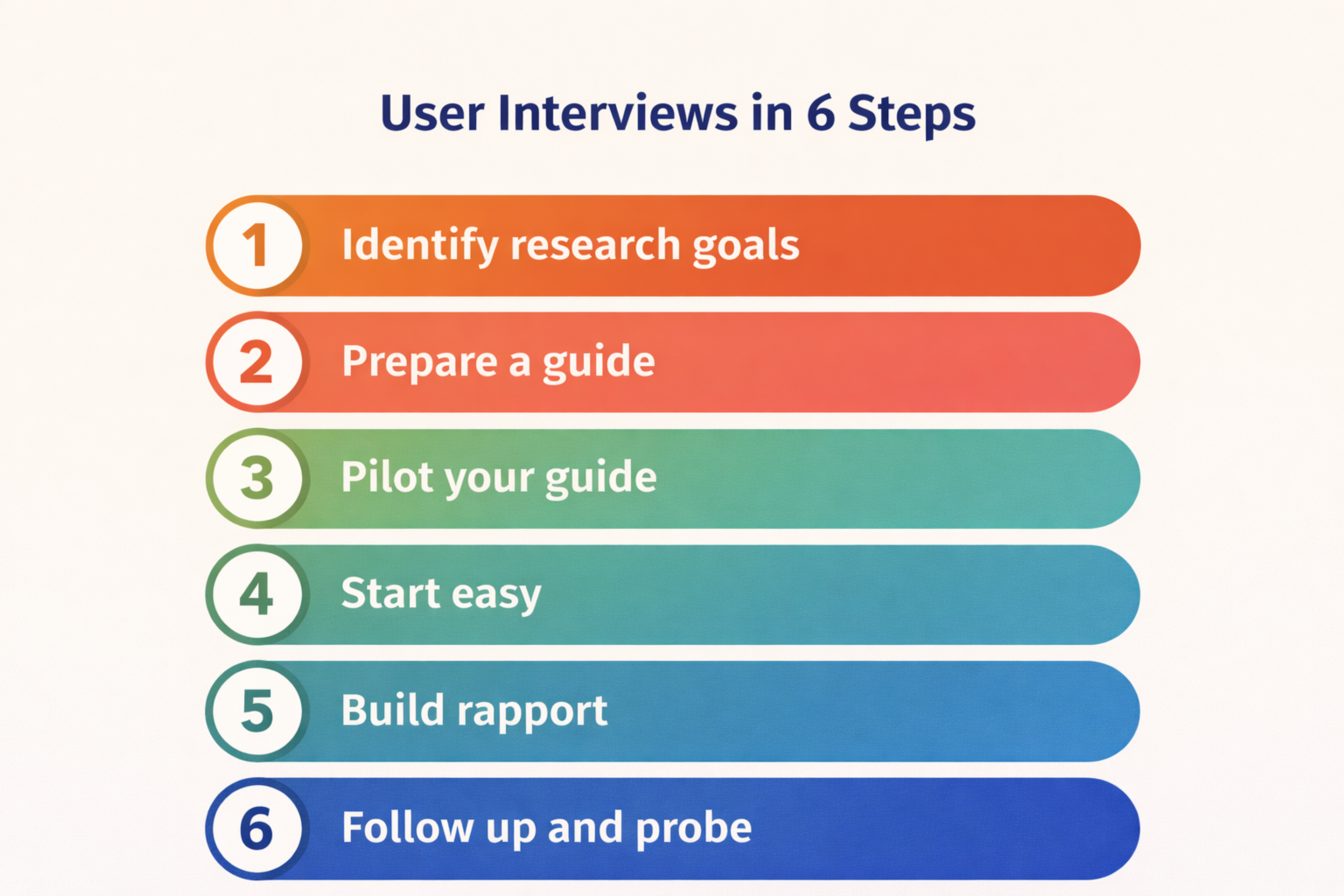
Research the company thoroughly. Understand their mission and values. Think about how you add value to their team.
Review key concepts like usability, accessibility, interface design, prototyping, and user testing. Employers verify your knowledge of fundamentals. Be ready to discuss your design decisions and the rationale behind them, explaining how your choices were informed by research, user modeling, and iterative testing.
Practice common interview questions. Work through answers with friends or alone. This reduces anxiety and improves your responses.
Maintain professionalism throughout. Dress appropriately. Arrive early. Show respect. Listen carefully. Answer clearly and ask thoughtful questions.
Send a thank-you note after interviews. This simple gesture shows politeness and keeps you memorable.
Confidence and thorough preparation dramatically improve your success rate.
Understanding the UX Career Path
What UX Roles Require
UX roles demand certain capabilities. Understanding these helps you prepare effectively.
User interface requirements include intuitive layouts, clear navigation, appropriate colors, and proper typography. UI controls the visual and interactive aspects.
User experience requirements focus on ease of use, accessibility, and overall satisfaction. To excel in UX roles, it is essential to understand users' goals, address user needs, and conduct user research. This involves conducting user research, creating personas, developing wireframes and prototypes, and performing usability tests.
User Research Approaches
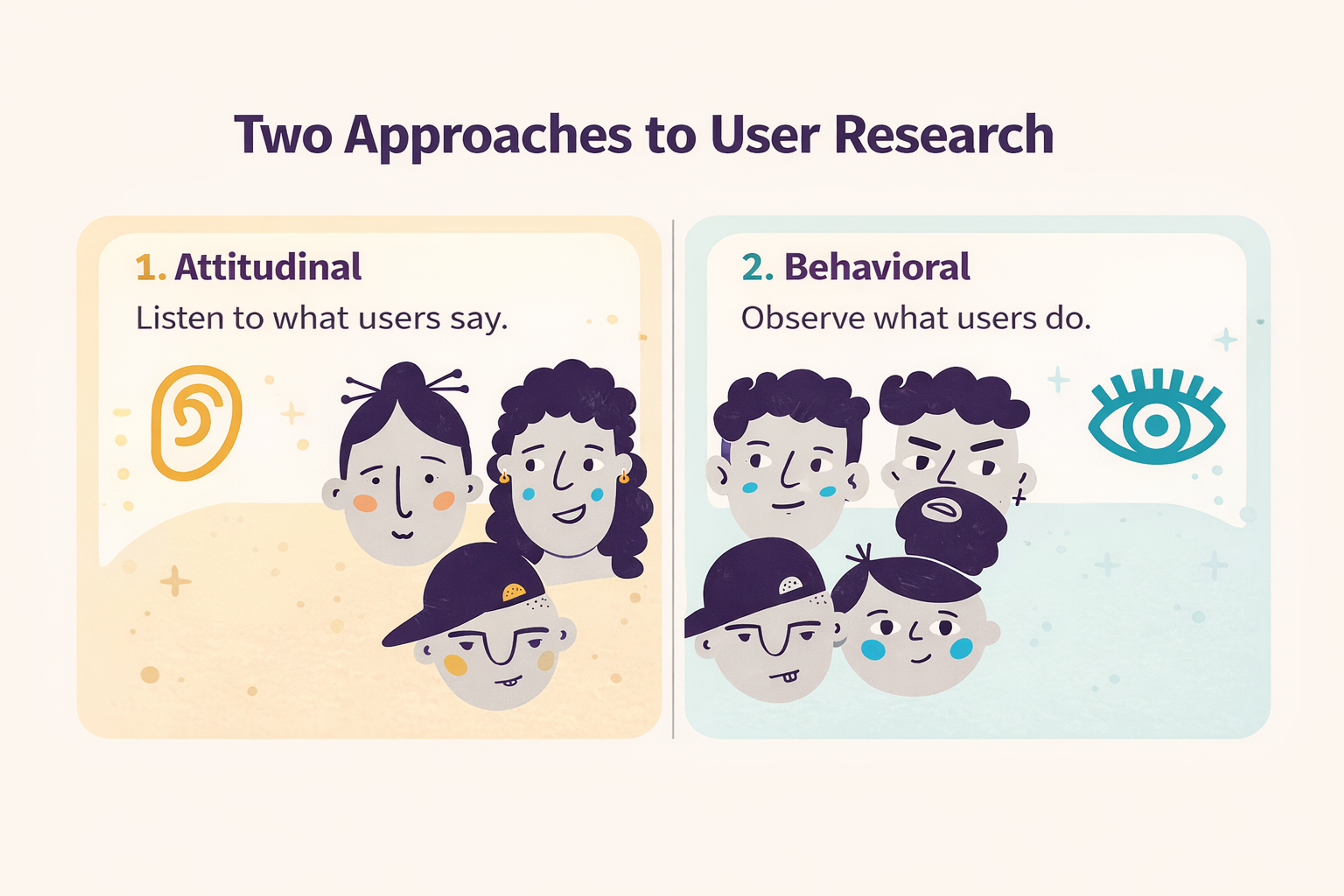
Together, these requirements create products that work well and look great.
Timeline to Becoming a UX Designer
How long it takes depends on your background and learning path. Most people need six months to two years.
Starting from scratch through bootcamps or self-study typically takes six to twelve months. Traditional education routes take about two years.
Previous design experience speeds things up. The depth of concepts you learn matters. Whether you pursue basic or advanced skills affects timing.
Building a strong portfolio takes time. You need internships or work experience. These steps are crucial for career readiness.
Does UX Require Coding
UX design rarely requires extensive coding. Some knowledge helps though.
Understanding HTML and CSS benefits UI designers. It helps you communicate with developers and add interactive elements. UX designers focus more on research, wireframing, and prototyping with minimal coding.
Coding knowledge isn't required but understanding how design connects to development improves collaboration. It makes the final product better.
Strengths and Challenges
Every UX designer develops certain strengths. They also face common challenges.
Strong designers show empathy. They understand users deeply and design from their perspective. They excel at problem-solving and find creative solutions that simplify complexity.
Research skills matter too. Good designers conduct effective studies and turn data into actionable insights.
Challenges include perfectionism that slows progress. Some designers lack technical skills that would help with developer communication. Managing conflicting client and user expectations can be difficult.
Recognizing these patterns helps you grow strategically.
FAQ
What Qualifications Does A UX Designer Need?
Strong portfolio with user research, information architecture, wireframes, prototypes, and usability testing. Skills in Figma (or similar), analytics basics, accessibility, and collaboration. Degrees help, but evidence of process and outcomes matters most.
Does UX Require Coding?
No, but basic front-end literacy helps you design feasible solutions and communicate with engineers. Knowing HTML/CSS concepts, components, and design-system constraints is a plus.
Do UX Designers Get Paid Well?
Yes. Compensation is competitive across tech, finance, healthcare, and enterprise software, with higher pay for senior roles, complex domains, and product companies.
Will AI Replace UX/UI Design?
AI accelerates research synthesis, ideation, and variant generation, but it won’t replace human problem framing, ethics, storytelling, and product strategy. Expect augmentation, not replacement.
What Is The 60-30-10 Rule In UX?
A visual-balance guideline: use a primary color for ~60% of the interface, a secondary for ~30%, and an accent for ~10% to drive attention. Always verify contrast and accessibility.
Read More
Conclusion
UX design keeps evolving. Technology creates new challenges and opportunities. Your career can grow in many directions.
Specialization paths include UX research, product design, and design systems. Emerging fields like Web3 UX and AI-assisted design offer new frontiers.
The fundamentals stay constant though. Understanding users matters. Solving problems creatively matters. Making experiences smooth and satisfying matters.
Success comes from staying curious and learning continuously. Internships and entry roles provide more than experience. They launch your growth and teach you the real world.
Certifications aren't everything but they signal dedication. They help you stand out in competitive markets.
Whether you pursue UX as a career or creative passion, keep building. Stay hands-on. Stay hungry. Keep learning.
The design world needs more thoughtful creators. Start now and see where the journey takes you.


About Clay
Clay is a UI/UX design & branding agency in San Francisco. We team up with startups and leading brands to create transformative digital experience. Clients: Facebook, Slack, Google, Amazon, Credit Karma, Zenefits, etc.
Learn moreAbout Clay
Clay is a UI/UX design & branding agency in San Francisco. We team up with startups and leading brands to create transformative digital experience. Clients: Facebook, Slack, Google, Amazon, Credit Karma, Zenefits, etc.
Learn more