Imagine walking into a library with books scattered everywhere. No signs point to different sections. The information desk is missing. You wander around but can't find the history books you need. Visitors to websites without clear navigation feel exactly this lost.
A sitemap fixes this problem. It creates a clear roadmap that shows every page on your website. Give users this map, and they can find recipes, FAQs, or contact pages without getting lost. Search engines use the same outline to understand which pages matter most.
Sitemap Illustration by Clay
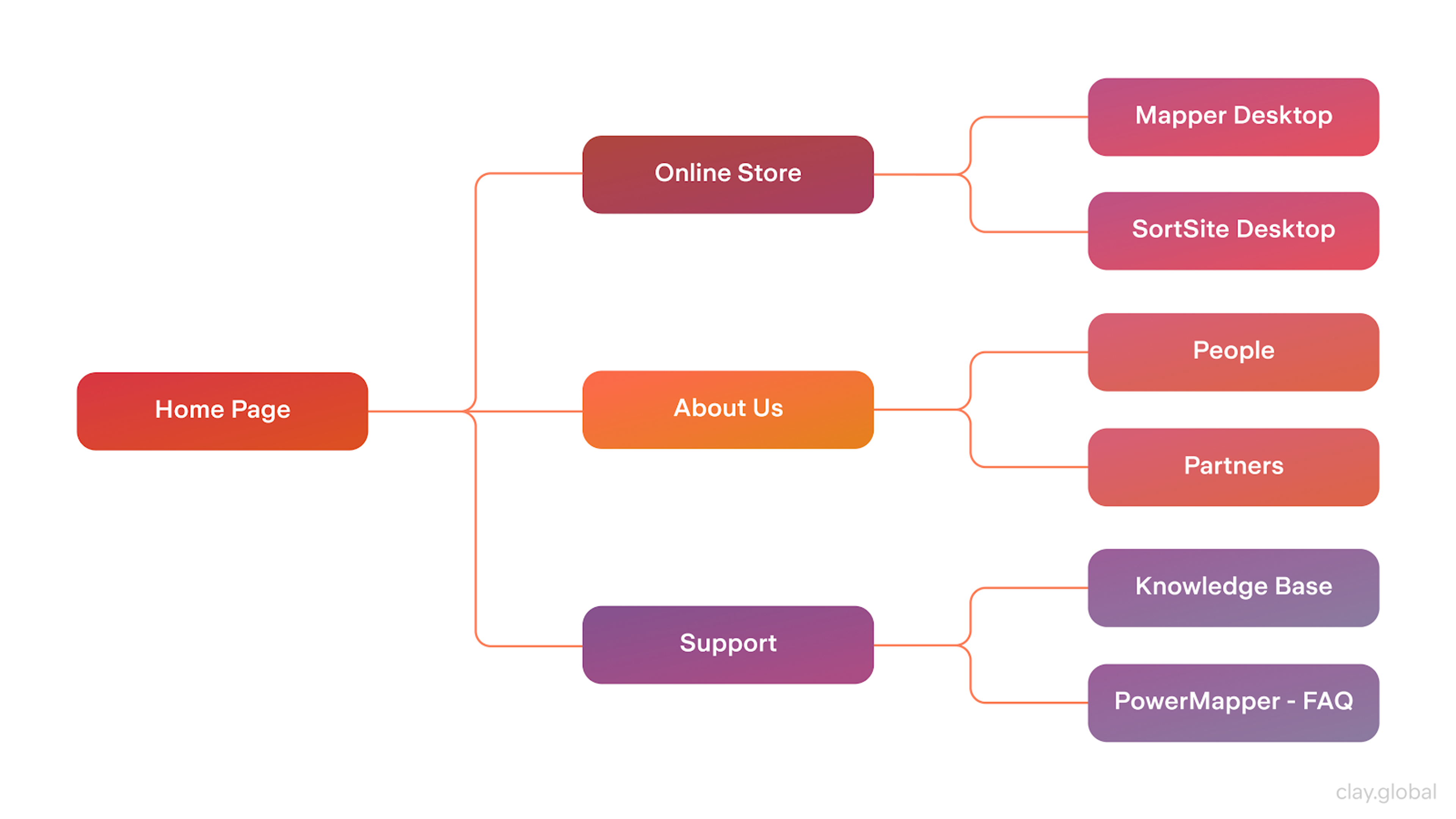
Think of a sitemap as your website's skeleton. It gives structure to every important part so nothing gets overlooked as you add new content. Google reads this file and knows which pages to check first. Users get an organized site where links work properly.
Key Takeaways
A well-designed sitemap improves user experience and search engine visibility. It works like a blueprint that organizes content and guides site mapping and navigation. Search bots can find and index your pages more easily.
Small blogs and large business sites both benefit from this foundation. Visual sitemaps help with planning. XML sitemaps help with search engine indexing. Together, they facilitate site mapping and create sites that users love and search engines understand.
Regular updates, simple page grouping, and mobile-friendly design all help your sitemap work better. This supports site mapping by keeping users engaged and search engines well-informed.
What Is a Sitemap?
A sitemap shows how website pages connect to each other. It helps visitors and Google understand where they're going. Site mapping means planning and organizing your website structure so the page hierarchy makes sense.
Sitemaps come in two main types:
Visual Sitemap: This looks like a flowchart on a designer's whiteboard. It shows which pages sit next to each other and maps the path users might take. Visual sitemaps create site mapping that helps teams plan the user experience and prevent confusion before it starts.
XML Sitemap: This is like a coded spreadsheet that lists URLs for search engine crawlers. It helps search engines zip through your site and add pages to their indexes.
Both versions serve important purposes. The visual map improves user experience. The XML file helps search engines find every corner of your site. When they work together, navigation feels smooth and search rankings improve.
Both versions do their job. The visual map fine-tunes the user experience and prevents confusion before it starts. The XML file ensures search engines bump into every corner of the site. When the two work together, navigating the web page feels smooth, and showing up in search results is a lot easier. Site mapping supports site mapping to ensure all web pages are logically organized and easy to find.
Types of Sitemaps
Different sitemap types serve specific purposes for users and search engines:
Visual Sitemap: Made for people, not machines. Shows website structure as a diagram during planning. Designers use it to organize content and spot problems early. Helps everyone see how pages connect and how users move through the site.
Visual Sitemap
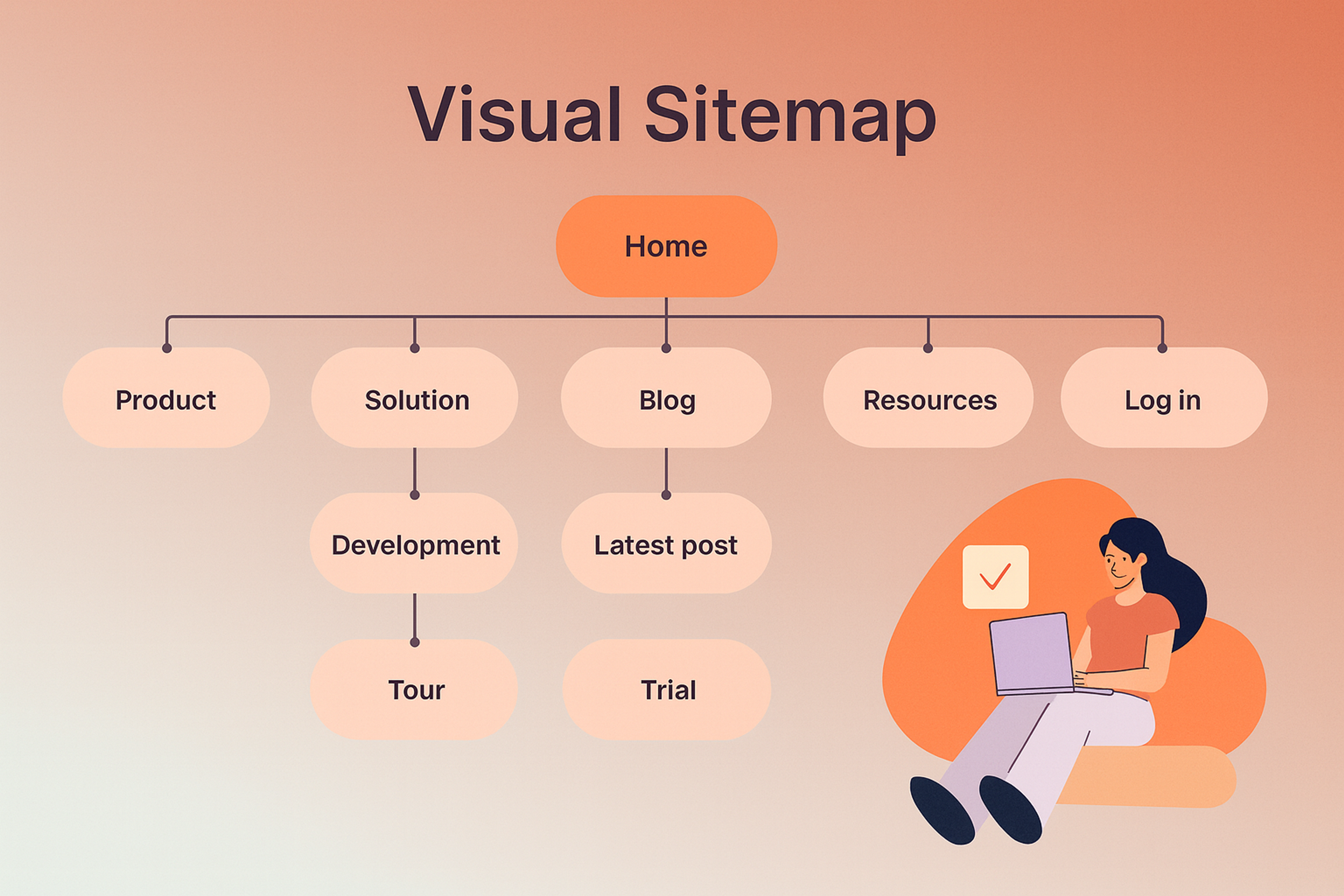
XML Sitemap: Built for search engines. This special file (usually sitemap.xml) lists important pages on your site. Helps bots like Google find and index content. Can include details like when pages were last updated.
XML Sitemap
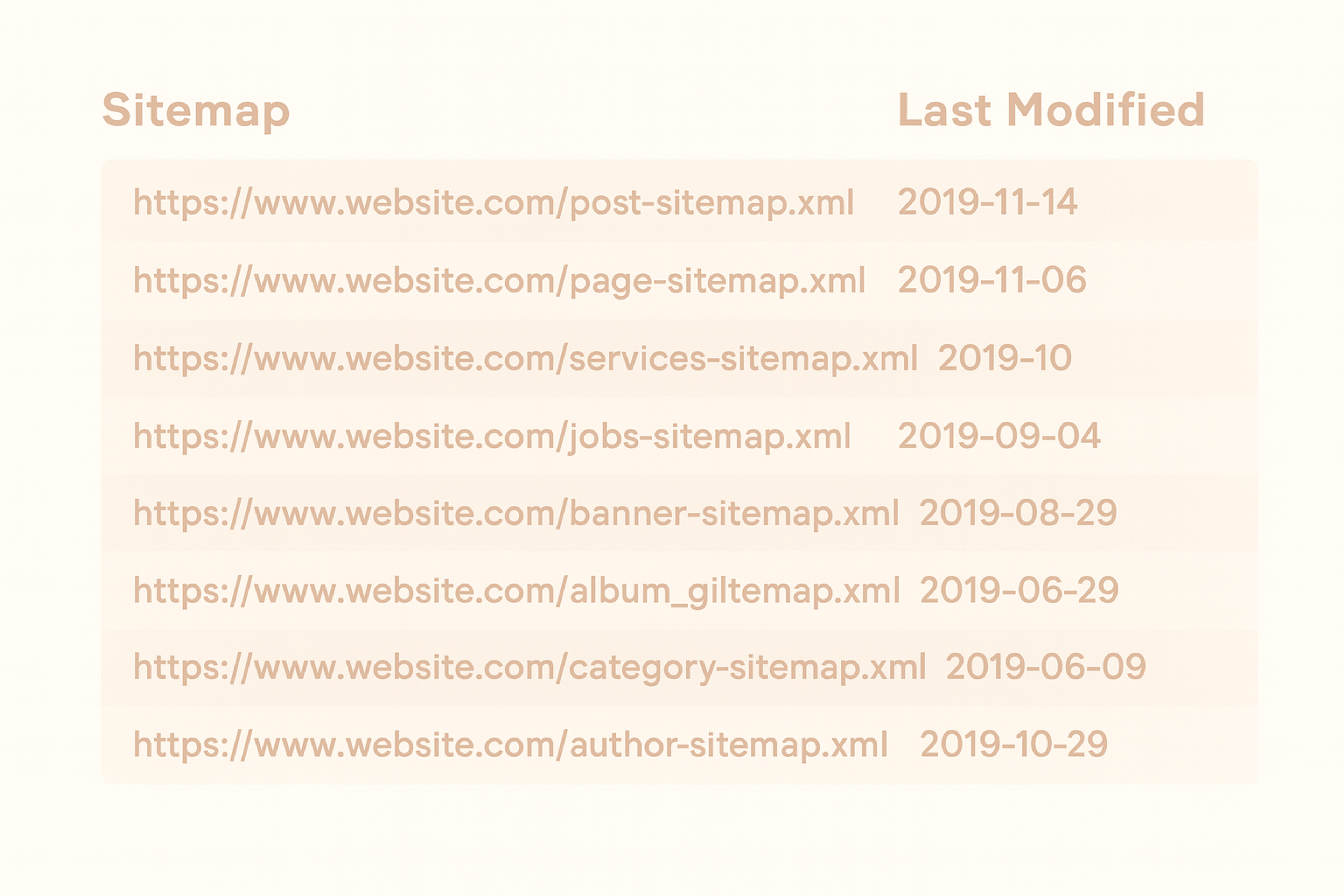
HTML Sitemap: A web page that lists links to main site pages. Designed for users who want quick navigation or content overview. Less common but still useful for large sites.
HTML Sitemap
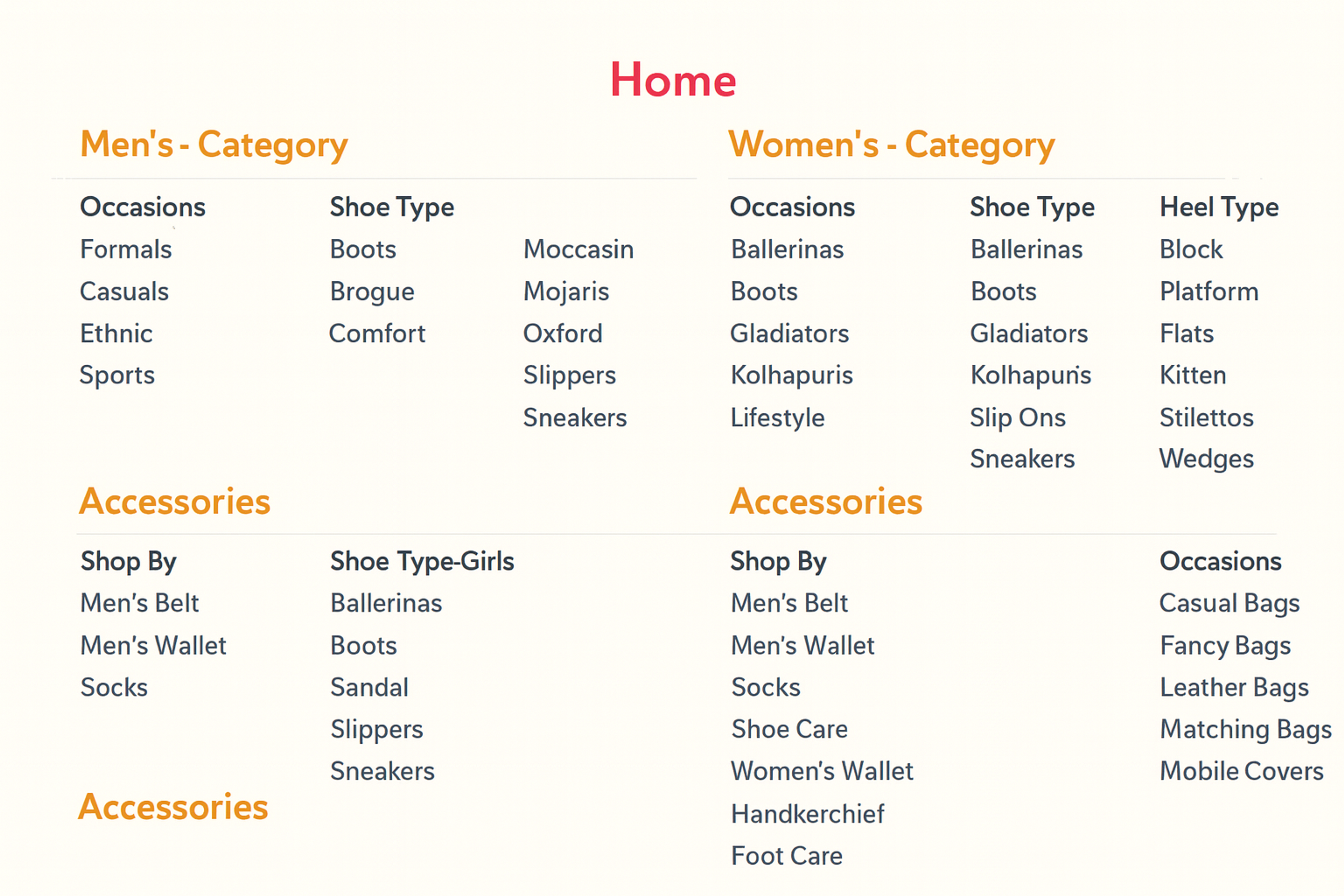
Media Sitemaps: Give extra information about images or videos. Help search engines understand media content better. Can improve how files appear in search results.
Sitemap Syntax for Images
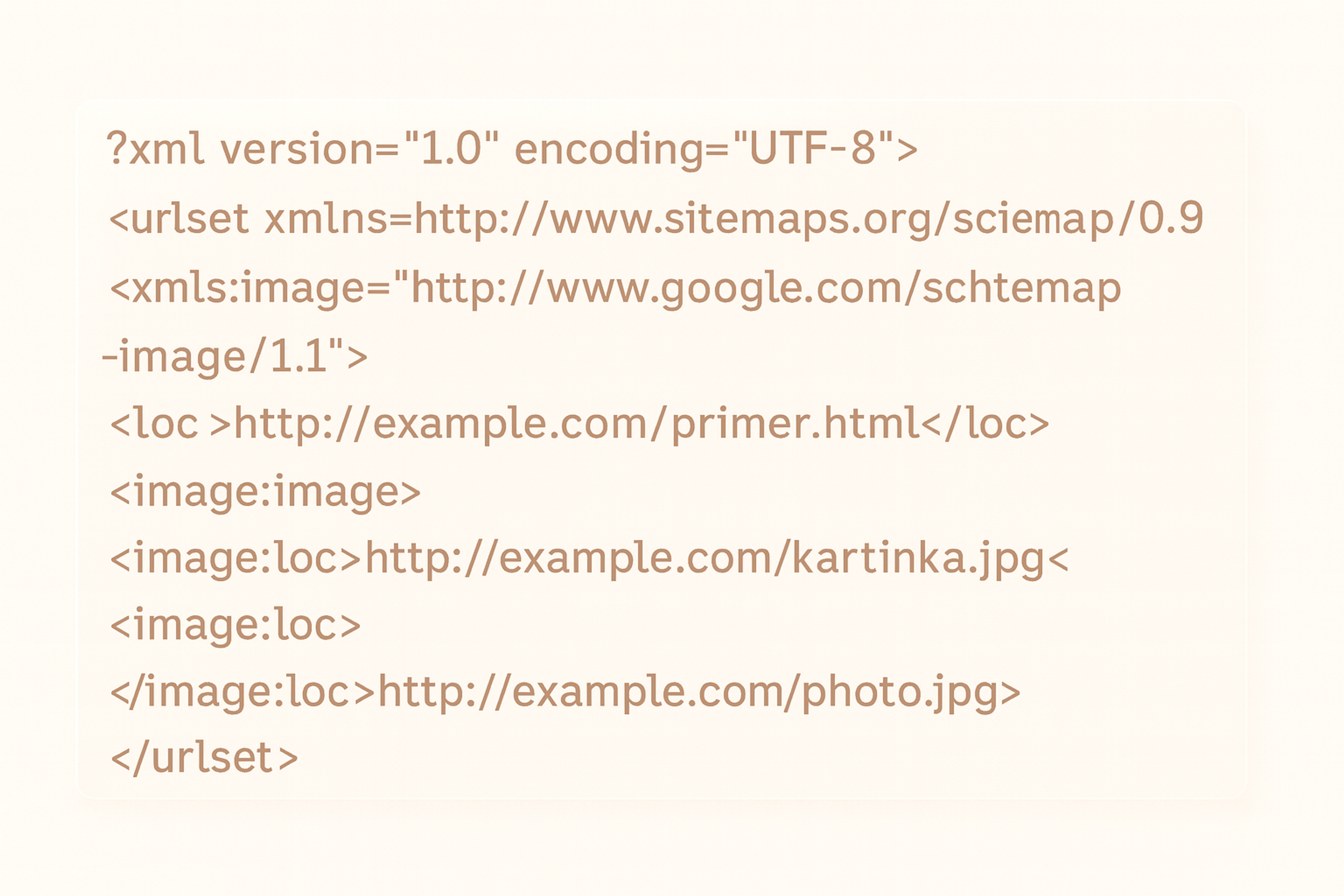
Each type serves different needs. Using the right combination makes your site easier to explore and find in search engines.
Why Sitemaps Matter for Users and SEO
A clean sitemap creates the same clear path for people and search robots. Visitors scan the layout and know where to click next. When pages follow logical order, users stop wandering in circles and start reading. This comfort keeps them on your site longer.
Search engines understand this layout too. The sitemap acts like road signs showing every twist and turn. It highlights which pages update often and which hold the most importance. Large websites can be tricky because some pages hide behind multiple links. An XML file brings those hidden pages into plain view.
After major site updates, the sitemap tells search engines "Check here first!" Even stubborn pages that slip through cracks can appear once you submit the list to search engines.
Sitemaps also fix indexing problems. If pages aren't showing up in search results, the sitemap points search engines in the right direction.
Google's John Mueller says having clear, organized structure is key. A good sitemap can:
- Improve how search engines crawl your site
- Reduce duplicate content problems
- Show what your site is really about
When done right, sitemaps boost both user experience and search performance.
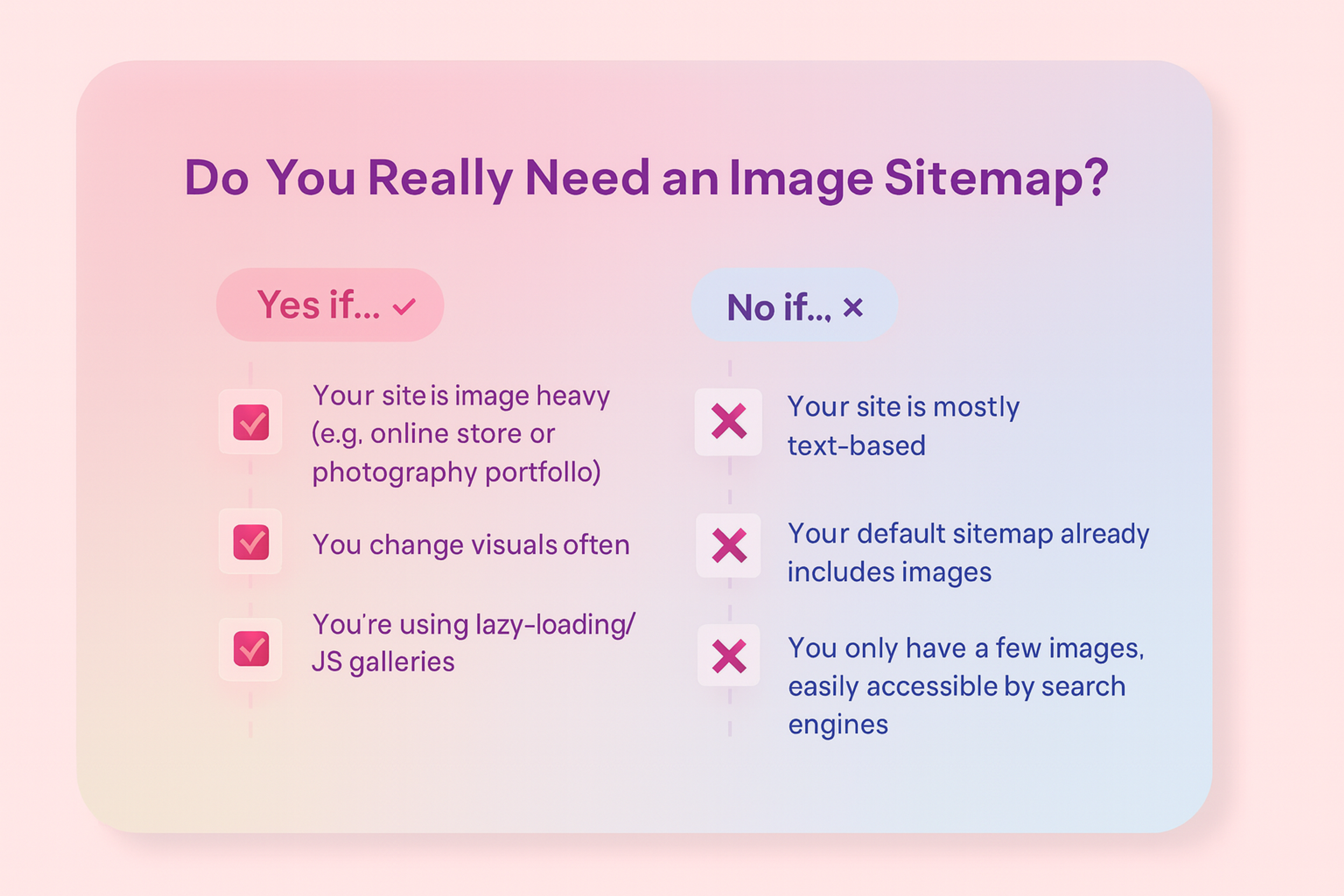
Image Sitemap
How to Design a Sitemap
Designing a sitemap takes planning and smart decisions. It's not just listing pages - it's shaping how people and search engines experience your site.
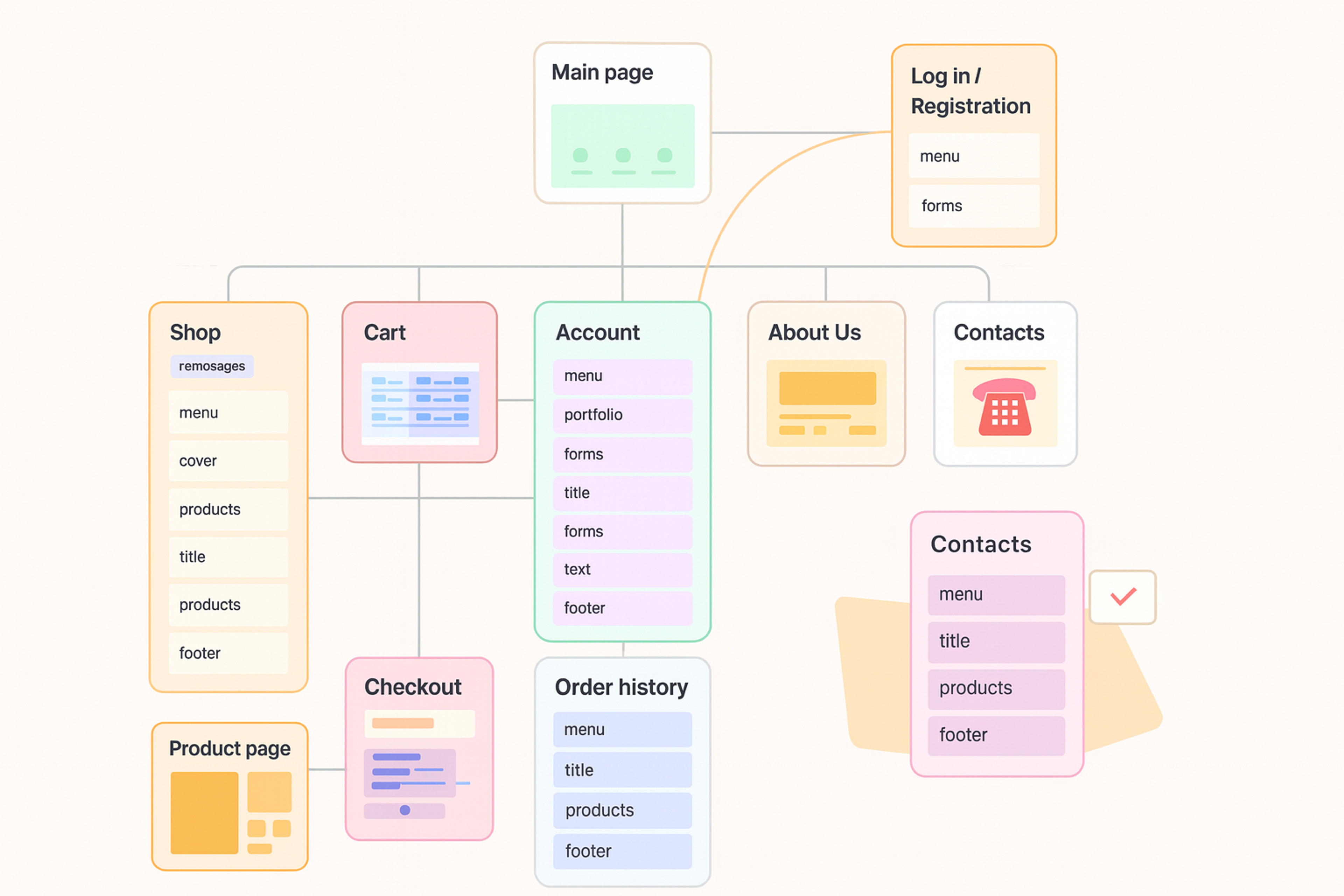
Visual Sitemap Design
Start with a Content Audit
Before planning anything new, examine what's already on your site. A content audit shows what's working, what needs improvement, and what should go.
Use tools like:
- Google Analytics to spot high-traffic pages
- Screaming Frog SEO Spider to view your current structure
Set Clear Goals
Your sitemap should reflect your site's main purpose. Are you helping people buy products, find information, or take action?
Examples:
- Software companies focus on features, pricing, and case studies
- Nonprofits highlight programs, donations, and impact
Knowing what users want helps shape the structure that supports their journey.
Group Related Content
Organize pages into simple, clear categories. Think about how people naturally search for information.
Keep it easy to follow:
- Use clear, familiar names
- Avoid deep menus - most pages should be reachable in three clicks
- Group by topic, not by team or department
Simple structure helps users find what they need and helps search engines crawl effectively.
Create a Visual Sitemap
Once you've grouped content, sketch it out visually. This helps you and your team see how everything fits together.
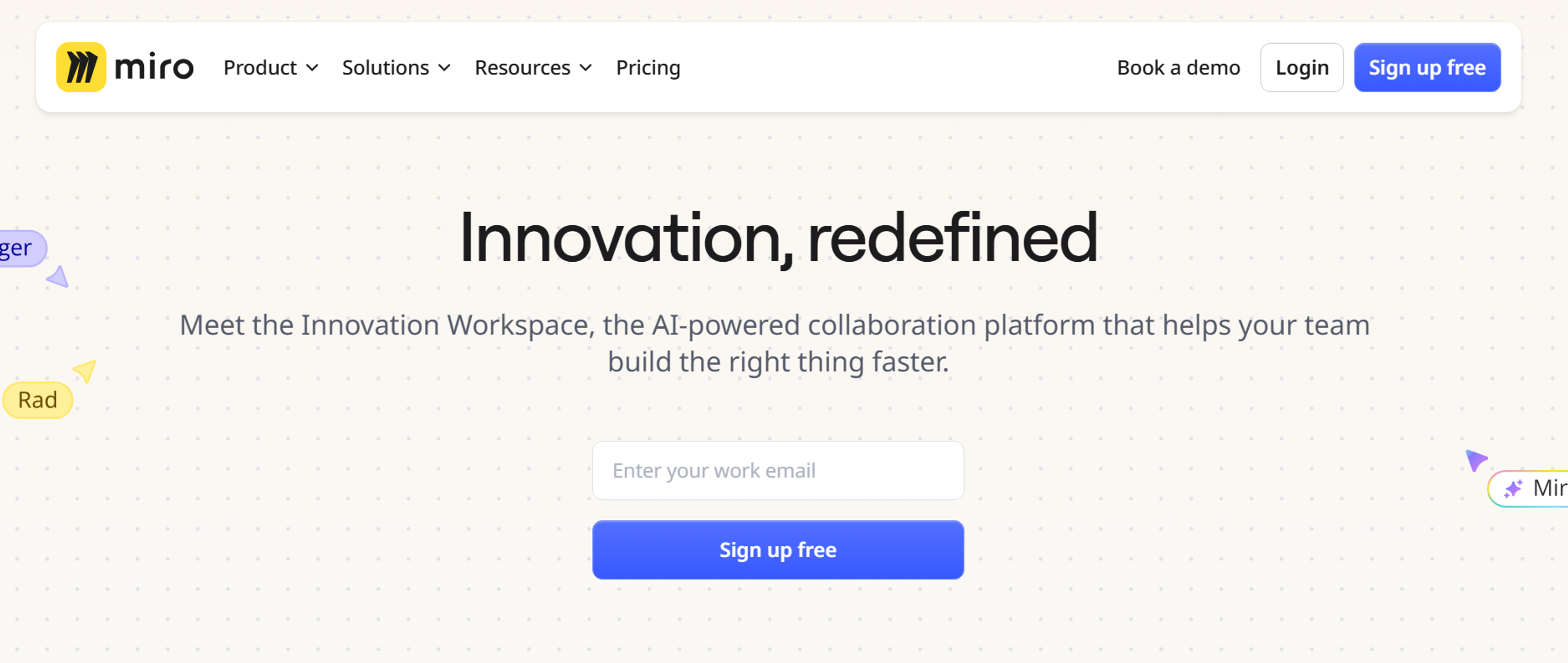
Use tools like:
Source: miro.com
Test It with Real People
Even smart structure can confuse users if labels don't make sense. Testing matters.
Try tree testing to check how users navigate structure and card sorting to see how they group content. Share the sitemap with your team. It should work for users and support business goals.
Build the XML Sitemap
Once structure is set, create the version for search engines. This file lists all important URLs you want indexed.
Use tools or plugins like:
- Yoast SEO (for WordPress)
- Free sitemap generators online
You can also check standard locations and your website url to find the sitemap file or xml files.
Only include pages you want search engines to index. Skip admin pages or anything users don’t need to find. Submit your sitemap file to Google Search Console, Bing Webmaster Tools, and other search engines, and check all the sitemaps submitted for your site.
Best Practices for Building a Great Sitemap
A sitemap should feel like a friendly map, not a maze. Visitors should know immediately where to start. Avoid clever buzzwords in page titles - plain language works best.
Keep sitemap layers shallow. Three clicks should reach any important page, four at most. Update the sitemap whenever you add fresh content or remove old material.
For XML sitemaps, list only canonical URLs - nothing that redirects or breaks. Broken links waste crawler time. Page priority tags and last-modified dates guide search engines toward what matters most.
Common Mistakes to Avoid
Too many folders and sub-folders create confusion. That complex structure may look organized on paper, but visitors and search engines get lost.
Using jargon that only your team understands confuses casual users. Test your labels with real people before finalizing them.
Remember mobile users. A layout that works on big monitors can turn messy on small screens. Check that your hierarchy works across different devices.
Sitemaps aren't "set and forget" documents. New pages, blog posts, and product lines keep coming. Update your blueprint whenever the site changes to keep users where they want to go.
A Real-World Example: Designing a Sitemap for a B2B SaaS Website
Let's look at a B2B SaaS company that sells project management software to mid-sized businesses. They want customers to stay engaged, share email addresses, and improve Google rankings.
1. The Homepage as the Hub
Every map starts at the front door. The homepage shows primary menu links, promotional banners, and clear buttons like "Get a Demo" or "Start Free Trial."
Source: freepik.com

2. The Product Section
This critical branch includes:
- Features: Task management, time tracking, collaboration tools, reporting dashboards
- Integrations: Compatibility with Slack, Trello, Zapier
- Mobile App: Dedicated page for mobile capabilities
Each page includes internal links to case studies, blog posts, or FAQs.
3. Solutions-Oriented Navigation
Organizes product value around customer needs:
- By Industry: Healthcare, legal, marketing agencies, IT services
- By Role: Team leaders, project managers, HR teams, finance departments
- Use Cases: Remote team collaboration, client billing, agile project planning
This helps users self-identify and improves organic search traffic.
4. Resources to Build Authority
Modern SaaS websites are content hubs. Resources might include:
- Blog: Project management best practices, productivity tips, industry news
- Case Studies: Real customer success stories

- Webinars: Live and recorded sessions for lead generation
- Guides: Downloadable content, often gated for email capture
- Help Center: Self-service knowledge base
These pages help existing users and attract new ones through SEO-rich content.
5. The About Section for Transparency
Builds visitor confidence with:
- Company overview and founding story
- Team bios and photos
- Career opportunities
- News and press mentions
- Contact information
This section increases brand visibility and reinforces trustworthiness signals.
6. Legal and Support Pages (Footer Elements)
Footer elements include terms of service, privacy policy, cookie settings, accessibility statement, and visual sitemap for users.
The finalized visual sitemap resembles a branching tree with no more than three levels deep. Each section connects logically with clear flow from awareness to decision-making pages.
The XML sitemap mirrors this structure, including canonical URLs for high-priority sales pages, SEO-optimized blog content, and active legal pages.
Read more:
FAQ
Do I Need Separate Sitemaps for Each Language on Multilingual Sites?
Yes, use separate sitemaps for each language or include hreflang tags in one sitemap. This helps search engines serve the correct language version.
Can Sitemaps Help with Site Speed?
Sitemaps don't directly affect site speed, but they improve crawl efficiency. This can lead to faster indexing of new or updated content.
How Often Should I Update My Sitemap?
Update whenever you add, remove, or significantly change content. Regular updates keep search engines aware of your current structure.
Can I Hide Certain Pages from My Sitemap?
Yes, exclude pages by not listing them or blocking them with robots.txt. This keeps non-essential pages out of search results.
Conclusion
A sitemap is more than a technical task. It shapes how your site works and grows. Strong sitemaps are simple to navigate, easy for search engines to crawl, and flexible enough to evolve over time.
They help users find what they need and support search engines in understanding your content. They also give your site clear structure that's easy to manage and update.
Whether building a new site or updating an old one, take time to design a sitemap with clear goals. Thoughtful sitemaps make sites more useful, easier to find, and better at achieving their purpose.


About Clay
Clay is a UI/UX design & branding agency in San Francisco. We team up with startups and leading brands to create transformative digital experience. Clients: Facebook, Slack, Google, Amazon, Credit Karma, Zenefits, etc.
Learn moreAbout Clay
Clay is a UI/UX design & branding agency in San Francisco. We team up with startups and leading brands to create transformative digital experience. Clients: Facebook, Slack, Google, Amazon, Credit Karma, Zenefits, etc.
Learn more