Interaction design (IxD) is the discipline of defining how a digital product behaves: what happens when you tap, type, scroll, hover, or speak. It determines whether using a product feels natural or frustrating, whether people complete tasks or abandon them.
Most digital products fail not because they look bad, but because they behave badly. Buttons that don't respond fast enough. Forms that give no feedback on errors. Transitions that feel abrupt or arbitrary. These aren't visual problems. They're interaction problems. And that's exactly what interaction design is built to solve.
Done well, it's nearly invisible. Done poorly, it's all you notice.
According to the Baymard Institute, the average cart abandonment rate sits at nearly 70%, with a significant portion attributable to poor usability and confusing interactions. That's the business cost of weak interaction design.
The good news is that most of the underlying problems are fixable with the right approach.
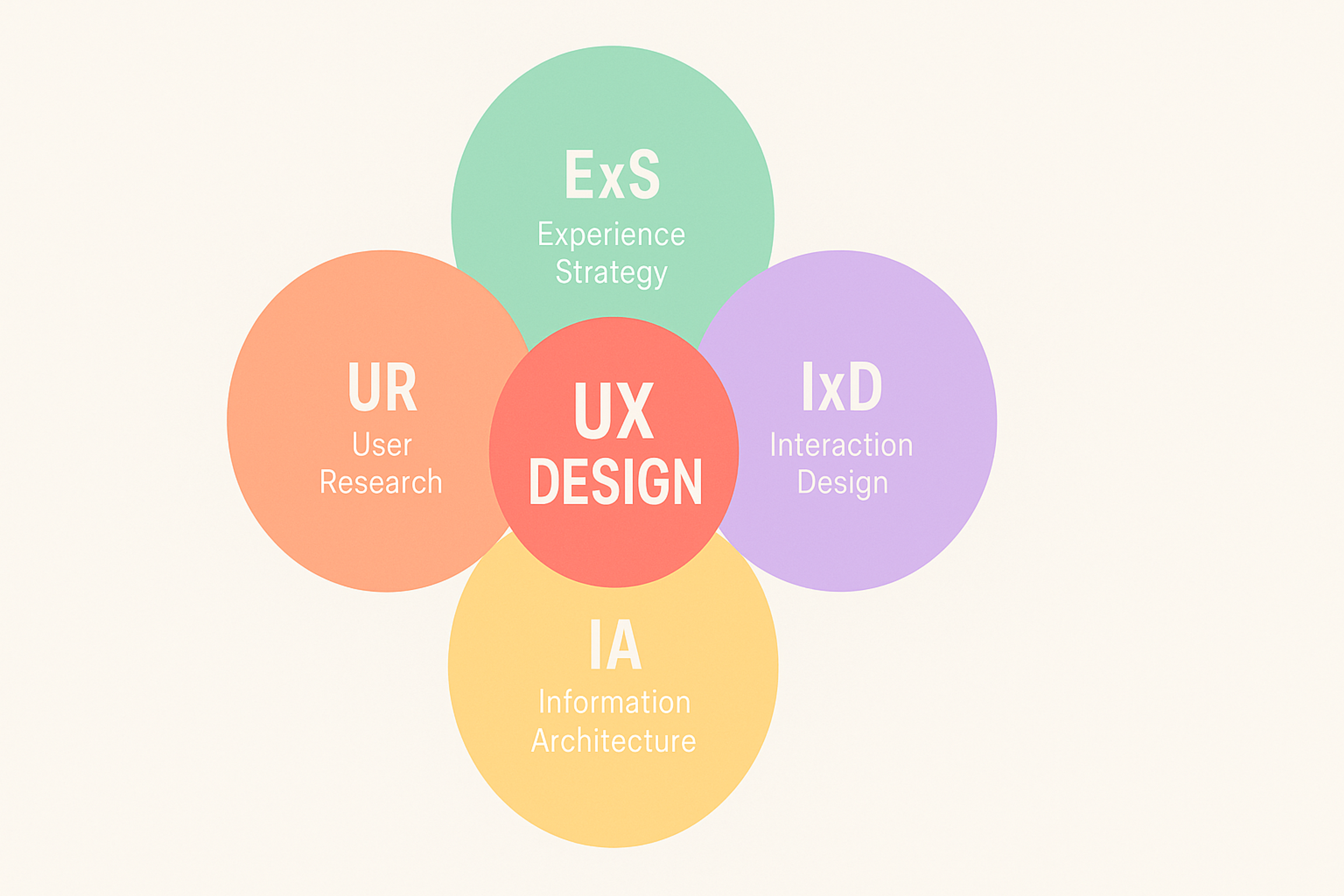
UX Design
Key Takeaways
- Interaction design focuses on how a product behaves, not how it looks. It governs clicks, transitions, feedback, and system states.
- IxD draws on five dimensions: words, visuals, physical objects/space, time, and behavior - all five must work together.
- Interaction design is a subset of UX, and distinct from UI design, though the three frequently overlap in practice.
- The HEART framework (Happiness, Engagement, Adoption, Retention, Task success) gives teams a structured way to measure whether IxD choices are actually working.
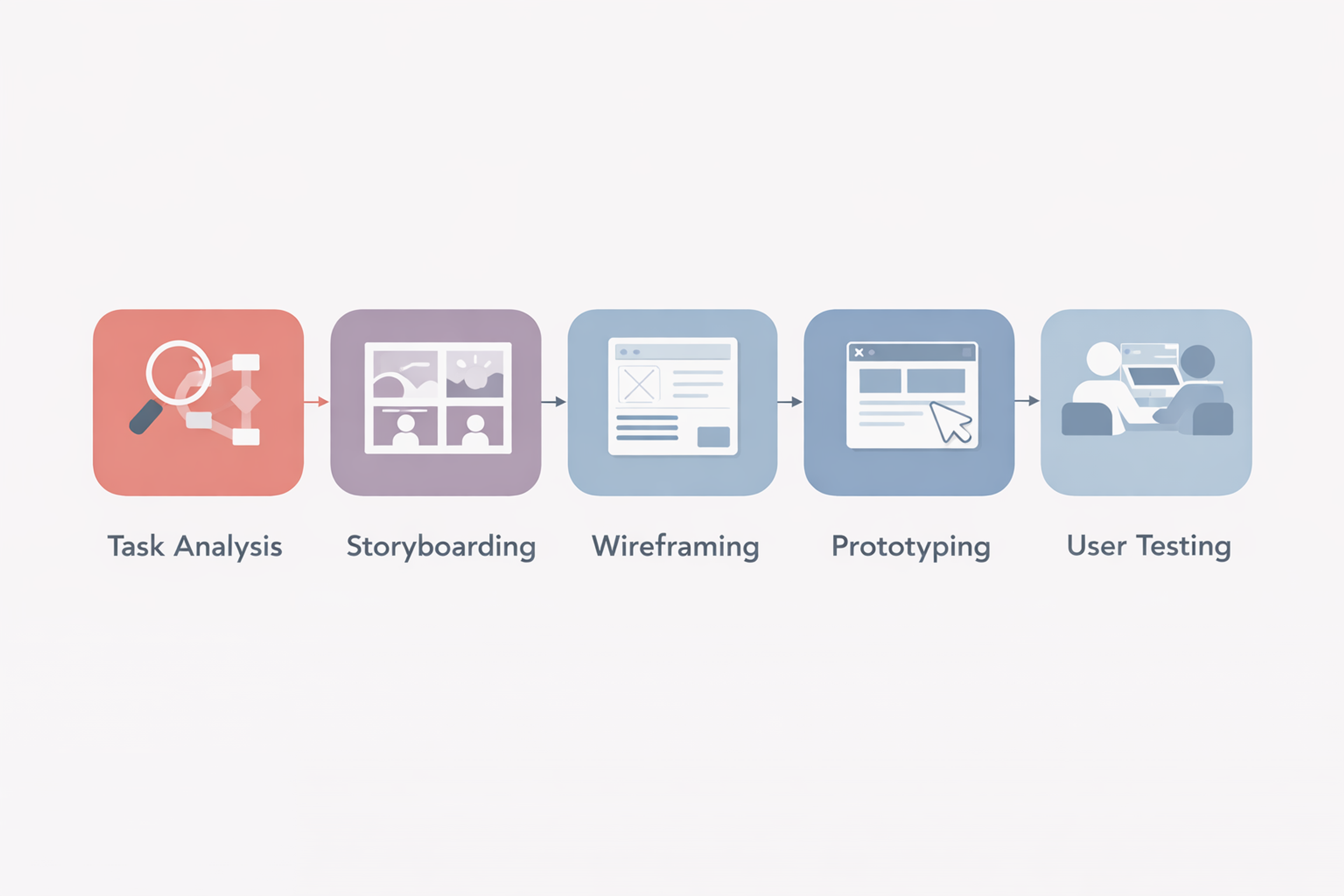
- Interaction designers rely on task analysis, prototyping, storyboarding, and user testing to ground decisions in real behavior.
- Modern IxD increasingly has to account for voice, gesture, and AI-driven interfaces, and not just screens.
What Interaction Design Actually Covers
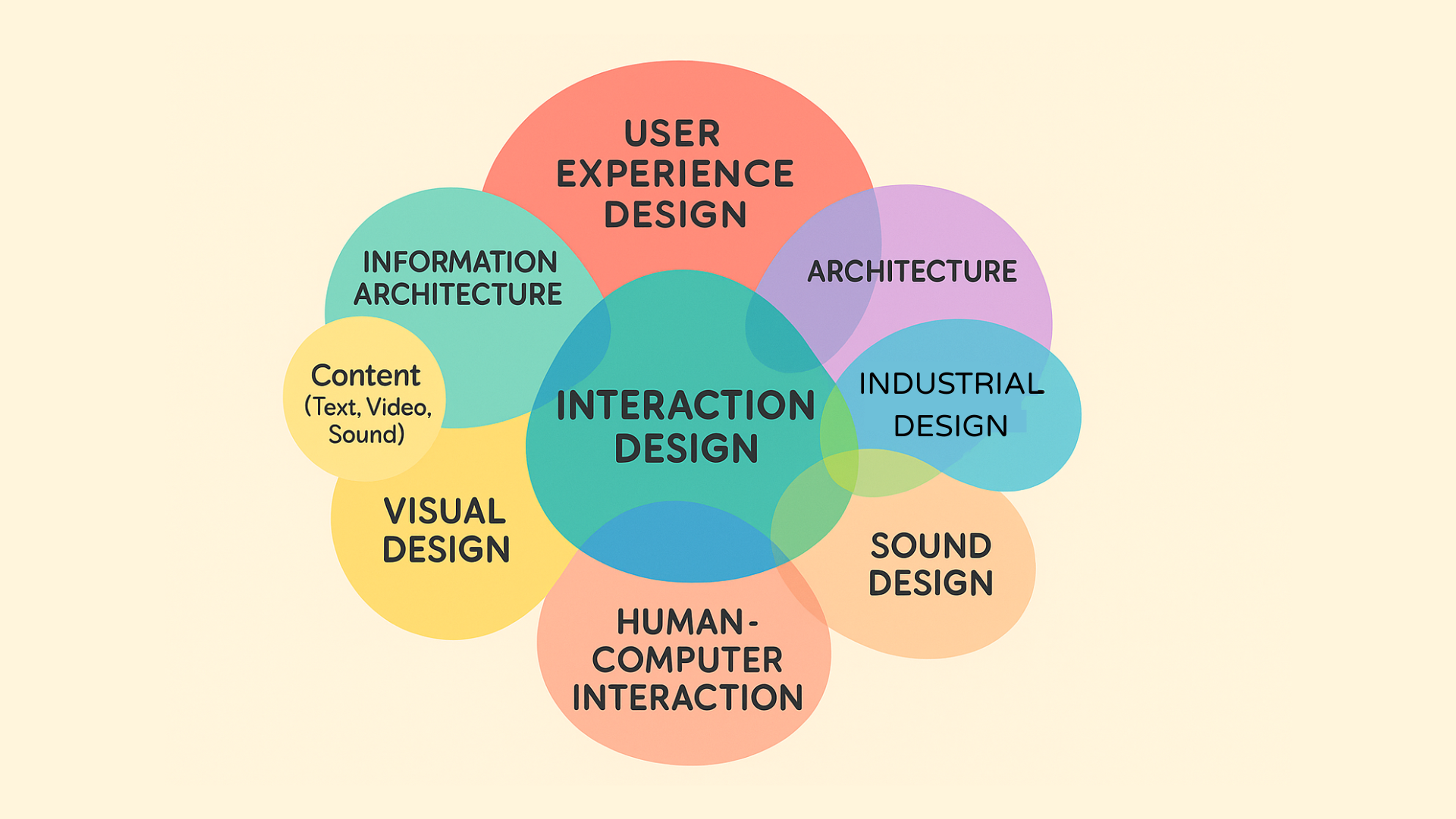
Interaction design concerns the relationship between a person and a system. Every time a user does something (presses a button, fills a field, navigates a menu), the system responds. IxD defines the logic and quality of those responses.
This encompasses:
- micro-interactions (the small animations that confirm a like was registered or a form was submitted)
- macro-level flows (how a user moves from landing page to checkout)
- error handling
- loading states
- the feedback that tells users what's happening and what to do next
Interaction Design
It's every moment the product "speaks back" to the person using it.
The field traces its origins to human-computer interaction (HCI) research in the mid-20th century, when scientists and engineers first began systematically examining how displays and input devices shape human behavior.
Over the following decades, as personal computing spread and interfaces moved from command lines to graphical UIs to touch screens, IxD developed into its own discipline with its own theories, frameworks, and tooling.
Today, the scope has expanded again. Interaction designers now work across voice interfaces, augmented reality, AI-powered conversational products, and ambient computing environments where the traditional notion of a "screen" barely applies.
The Five Dimensions of Interaction Design
The five-dimensional model, introduced by Gillian Crampton Smith and expanded by Kevin Silver, gives interaction designers a systematic lens for evaluating their work. Each dimension represents a distinct channel through which users experience a product.
Words (1D) cover every piece of text that's part of the interaction:
- button labels
- error messages
- tooltips
- empty states
- input prompts
Clarity here matters more than cleverness. A button labeled "Submit" is usually worse than one labeled "Send your application." The more precisely a label describes what happens next, the less cognitive work the user has to do.
Visual representations (2D) include:
- icons
- illustrations
And any graphic element that helps users understand how to interact or what a system state means:
- a loading spinner
- a progress bar
- a red border
- an invalid field
These all carry interaction meaning, not just aesthetic value.
5D of Interaction Design
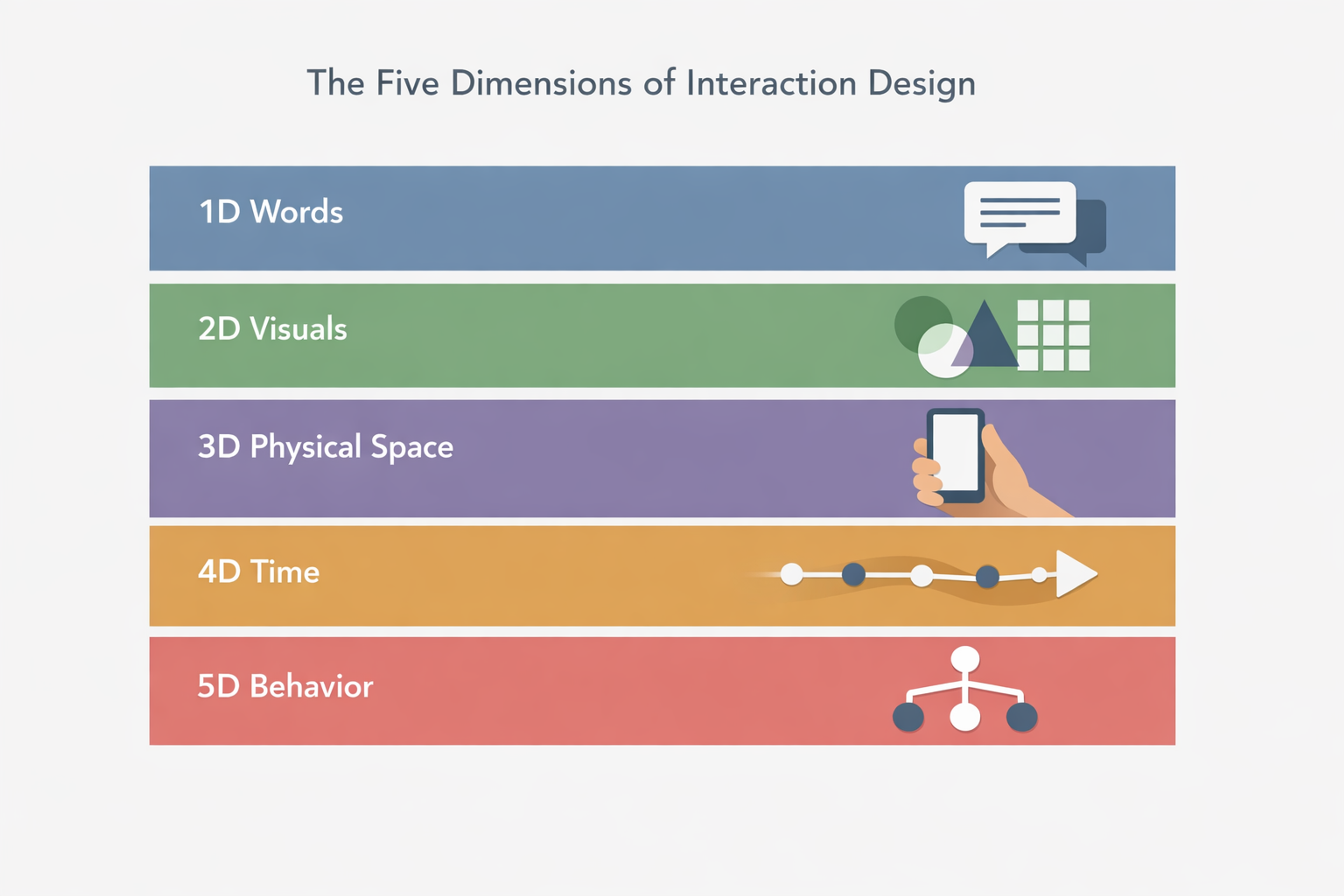
Physical objects and space (3D) acknowledge that interactions don't happen in a vacuum. They happen on a specific device, in a specific physical context.
For example, a phone held in one hand on a commute, a desktop at a desk, a tablet propped up in a kitchen. Target sizes, scroll behavior, and gesture design all depend on this dimension.
Time (4D) covers the temporal qualities of an interaction:
- how fast a system responds
- how long an animation runs
- how progress is communicated during a wait.
Research from Google's RAIL model suggests users perceive responses under 100ms as instantaneous, while anything over 1 second breaks the sense of flow. Time is one of the most underestimated levers in IxD.
Behavior (5D) is the rules layer - the logic that ties everything together.
What happens when you submit a form with a missing field?
What does the system do when a network request fails?
How does the interface change state when a user reaches a milestone?
This dimension is where interaction designers spend most of their time, because it's where the most consequential decisions live.
The value of thinking in these five dimensions is that it forces you to check your work across multiple channels.
A beautifully designed form can still frustrate users if the error messages (words) are vague, the feedback (behavior) is delayed, or the field sizes (physical space) are too small for a phone keyboard.
How Interaction Design Differs from UI Design and UX
These three terms are frequently conflated, especially in job titles and agency briefs. They're related, but they describe different scopes of work.
UI design defines the visual system of a product: the color palette, typography, iconography, spacing, and visual hierarchy.
A UI designer determines what a button looks like. An interaction designer determines what happens when you press it.
Interaction design sits one layer deeper than visuals. IxD is concerned with behavior: transitions, feedback loops, animation logic, state management, and the logic governing how the interface responds to user input. It asks: does the product react in a way that's predictable, efficient, and appropriate?
UI, UX, and IxD
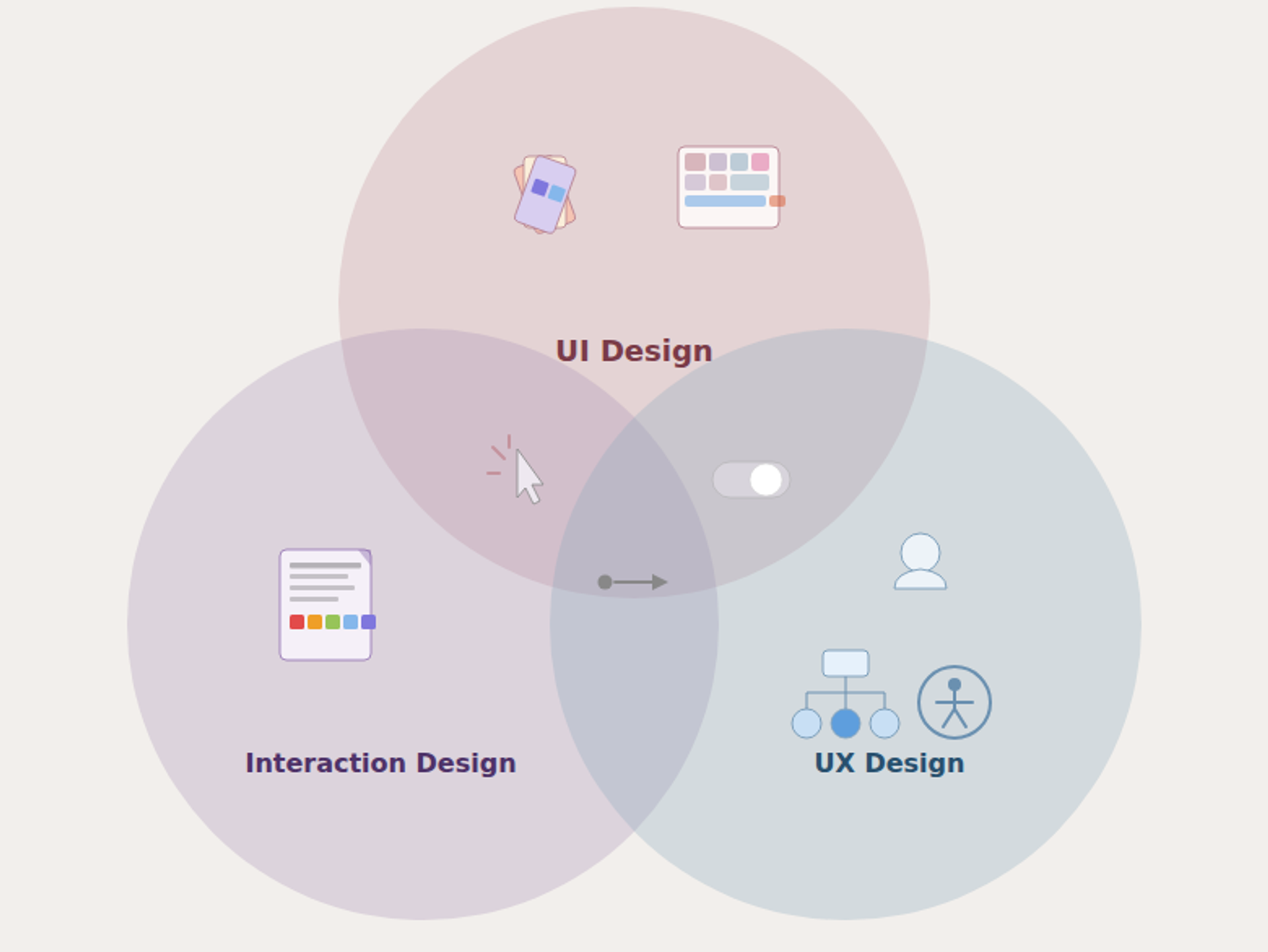
UX design is the broader discipline that contains both. UX encompasses usability, accessibility, content strategy, information architecture, branding alignment, and the overall quality of the experience from first contact to long-term use. Interaction design is a critical component of UX, but UX extends well beyond the interactive layer into the structure and coherence of the full experience.
In smaller teams, one person often handles all three. In larger product organizations, the roles are split, with significant overlap in practice.
What matters more than the titles is clarity about which questions each role is responsible for answering.
What Interaction Designers Actually Do
An interaction designer's job is to define how the system behaves, from broad product flows down to individual micro-interactions, and to validate those decisions with real users before they get built.
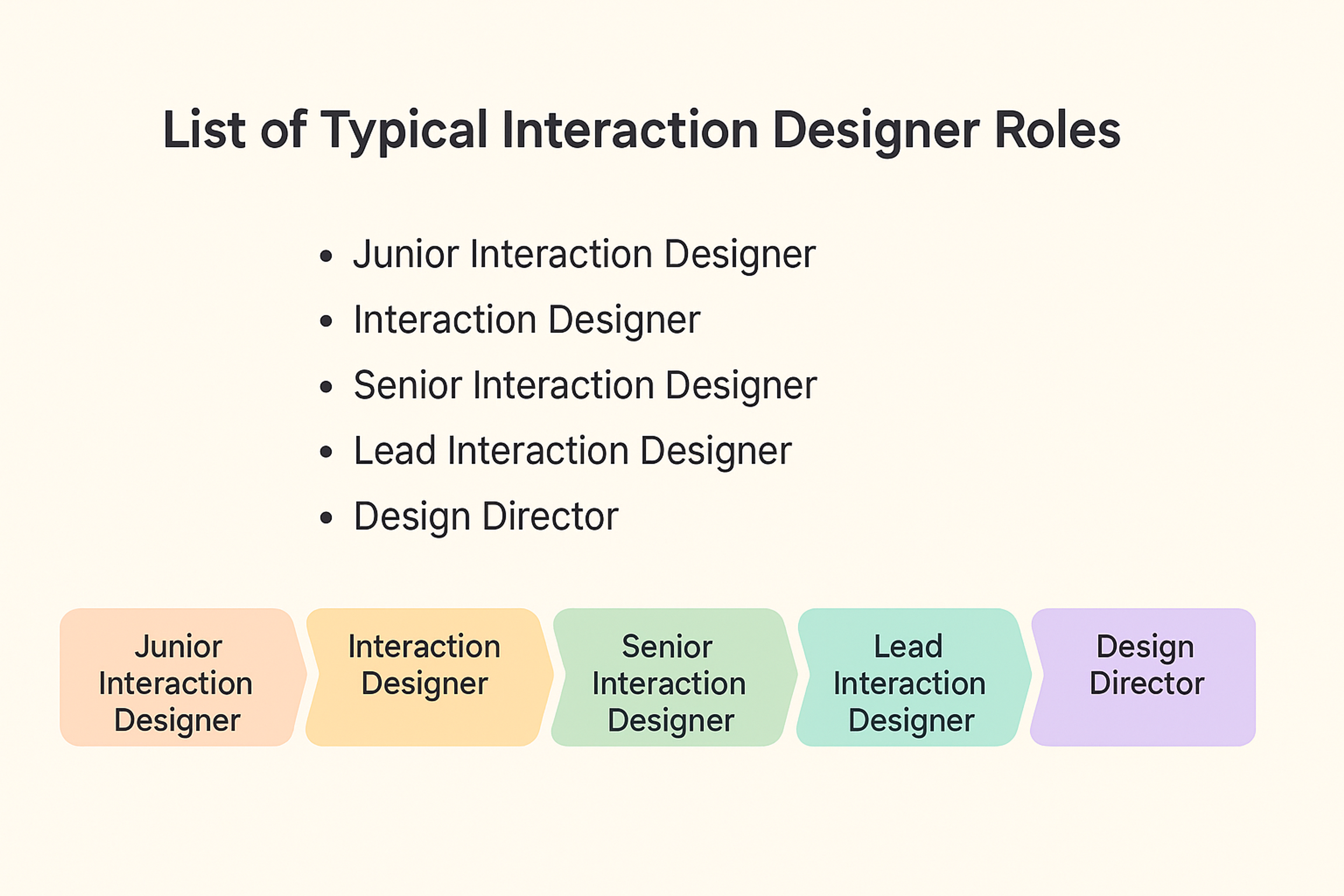
Typical Interaction Designer Roles
The core practices look like this:
- Task analysis means mapping out what users are actually trying to accomplish, what steps they take to get there, and where the friction points are.
It's the diagnostic work that informs every design decision downstream. - Prototyping allows interaction designers to test behavioral hypotheses early, before engineering resources are committed.
The goal isn't a polished mock-up: it's a functional representation of a specific interaction, good enough to generate meaningful feedback from users. - Storyboarding plots out user flows and scenarios from beginning to end, capturing context as well as the interaction itself.
A storyboard for a checkout flow might include where the user is physically, what they're thinking, and what competing pressures they're facing. - Wireframing establishes the structural layout of a screen: what elements are present, where they sit, and how they relate to each other.
Wireframes are intentionally stripped of visual polish so the focus stays on hierarchy and behavior rather than aesthetics. - User testing closes the loop. Even well-reasoned interaction designs will reveal unexpected friction when placed in front of real users.
Regular testing, especially with behavioral metrics like task completion time and error rate, is the only reliable way to know whether your design decisions are working.
What an Interaction Designer Does?
The Right Tools for the Job
The most widely used tools in interaction design in 2026 are Figma (particularly with its advanced prototyping and variable features).
Framer for high-fidelity interactive prototypes, and Protopie for complex conditional logic and device sensor interactions.
UXPin is popular in teams that want code-backed components in their design files.
Popular IxD Tools Chart
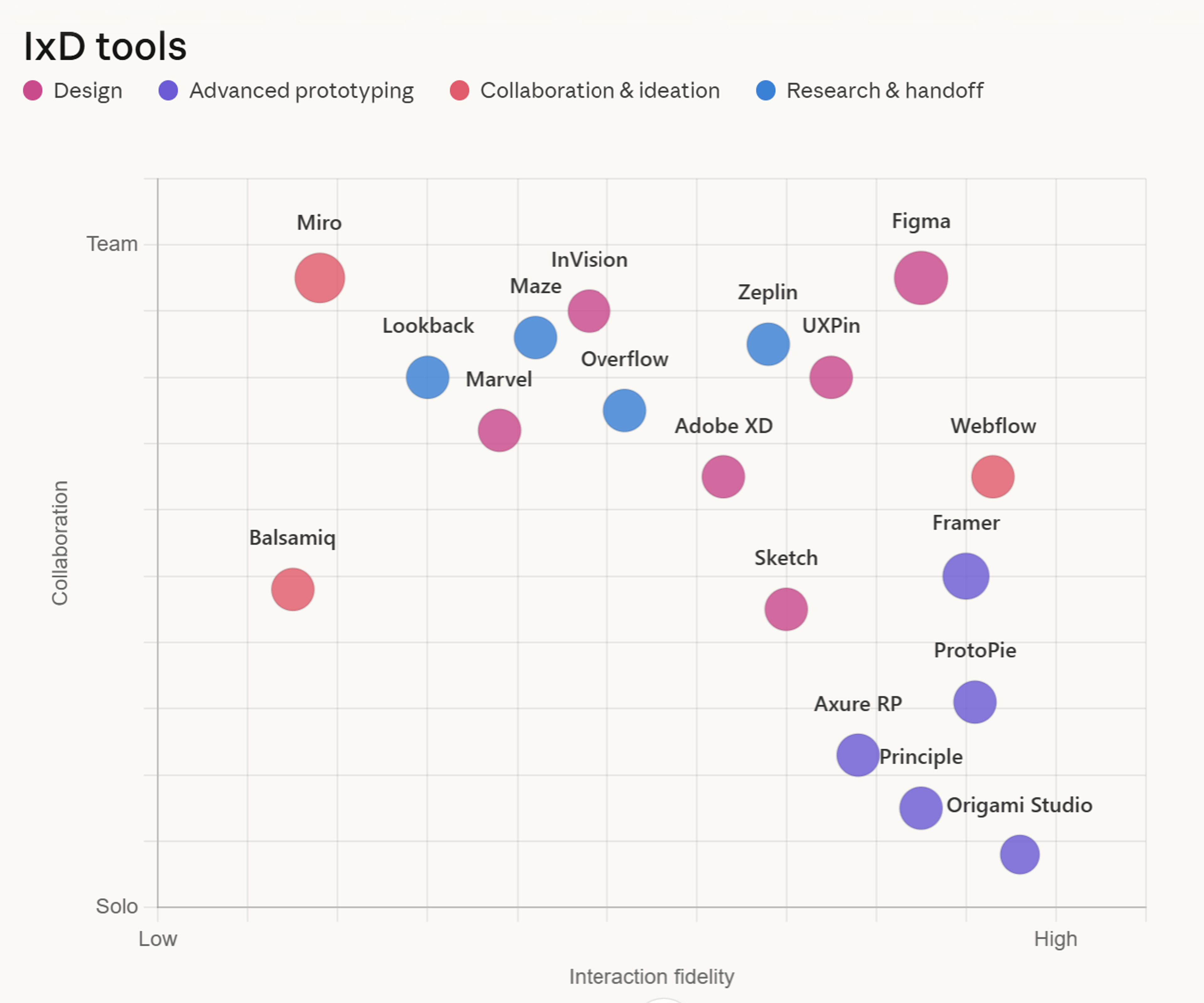
Each tool has a different ceiling for interaction fidelity. Figma is fast and collaborative, but its prototyping layer has limits. Framer and Protopie can represent sophisticated behaviors (conditional states, scroll-triggered animations, multi-device interactions) that are difficult to fake in a standard prototype.
Choosing the right tool depends on what you need to communicate or test, not which tool is most popular in your organization.
How to Know If Your Interaction Design Is Working
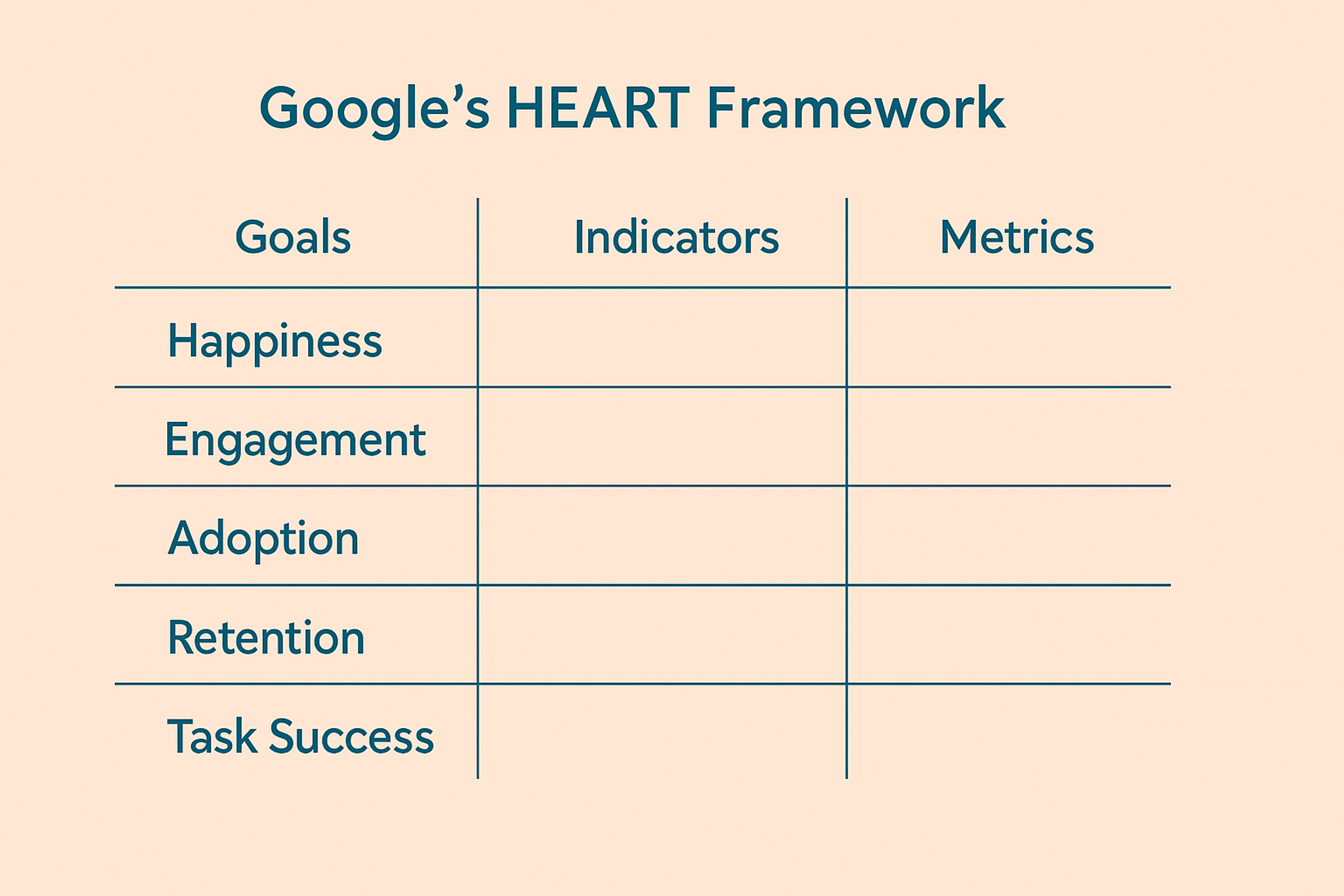
Measuring the quality of interaction design requires both quantitative and qualitative signals. The most useful framework for structuring this measurement is Google's HEART framework, which assesses:
- Happiness - how satisfied users are, typically measured through surveys, NPS, and CSAT scores.
- Engagement - how frequently and deeply users interact with the product (session length, feature adoption, return visit rate).
- Adoption - how quickly new users or new features reach meaningful usage thresholds.
- Retention - whether users come back over time, tracked through cohort analysis comparing new vs. returning users.
- Task success - whether users can complete key tasks efficiently, measured by completion rate, time on task, and error rate.
Google's HEART Framework
For interaction design specifically, task success is usually the most direct signal. If users consistently fail to complete a flow, take longer than expected, or make the same error at the same step, that's a clear interaction problem.
Behavioral data (click maps, session recordings, funnel drop-off rates) surfaces these issues faster than surveys alone.
Qualitative research adds the "why." Usability testing sessions, even with small sample sizes of five to eight participants, consistently surface interaction problems that analytics can't explain.
The two methods are complementary, not competing.
Principles That Separate Good Interaction Design from Great
Strong interaction design isn't built on a checklist. It's built on a set of consistent principles applied with judgment. Here are the ones that matter most in practice.
Feedback for every action. Users need to know that the system received their input. This can be as subtle as a button changing state on hover, or as explicit as a confirmation message after form submission.
Silence is not neutral, it reads as broken.
Predictability over novelty. Clever interactions that deviate from established conventions, such as swipe gestures with no affordance, hidden navigation, and non-standard form behaviors, tend to increase cognitive load.
Familiarity is a feature, not a limitation.
Prevent errors before correcting them. The best error handling is a design that makes the error unlikely in the first place: input constraints, progressive disclosure, and clear affordances. When errors do occur, messages should tell users exactly what went wrong and how to fix it.
Speed is part of the design. A beautiful interface that loads slowly or responds sluggishly will feel broken regardless of its visual quality. Perceived performance (how fast a product feels) is an interaction design concern, not just an engineering one.
Design for the full context. The same interaction that works on a large desktop screen with a fast connection and two hands free may fail on a phone held in one hand, in low light, with a patchy signal.
Testing interactions in realistic conditions, on real devices, reveals failure modes that a design tool never will.
Read more:
FAQs
What is the simplest definition of interaction design?
Interaction design is the practice of defining how digital products respond to user input. Every tap, click, scroll, and keystroke triggers a system response, and IxD shapes what those responses are and how they feel.
Is interaction design the same as UX design?
No, interaction design is a subset of UX. UX covers the full experience, including content, accessibility, information architecture, and business alignment. IxD specifically focuses on the behavioral layer: feedback, transitions, state changes, and the logic governing how the interface responds.
What's the difference between interaction design and UI design?
UI design defines how an interface looks: colors, typography, icons, and layout. Interaction design defines how it behaves. A UI designer decides what a button looks like, while an interaction designer decides what happens when you press it.
Do you need to know how to code to be an interaction designer?
Not necessarily, but a working knowledge of how developers implement interactions (particularly how animation and state management work in code) makes an interaction designer significantly more effective. The closer the prototype mirrors production, the fewer surprises emerge during handoff.
What's a micro-interaction, and why does it matter?
A micro-interaction is a small, contained interaction that performs a single function: a "like" animation, a toggle switching states, or a progress bar filling. They're brief, but they do significant work: confirming actions, communicating system state, and making the product feel responsive and alive.
How is interaction design changing with AI-powered interfaces?
AI introduces a new class of interaction problems: outputs that are probabilistic rather than deterministic, latency that varies based on model compute, and responses that may be wrong or incomplete. IxD for AI products needs to handle uncertainty explicitly through loading states, confidence indicators, and clear affordances for correction.
What are affordances in interaction design?
An affordance is a design property that communicates how something can be used. A button that looks pressable, a text field that looks editable, a slider that looks draggable. These are all affordances. Good affordances reduce the need for instructions.
How many users do you need for usability testing?
Nielsen Norman Group's landmark research found that five users typically uncover about 85% of major usability problems. Larger sample sizes are valuable for quantitative benchmarking, but for identifying interaction problems, small and frequent rounds of testing beat large and infrequent ones.
What's the relationship between interaction design and accessibility?
Closely intertwined. Many interaction design decisions directly affect accessibility: focus states, keyboard navigability, touch target sizes, timeout durations, and motion preferences all determine whether a product works for users with disabilities. IxD that ignores accessibility isn't just incomplete, it's exclusionary.
How do you design interactions for voice and conversational interfaces?
Voice interactions replace visual affordances with conversational ones: prompts replace labels, confirmation requests replace visual state changes, and error handling has to work without a screen. The core principles (predictability, feedback, error prevention) still apply, but the implementation is entirely different.
What is the HEART framework?
HEART stands for Happiness, Engagement, Adoption, Retention, and Task success. It's a measurement framework developed at Google for evaluating user experience quality. It's particularly useful for interaction design because it includes behavioral metrics (engagement, task success) alongside attitudinal ones (happiness).
How does interaction design affect conversion rates?
Directly. Interaction friction (confusing flows, unclear CTAs, slow feedback, and ambiguous error states) adds cognitive load at the exact moments when users are deciding whether to complete an action. Reducing that friction improves completion rates at every step of the funnel.
What's the role of animation in interaction design?
Animation communicates cause and effect, guides attention, and maintains spatial context as users move through a product. It should always serve a purpose, explaining a transition, confirming an action, or indicating progress. Animation for its own sake adds latency without adding meaning.
Can interaction design principles apply to physical products?
Yes, the discipline originated partly in physical interface design (control panels, industrial equipment), and the principles around feedback, affordances, and error prevention apply equally to physical and digital contexts. The tools and specific techniques differ, but the underlying logic is consistent.
The Bottom Line
Well-designed interactions are ones users never consciously register - the product just works, tasks complete without friction, and the system always seems to understand what they meant to do.
Getting there requires treating behavior with the same rigor you'd apply to visual design: systematic, testable, and grounded in how people actually think and act. That's the discipline interaction design exists to provide.


About Clay
Clay is a UI/UX design & branding agency in San Francisco. We team up with startups and leading brands to create transformative digital experience. Clients: Facebook, Slack, Google, Amazon, Credit Karma, Zenefits, etc.
Learn moreAbout Clay
Clay is a UI/UX design & branding agency in San Francisco. We team up with startups and leading brands to create transformative digital experience. Clients: Facebook, Slack, Google, Amazon, Credit Karma, Zenefits, etc.
Learn more