

Ask ten people whether they'd use a time-saving feature, and most will say yes. Build it, and few of them touch it.
The question was the problem. It asked people to predict their future, and people are bad at that.
User interviews are a qualitative UX research method in which a researcher talks one-on-one with a current or potential user to understand their behavior, motivations, mental models, and pain points.
Analytics shows you what people do. Interviews explain why they do it, what they tried before, and what almost made them quit.
The method is cheap to start and surprisingly hard to do well. The value of a study comes from four decisions: who you talk to, what you ask, how you run the session, and what you do with the transcripts afterward.
Key Takeaways
- Use interviews to answer "why" questions about behavior and context. Use usability tests to learn whether people can complete a task, and analytics to learn how many do.
- Ask about specific past events, not opinions about the future. Hypothetical questions produce answers people won't act on.
- Plan for roughly 9 to 17 interviews per distinct user segment, and stop when new sessions stop producing new themes.
- Split the moderator and note-taker roles, and record every session with the participant's consent.
- Analysis decides whether a study pays off. Code transcripts, cluster patterns, and write insight statements tied to a specific decision.
- AI handles transcription and first-pass tagging well. Keep people in charge of sensitive conversations and final synthesis.
What User Interviews Can and Can't Tell You
Do You Know Your Users?
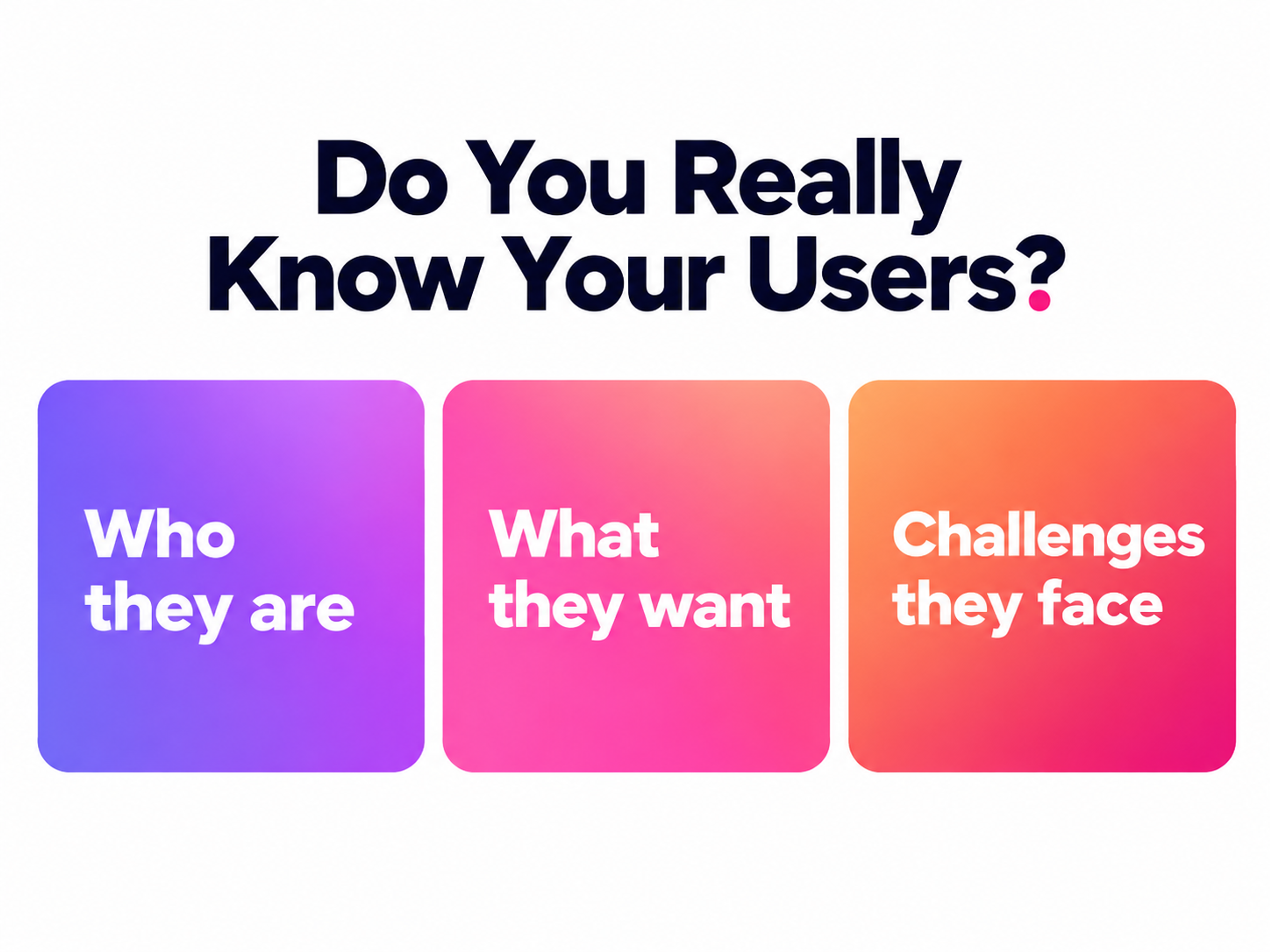
Interviews are a "why" method. They surface the context around a task, the workarounds people built, the vocabulary they use, and the trigger that made them go looking for a solution in the first place. No dashboard can show you the spreadsheet a finance manager keeps on the side because your export doesn't match their approval flow.
Interviews are weak at anything that needs counting or observing. People misremember how often they do things, overstate how much they'd pay, and can't tell you whether a design is usable by talking about it. That's why user interviews sit alongside other UX research methods rather than replacing them.
Pick the method by the question you need answered:
- User interviews answer why people behave the way they do, what they need, and what context surrounds the task.
- Usability tests answer whether people can complete a task with a specific design, and where they get stuck. See our guide to usability for how the two differ in practice.
- Surveys answer how common an attitude or behavior is across a larger population, once you know which questions are worth asking.
- Product analytics answer what people actually did, at scale, without relying on memory. Pair it with interviews in a data-driven design process.
- Focus groups answer how people react to an idea together. They're useful for language and first impressions but thin on individual depth.
Our mobile banking work with Discover shows the split. Refining onboarding and new card activation was a "can they get through it" problem, so the team mapped every activation scenario in flow diagrams, built prototypes for iOS and Android, and tested multiple iterations of the flow.
An interview can't tell you which version of a flow works better. It can tell you why someone abandons profile setup halfway, which is a different question with a different method.
Skip interviews when you need a number, when you're comparing two designs, or when the question is about a behavior people can't accurately recall. Run them when you don't yet know which questions matter.
When to Run User Interviews
Interviews belong at every stage of a product, but the questions change at each one.
Before you build, interviews are generative. You're learning how people handle the problem today, without showing them anything. Good questions here sound like "Walk me through the last time you reconciled vendor invoices" and "What did you try before the tool you use now?"
Interviews prevent the most wasted work, because they show whether people actually feel the problem you plan to solve. It's also where the foundations of product design get set.
During design, interviews become evaluative. You might pair a short interview with early concepts or prototypes, asking people how a proposed approach fits the way they work. Keep the interview portion focused on context and expectations. Watching someone click through a prototype is a usability test, and it deserves its own protocol.
After launch, interviews turn diagnostic. Analytics will flag a drop-off or a feature nobody uses. Interviews with people who churned, people who stuck around, and people who never activated tell you which story explains the number.
Many teams now run interviews continuously, talking to a few users every week or two. A team with that habit catches shifts in behavior months before they show up in retention data.
Plan the Study
Start with the business question, then translate it into something a user can answer. Suppose the business question is "Why do trial accounts stall before inviting teammates?"
Users can't answer that directly. The research question becomes "What happens in a new account's first week, and who decides whether the rest of the team adopts the tool?"
How to Conduct User Interviews
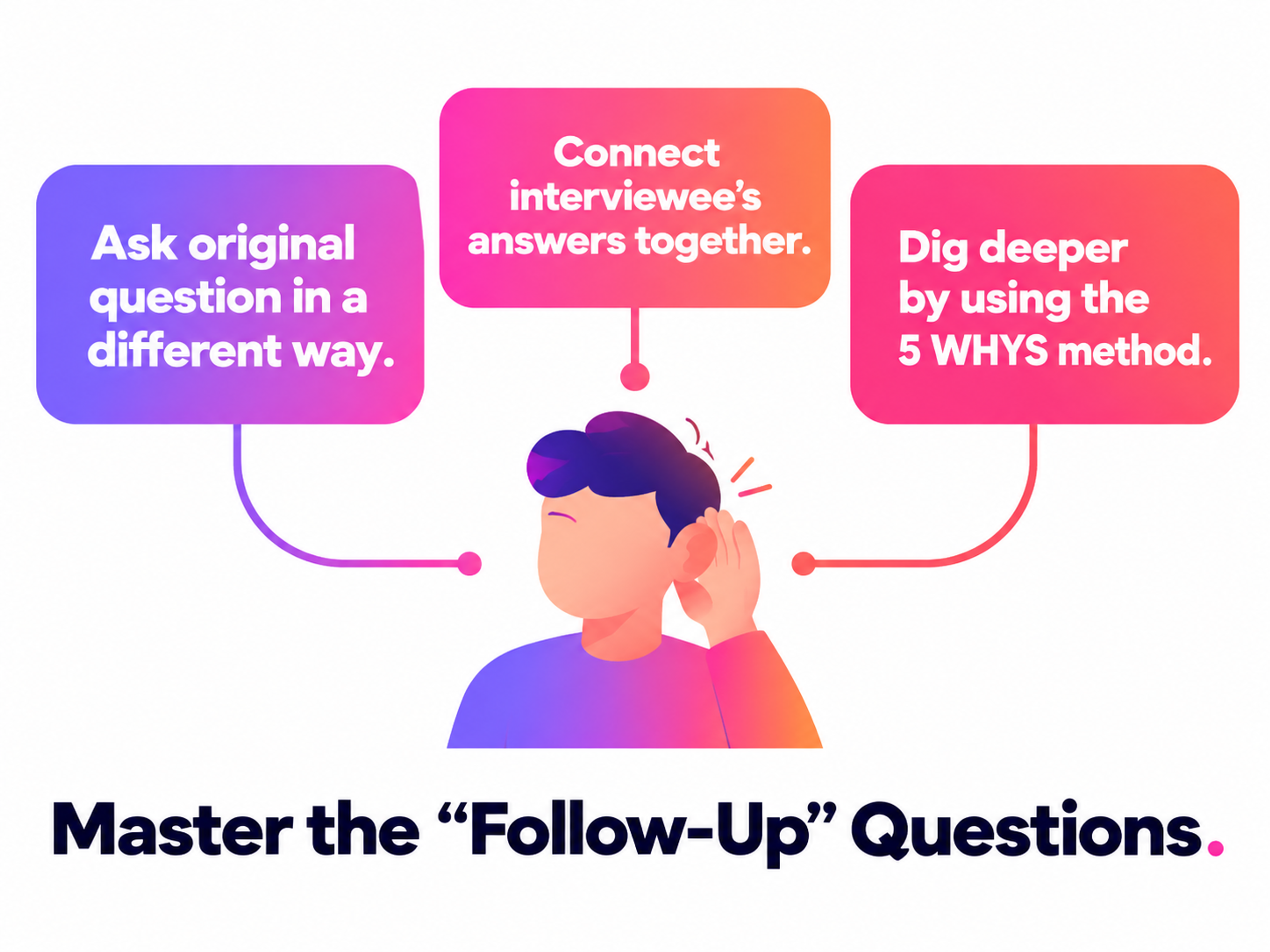
From there, interview topics follow naturally:
- the signup trigger
- the first task attempted
- the moment the user thought about involving colleagues
- who else had a say
Write the research question, the topics, and the decision the study will inform on a single page. If you can't name the decision, the study isn't ready.
Next, choose the format. Two choices matter.
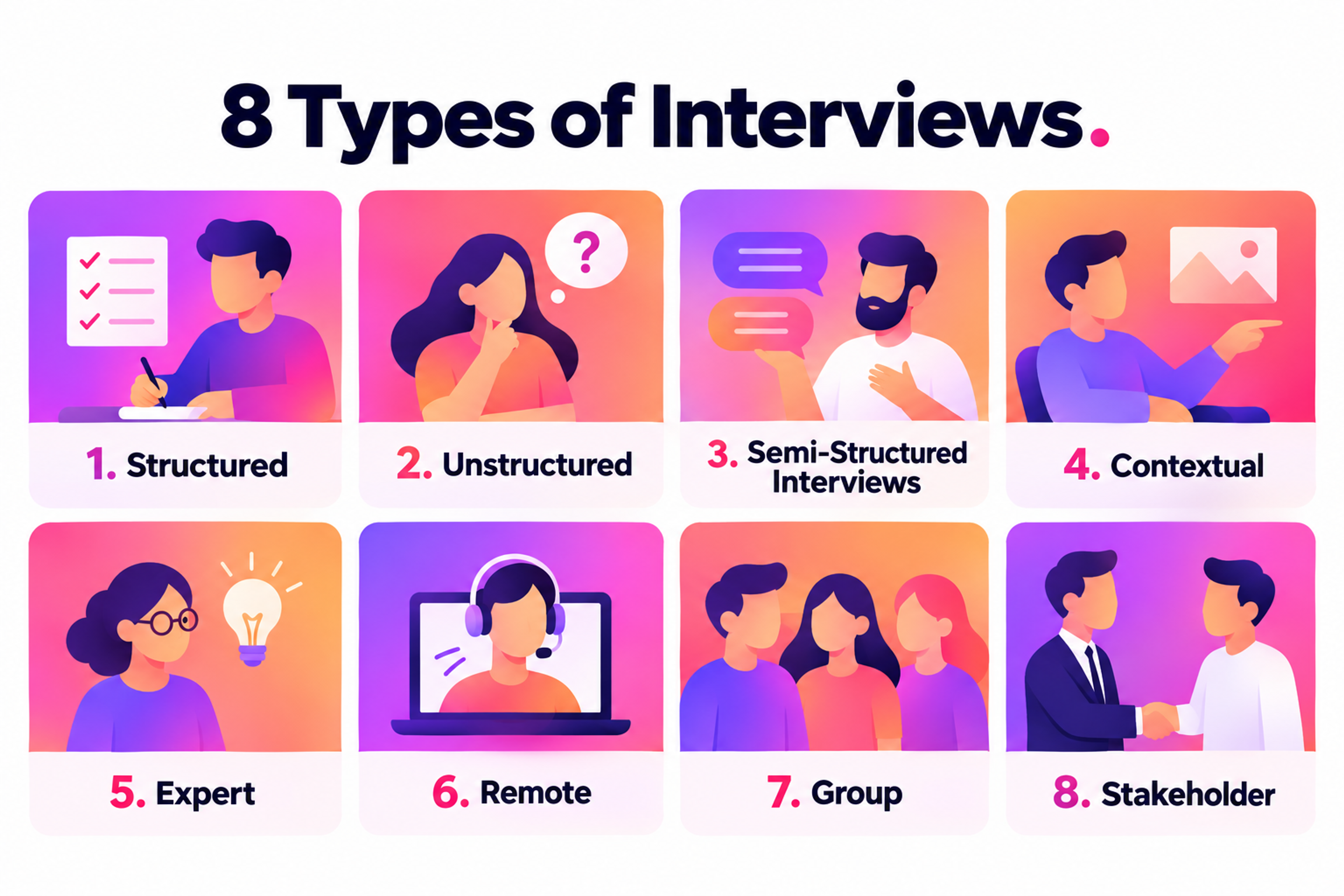
Structure. Structured interviews ask every participant the same questions in the same order, which makes answers comparable but leaves no room to follow surprises.
Unstructured interviews follow the conversation wherever it goes, which suits early exploration but makes patterns hard to spot across sessions. Semi-structured interviews sit between them, with a fixed set of topics and freedom to probe. They're the right default for most product teams.
Setting. Remote interviews over video are now standard and make it possible to reach users anywhere. In-person interviews capture more nonverbal detail. Contextual inquiry takes place where the work happens, so you can watch someone use their actual tools and notice the interruptions they've stopped mentioning.
Expert interviews and stakeholder interviews use similar techniques but serve different goals. Expert interviews gather domain knowledge. Stakeholder interviews align the project with business constraints. Neither replaces talking to users.
For length, 30 to 60 minutes works for most studies. Shorter 15- to 30-minute sessions suit quick, focused reactions. Complex workflows can justify 60 to 90 minutes, but build in a break, because answer quality drops once participants get tired.
How Many User Interviews You Need and How to Recruit Participants
Most interview studies reach the point where new sessions stop producing new themes far sooner than teams expect. Empirical studies on qualitative sample sizes found that interview studies reach saturation within 9 to 17 interviews when participants are relatively similar, and the objective is narrowly defined. Broader questions and more varied participants push that number higher.
Apply the range per segment. If you're interviewing both first-time buyers and power users, treat them as two groups. A practical approach is to schedule six to eight sessions per segment, review your notes for repetition, and keep going until two or three sessions in a row add nothing new.
Don't borrow the "five users" rule from usability testing. It applies to finding interface problems in one design, and interviews explore a much wider space.
Screening and Recruiting
A screener is a short questionnaire that filters candidates before you book them. Screen on behavior rather than demographics alone. "Have you submitted an expense report in the last 30 days?" tells you more than a job title.
Include a few options that disqualify, hide the purpose of the study so people can't guess the right answers, and add one open-ended question. Professional testers tend to give vague, polished replies, and that question catches them.
Recruit from several channels:
- Your own customers, through in-app prompts, email, or introductions from customer success. This is the fastest route, but it leaves out people who never signed up.
- Research panels such as User Interviews or Respondent, which work well for consumer audiences and hard-to-reach roles.
- Communities and social platforms, including LinkedIn groups, Slack communities, and subreddits where your audience already gathers.
- Non-customers and churned users, who often explain more about your product's gaps than loyal users do.
Pay participants, and scale incentives with session length and seniority. Some companies bar employees from accepting cash, so keep a charity donation option ready.
What Changes in B2B Research
B2B interviews come with different constraints. Buyers, admins, and daily users are often different people with different goals. A finance automation suite like Tipalti, which spans accounts payable, global payments, procurement, and employee expenses, serves several distinct roles under one brand.
Interviewing "finance teams" as a single segment would blur needs that pull in different directions. Recruit per role, and plan the sample size for each one.
Expect recruiting to take longer, budget more for incentives, and be careful with introductions from sales. Customers referred by an account manager tend to be the happiest ones, and they'll soften criticism to protect the relationship.
Build Your User Interview Guide
An interview guide is the document the moderator follows during a session: the topics, the questions, the probes, and the timing. It keeps sessions comparable without turning them into a script. Here's a structure for a 45-minute semi-structured interview:
- Introduction and consent (3 minutes). Explain the purpose in general terms, confirm consent to record, and tell the participant there are no wrong answers. Make clear you didn't design the product, even if you did, so they feel free to criticize it.
- Warm-up (5 minutes). Ask about their role and a typical day. These answers matter less than the rapport they build.
- Core topics (25 minutes). Cover three or four topics drawn from the research question. Under each, write one opening question and two or three probes. Start broad and narrow down.
- Optional concept reaction (5 minutes). Show a sketch or prototype only after you've captured their unprompted behavior, so the concept doesn't color what came before.
- Wrap-up (5 minutes). Ask what you should have asked, invite their questions, and explain next steps for the incentive.
Run a pilot with a colleague before the real study. Pilots expose confusing wording, topics that run long, and questions that give away what you're hoping to hear. Revise the guide after the pilot and again after the first couple of real sessions.
Ready to build a website that performs across every device and keeps users engaged? Let our team take it from wireframe to launch. Get in touch.
User Interview Questions That Get Real Answers
Question wording shapes answers more than most interviewers realize. In one well-known experiment, changing a single verb from "contacted" to "smashed" in a question about a filmed car crash raised viewers' average speed estimate from 31.8 to 40.8 mph. A product question that says "How frustrating is the checkout?" does the same thing to your data.
8 Types of User Interviews
Three habits fix most problems. Ask about a specific recent instance instead of general habits. Ask people to describe what they did, and save their opinions for later. Reuse their words when you follow up.
Here's a starter bank organized by what each question uncovers:
- Context: "Tell me about your role and how [task] fits into your week."
- A recent instance: "Walk me through the last time you [did the task]. What happened first?"
- Pain: "What was the hardest part of that? What did you do when you got stuck?"
- Workarounds: "Do you use anything outside the main tool to get this done? Show me, if you can."
- Triggers and decisions: "What made you start looking for a new solution? Who else was involved in choosing?"
- Closing: "If you could change one thing about how you do this today, what would it be?"
Things to Avoid During a User Interview
And here's how common weak questions improve with a rewrite:
- "Would you use a feature that automatically categorizes expenses?" becomes "How do you categorize expenses today? Tell me about the last batch you did."
- "Don't you find the dashboard confusing?" becomes "Walk me through what you look at when you open the dashboard."
- "How often do you export reports?" becomes "When did you last export a report? What did you do with it?"
- "What features do you want?" becomes "What did you try to do recently that the product didn't support?"
- "Is price important to you?" becomes "How did you decide on the tool you use now? What else did you consider?"
Probes do the deeper work. "Can you tell me more about that?", "What happened next?", and "Why do you think that is?" carry most interviews. When an answer sounds rehearsed, ask for a specific example.
How to Run a User Interview Session
Split the roles before the session starts. The moderator runs the conversation and watches the participant. The note-taker captures quotes, timestamps, and observations, which frees the moderator to listen instead of writing. Other observers stay muted and send questions to the moderator through a private chat instead of jumping in.
Get explicit consent before recording, and tell participants how the recording will be stored, who will see it, and when it will be deleted. Interviews usually capture personal data, so handle recordings under the privacy rules that apply to your users, including GDPR for participants in Europe.
During the session, talk less than you think you should. Silence is a tool. When a participant finishes an answer, wait a few seconds before speaking, because people often fill the gap with the detail they were holding back. When answers stay short, shift from questions to requests. "Show me" and "Walk me through it" get more out of a quiet participant than "Why?"
6 Steps for Conducting a User Interview
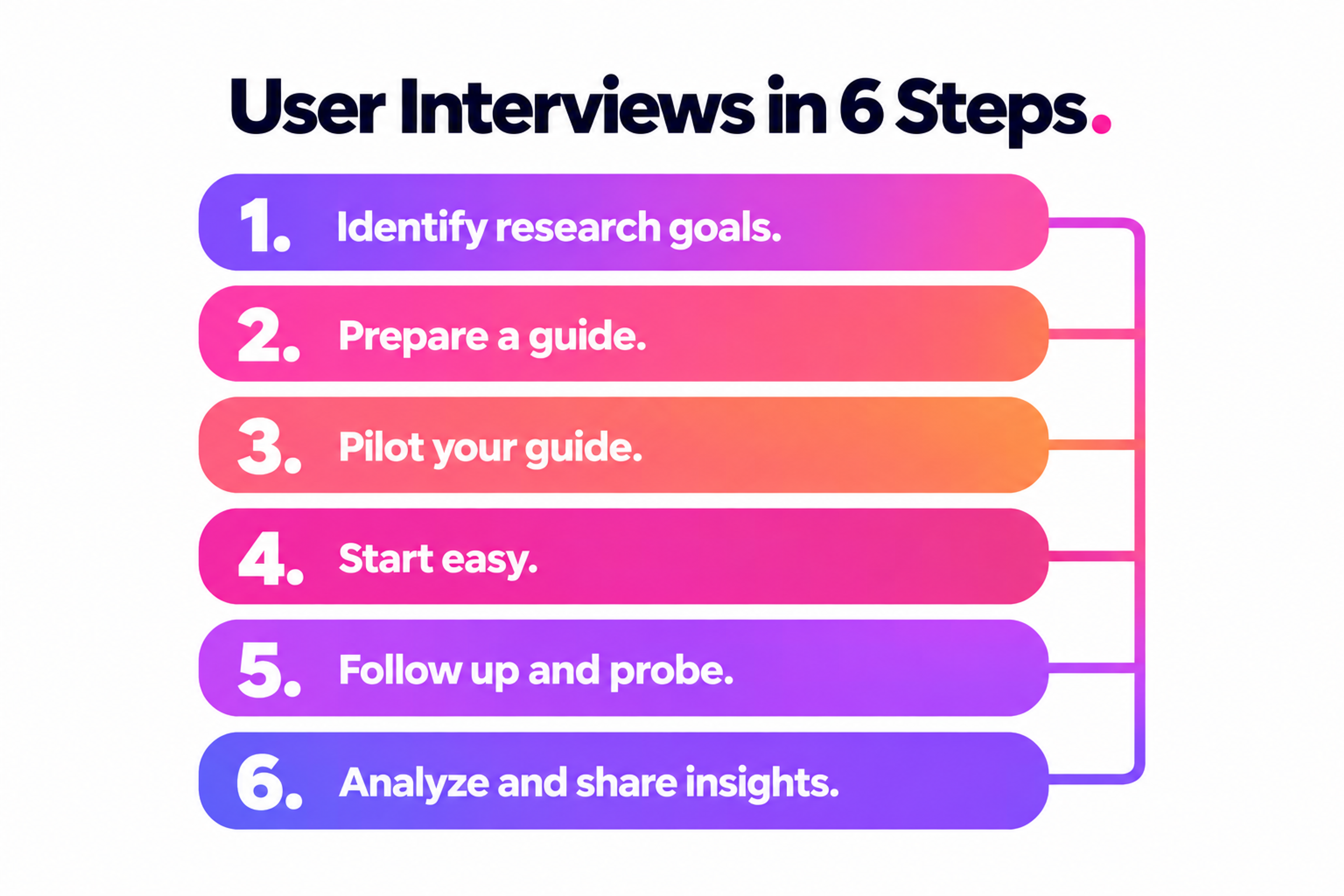
If the conversation drifts, let it run for a minute, because tangents sometimes surface the best findings of the study. When it stops being useful, steer back with a bridge from what they just said.
Remote sessions need a few extra steps. Test screen sharing at the start, ask participants to open the actual tools they use, and keep your own camera on so the conversation feels like a conversation.
Right after each session, the moderator and note-taker should spend 10 to 15 minutes writing down the top observations and surprises. These debriefs are the raw material for analysis, and memory fades fast.
How to Analyze User Interviews and Turn Them Into Decisions
A study without analysis is a collection of anecdotes. The goal is to move from what individual people said to patterns the team can act on, and then to decisions.
Work through it in this order:
1.
Prepare transcripts. Use AI transcription, then spot-check names, product terms, and anything the tool might have misheard.2.
Code the data. Tag excerpts with short descriptive labels such as "manual reconciliation," "approval bottleneck," or "trust in automation." Start with codes that come from the data, not from your hypotheses.3.
Cluster with affinity mapping. Put coded observations on a shared board and group them by similarity. Do this as a team, because people who attended different sessions spot different patterns.4.
Name the themes. A theme is a pattern that shows up across participants, such as "approvers don't trust totals they can't trace back to a receipt." Note which participants and segments it came from.5.
Write insight statements. Combine the observation, the reason behind it, and the implication. "Approvers re-check totals by hand because the summary hides line items, so a traceable breakdown could cut approval time" gives a team something to act on.6.
Connect insights to decisions. For each insight, record the decision it informs, whether that's a backlog item, a design change, or a question for further research.
Share findings as a one-page summary with five or six insights and a short highlight reel of participant clips. Store transcripts and tagged excerpts in a research repository so the next team can build on them instead of starting over.
Counting has a place here, but treat it with care. "Seven of ten participants mentioned manual workarounds" helps size a theme. It doesn't make the finding statistically representative, and presenting it that way invites the wrong conclusions.
Mistakes That Quietly Ruin Interview Data
Most interview studies don't fail visibly. They produce plausible findings that happen to be wrong. These are the usual causes:
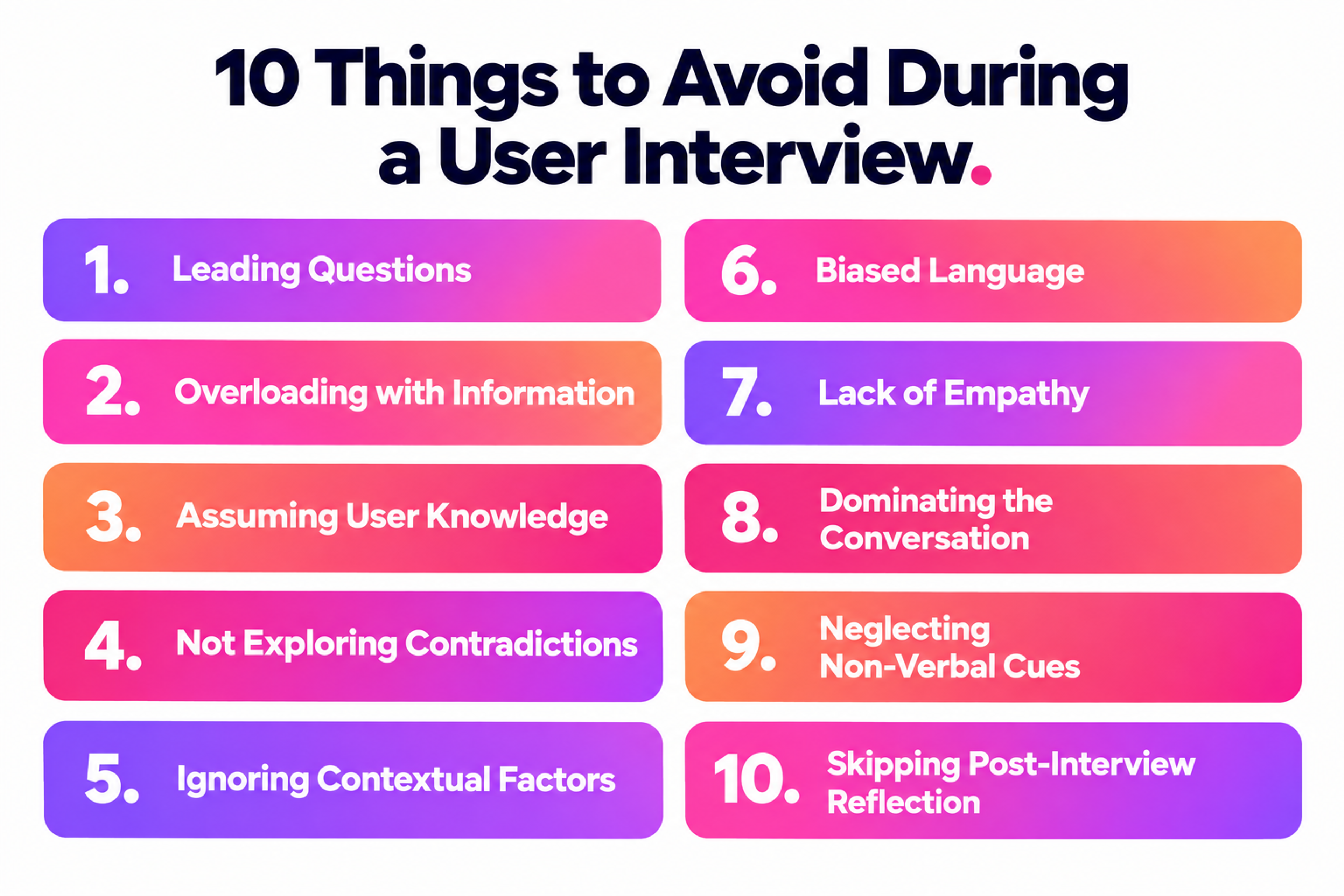
- Pitching instead of listening. Once you start explaining the product, the session becomes a sales call, and participants become polite.
- Asking about the future. "Would you" and "will you" questions measure intentions, and intentions are poor predictors of behavior.
- Recruiting by convenience. Friends, colleagues, and your most engaged power users are quick to book and unrepresentative. Their feedback will skew positive and advanced.
- Leading wording. Questions that contain an opinion or an emotional verb steer answers toward it. Strip the adjectives out of your guide before the pilot.
- Social desirability bias. Participants want to be helpful and kind, especially if they think you built the product. Distance yourself from the design and ask for specific stories instead of ratings.
- Confirmation bias in analysis. Teams remember the quotes that support what they already believed. Coding the full transcript and having more than one person do it counters this.
- Letting one vivid story dominate. A memorable participant can outweigh eight quieter ones in a team's memory. Check every theme against how many sessions actually support it.
Where AI Fits in User Interviews
AI has changed the operational side of interviews more than the conversation itself. Transcription, translation, first-pass tagging, session summaries, and searching across a repository of past studies now take minutes instead of days.
Treat AI-generated tags and summaries as drafts. They miss sarcasm, merge distinct ideas into one code, and occasionally attribute a quote to the wrong theme.
AI-moderated interviews are the bigger shift. Asynchronous sessions run by an AI interviewer let teams talk to dozens of people in parallel. Early evidence is promising: AI interviewers produced data of comparable quality to human interviewers working from identical questions, and AI follow-up probes drew more detailed open-ended answers, at a slight cost to how participants rated the experience.
Use AI moderation for breadth: validating whether a theme from ten human interviews holds across a hundred people, or gathering reactions in several languages at once.
Keep human moderators for discovery work, sensitive topics, senior B2B participants, and any session where the most useful moment is an unscripted follow-up. Final synthesis should stay with people who understand the product and the business, because deciding what a pattern means is a judgment call.
A lean tool stack covers four jobs. You need scheduling and recruiting (Calendly, User Interviews, Respondent), calls and recording (Zoom, Google Meet, Microsoft Teams), transcription (Otter.ai, Rev, or the built-in transcription in your call tool), and analysis and storage (Dovetail, Miro, FigJam, Notion).
Small teams can run a full study with a call tool, a transcription service, and a shared whiteboard. For a broader overview, see our roundup of UX design tools.
Not sure where AI actually fits into your own design process? We help teams get clear on that before any work starts. Let's talk.
Read more
- Clay Global’s Digital Design Case Studies
FAQ
Can I interview friends or family?
Only for piloting your guide. They know you, want to be supportive, and rarely match your target users, so their answers won't hold up as research data.
How do I recruit participants if I don't have any users yet?
Go where your target audience already talks about the problem: industry communities, LinkedIn, niche forums, and research panels. Screen for whether they've experienced the problem recently, not whether they'd be interested in a solution.
Do I need to pay interview participants?
Yes, in almost every case. Paying people respects their time, widens the pool beyond your biggest fans, and reduces no-shows. Existing customers sometimes accept product credits instead of cash.
Can one person moderate and take notes at the same time?
They can, but both jobs suffer. If you're working alone, record the session, keep notes with timestamps and keywords, and write a fuller debrief immediately afterward.
How do I reduce no-shows for user interviews?
Send a calendar invite with the call link, a reminder the day before, and another an hour before the session. Over-recruit by one or two participants per segment, and confirm incentives up front so people know what they'll receive.
How do I interview users in regulated industries like fintech or healthcare?
Expect extra legal review, stricter consent language, and limits on what participants can share on screen. Ask participants to describe or recreate workflows with dummy data rather than showing real accounts.
What should I do if a participant gives one-word answers?
Switch from questions to tasks. Ask them to show you their screen or walk through a recent example step by step. Concrete prompts are easier to answer than abstract ones.
How long does a user interview study take from start to finish?
Plan on two to four weeks for a typical study: a few days for planning and the screener, one to two weeks for recruiting and sessions, and several days for analysis. B2B studies with senior participants often take longer.
How do I share interview findings with stakeholders who didn't attend?
Invite them to watch at least one live session before you share anything written. Stakeholders who hear a user describe a problem in their own words argue less with the findings and act on them sooner.
Are group interviews ever the right choice?
Yes, when you want to hear how people talk about a topic with peers or react to an idea together. For individual workflows, needs, and anything sensitive, one-on-one sessions produce more honest and detailed answers.
Make Every Interview Count
Session count is a poor measure of a research practice. The teams that get the most from user interviews walk in with a decision to make, ask about what people actually did, and give analysis as much time as the conversations. Hold to those three habits, and interviews will become the most reliable input in your UX design process.

About Clay
Clay is a UI/UX design & branding agency in San Francisco. We team up with startups and leading brands to create transformative digital experience. Clients: Facebook, Slack, Google, Amazon, Credit Karma, Zenefits, etc.
Learn moreAbout Clay
Clay is a UI/UX design & branding agency in San Francisco. We team up with startups and leading brands to create transformative digital experience. Clients: Facebook, Slack, Google, Amazon, Credit Karma, Zenefits, etc.
Learn more