
Make UX smoother with task analysis. Identify real user goals, remove extra steps, and design flows that feel natural.
It breaks big tasks into clear steps, revealing how people think and decide, not just what they click. Done early, it replaces assumptions with insights grounded in real behavior.
Task Analysi
Understanding Task Analysis Fundamentals
What Is Task Analysis
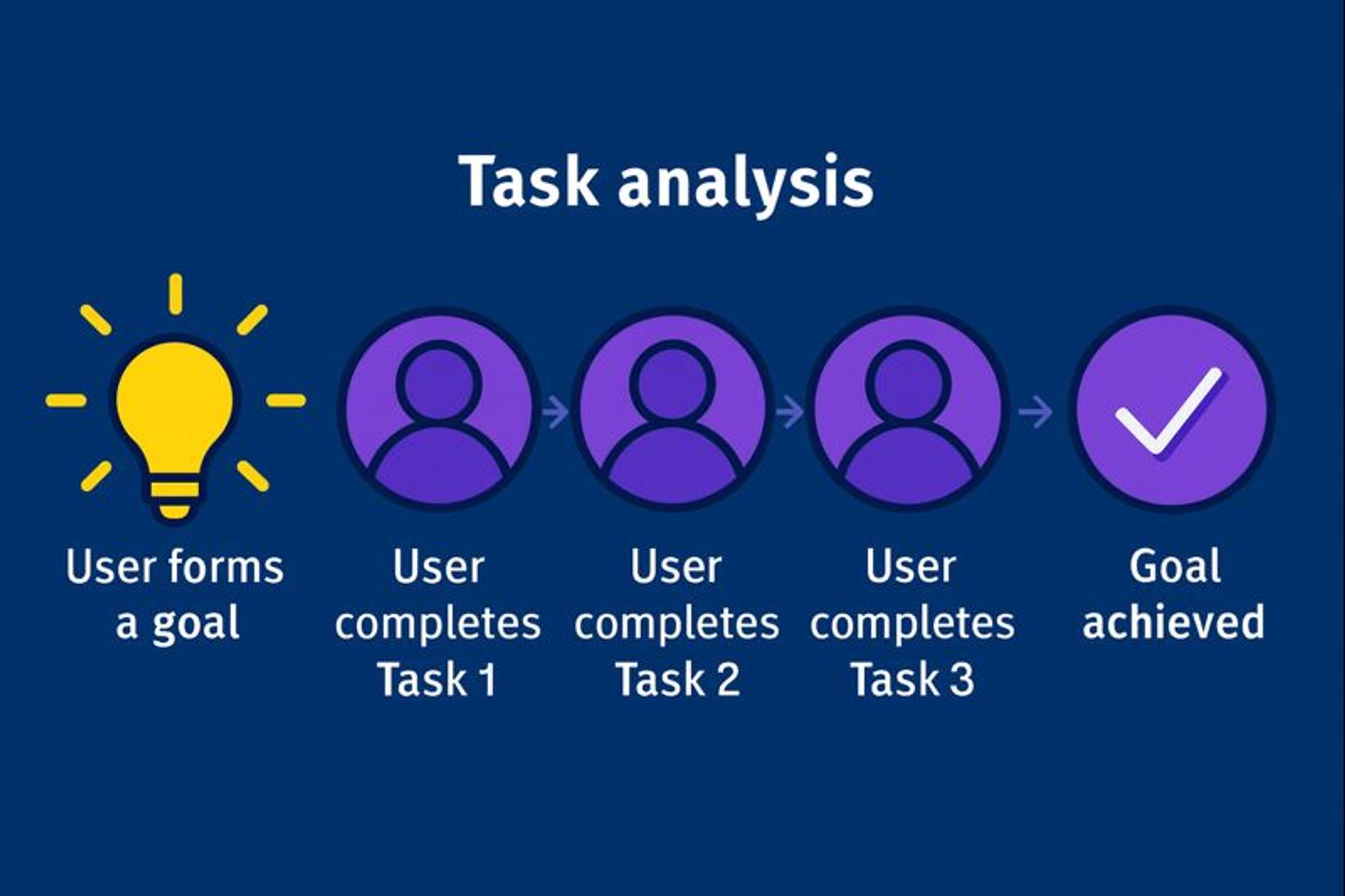
Task analysis deconstructs user activities into their building blocks by analyzing a given task and the tasks that users perform. It examines how actions are performed, along with decisions, thought processes, and environmental factors, to find opportunities for improvement.
When designers assume users will behave in one way, but they actually behave differently, task analysis reveals that gap.
The value extends beyond fixing immediate problems. It predicts how users will adapt to changes. It identifies what training or support people need. It provides baseline metrics that demonstrate whether design improvements are practical. For complex systems or critical applications, thorough analysis prevents expensive failures and adoption problems.
What Are the Types of Task Analysis?
Task analysis обычно делают тремя способами. Они отвечают на разные вопросы. Как человек думает, как процесс устроен, и как контекст влияет на результат.
Cognitive Task Analysis
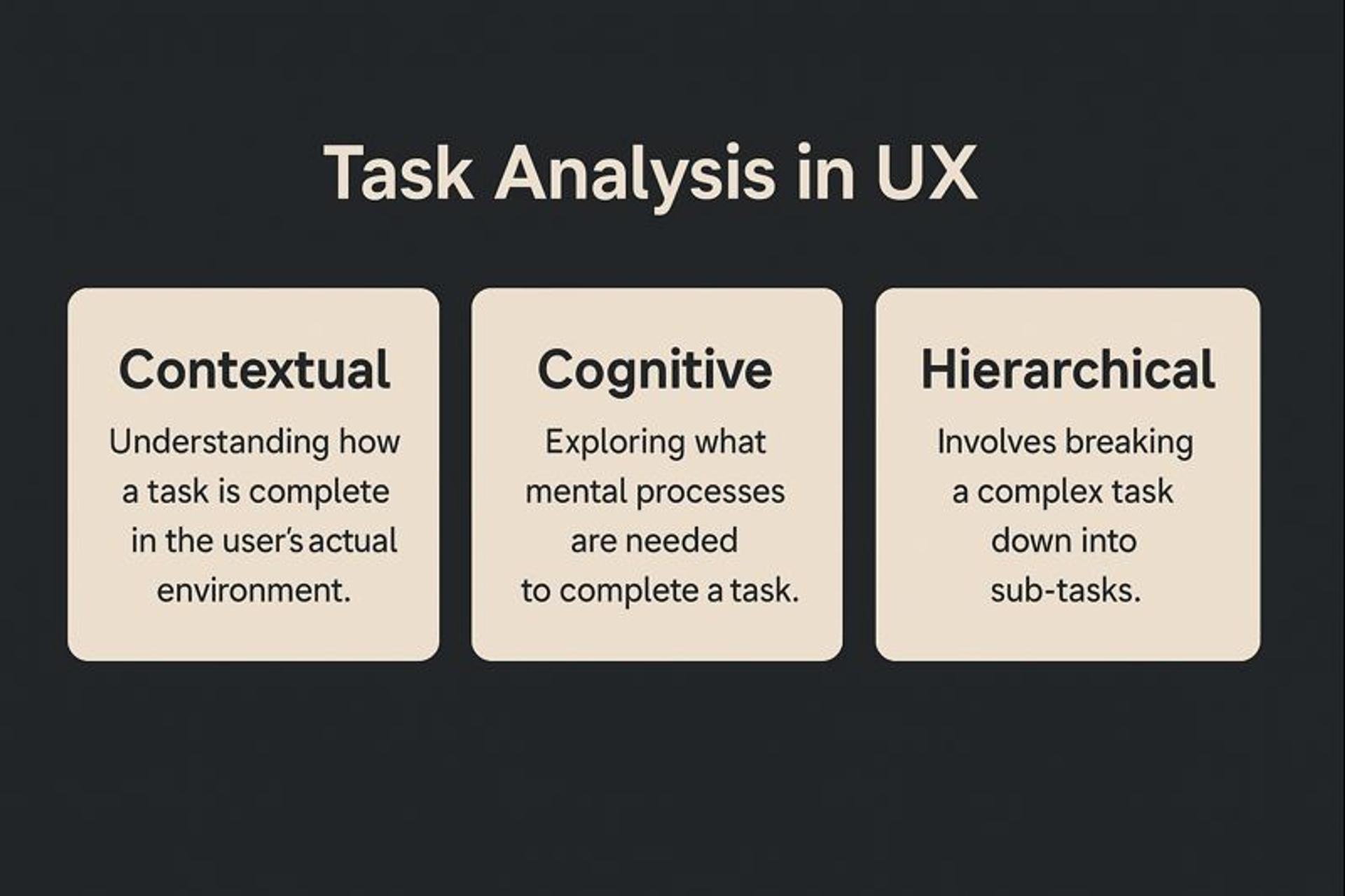
This approach focuses on thinking, not steps. It looks at how users notice cues, interpret information, and choose what to do next. It is especially useful when tasks are complex and mistakes are costly.
Use it to uncover decision rules, mental shortcuts, and moments of uncertainty. It helps you design better guidance, feedback, and error prevention.
Hierarchical Task Analysis
This approach maps the task as a structure. You break the goal into sub-goals, then into smaller actions. The result is a clear “tree” of what needs to happen.
It is great for finding redundancy and missed steps. It also shows dependencies, so you can spot bottlenecks and fragile handoffs in longer workflows.
Contextual Task Analysis
This approach adds the real-world setting. It looks at where the task happens and what gets in the way. Noise, interruptions, device switching, time pressure, and social dynamics all matter.
It helps you design for reality, not for ideal conditions. You learn why users improvise, skip steps, or abandon flows.
Task Analysis Types in UX
When to Conduct Task Analysis
Task analysis delivers value at multiple stages. At the beginning of the design process, it is crucial to conduct task analysis to ensure a strong foundation. When you begin task analysis, a key step is identifying the user's goal, as understanding what people need to accomplish guides the creation of features and functions that actually matter. This foundation ensures the product serves real needs from the start.
During usability testing, task analysis reveals how users interact with designs. Close observation uncovers pain points, inefficiencies, and confusion. This data refines the design, making it more intuitive and user-friendly. Testing with task analysis ensures the final product works smoothly and provides an enjoyable experience.
Innovative teams integrate task analysis throughout the lifecycle. It informs user research to understand audiences and their needs. It continues through development to maintain alignment as requirements and technology evolve.
Design Process
How to Conduct Task Analysis
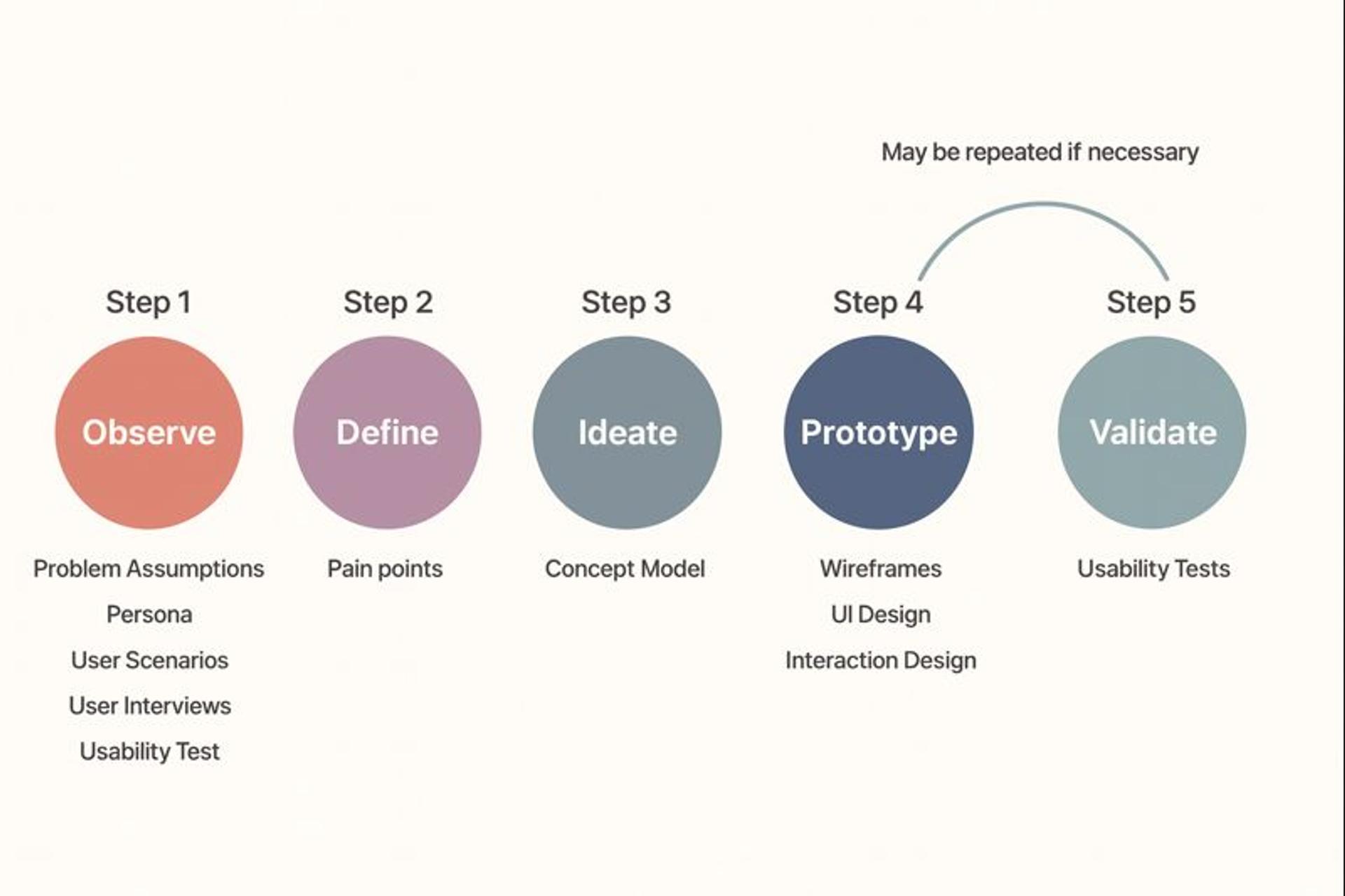
Identify the Core Task
Please start by selecting the task users perform most often or that matters most to their goals. When identifying the core task, it is essential to define the overall task and primary goal from the user's perspective.
Focus on activities that have a significant impact on the overall experience. Not every task deserves equal attention. Prioritize those that make or break user success.
Break It Down into Smaller Steps
Once you choose a task, decompose it into specific, manageable subtasks. List each step users take in sequence.
This breakdown reveals the actual complexity of what seems simple at first glance, as tasks are often broken into smaller steps to identify potential errors or failure points.
Understand Goals and Pain Points
For each subtask, identify what users want to achieve and where they struggle. This information drives design solutions that address real problems rather than imagined ones.
Gather Data Through Observation and Interviews
Observe users performing tasks in real-world situations. Make detailed observations to document how each step is completed by users, noting any irregularities or challenges they encounter.
Interview them about their experiences and the thought processes that led to them. This combination validates your task breakdown and reveals actual behavior. Sometimes users say one thing but do another. Direct observation captures reality.
Analyze and Synthesize Findings
Look for patterns, obstacles, and opportunities in the data. Identify tasks that can be made more efficient and accessible. When something appears time-consuming, people tend to avoid it.
Your analysis should highlight the complexity that drives users away. Track whether a user completes each step independently or requires assistance, as this can reveal areas where the user experience can be improved.
Iterate Based on Results
Apply what you learned to improve the design, making sure to learn from user feedback and analysis at each step. Then test those changes with users to confirm they enhance the experience.
Iteration ensures improvements solve real problems rather than creating new ones.
Tools and Methods for Task Analysis
Due to the complexity of users’ behavior and wants, efficient task analysis requires more than one single approach or tool. Each method has its benefits, thus addressing diverse areas of the user experience.
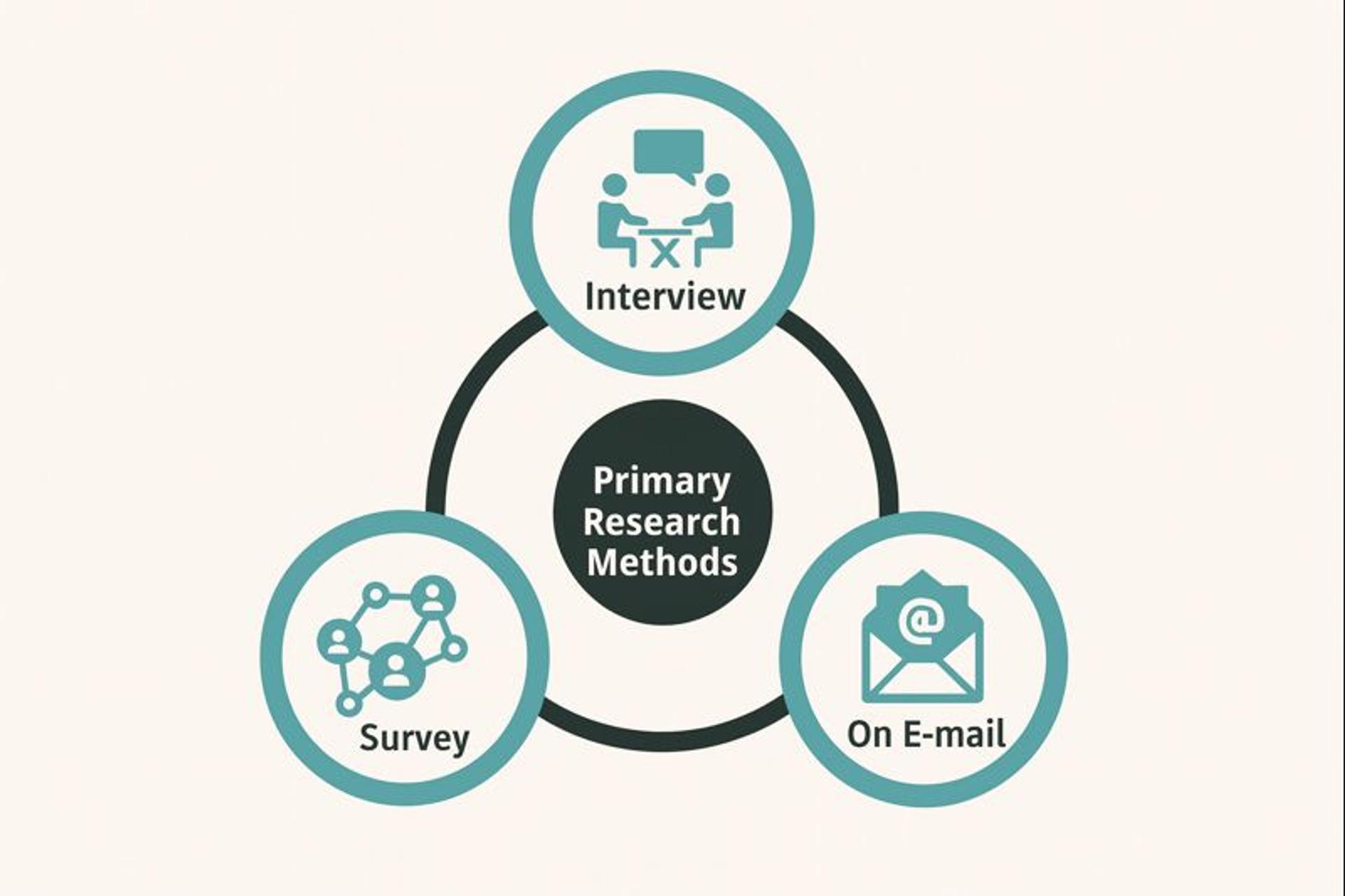
Interviews and Surveys: Conducting interviews and surveys with users allows designers to gather qualitative data directly from the source. These methods enable the collection of detailed insights into user experiences, preferences, and opinions about specific tasks or products.
Primary Research Methods:
Cognitive Task Analysis and Observation Techniques: They consist of following the user in cocreation and understanding the user in their context. This gives direct and clear information about users’ behavior, except for such usual things as their dissatisfaction; there are many important tasks and interactions that can be overlooked in an interview.
User Journey Mapping: This method helps users understand their physical and emotional interactions with your business. How designers map vague words like feelings, appreciation, pain, and calls for improvement at a step in the Santos process also helps the user comprehend the experience more.
Task Flow Diagrams: It is necessary to draw a task analysis diagram to get the order of actions the users do to accomplish the tasks. Such figures provide logical sequences to complicated executions, splitting them into simple task sequences, and are helpful in ascertaining areas where users encounter obstacles or inefficiencies that negatively affect the performance of the main task.
Using these tools and methods, designers can carry out a complete task analysis that will improve user experience design.
Applying Task Analysis to UX Design
Task analysis addresses usability challenges by providing a deep understanding rather than guesswork. Designers who understand the nature of tasks can structure user flows that eliminate unnecessary steps and reduce delays.
For example, task analysis can be used to help users complete everyday tasks, such as washing hands, by breaking down these activities into smaller steps. This approach enables users to complete tasks more effectively, particularly when daily routines are complex or require additional support.
The method also guides decisions about which features and functions to build. By assessing which components users actually need to achieve their goals, teams can focus their efforts on areas that genuinely enhance usability. Resources are allocated toward improvements that matter, rather than features that sit unused.
Source: Image by vectorjuice on Freepik

Task analysis helps frame information architecture in ways that match user thinking. Content and features are organized according to how people approach their work. This task-centered approach creates products that align with actual use patterns, resulting in higher satisfaction and adoption.
Unlike generalized user research, task analysis focuses specifically on how users accomplish goals. While surveys capture opinions, task analysis documents actual behavior. This distinction matters because what people say they do often differs from what they actually do.
Heuristic evaluation applies expert judgment against established usability principles. It offers faster assessment than complete task analysis, but misses the nuances of real user behavior. Both methods serve valuable purposes. Task analysis provides behavioral truth while heuristic evaluation offers a quick expert assessment.
Eye tracking complements task analysis by revealing where users look during task completion. A/B testing validates design alternatives identified through task analysis insights. These methods work together to create a comprehensive understanding of the topic.
Integrating Task Analysis Into Your Workflow
Use task analysis early and often. Begin with user research to gain a deeper understanding of your audience and their needs. Continue using it through development to maintain alignment as conditions change. This consistent application keeps products user-centered as technology and requirements evolve.
Involve the whole team in the findings. Share insights with designers, developers, product managers, and marketers. Discuss what helps or hurts the experience so everyone works toward better usability. Cross-functional input identifies blind spots and enhances decision-making.
Validate changes with users. Test prototype updates that emerge from analysis. Confirm that each change actually improves the experience. Assumptions get tested. Honest feedback drives refinement.
Task analysis originates from human-computer interaction research focused on understanding human cognitive capabilities. ISO standards provide frameworks for evaluating the effectiveness, efficiency, and satisfaction of tasks. These professional standards establish benchmarks for measuring and improving performance.
Modern task analysis incorporates digital analytics and remote research methodologies. Technology enables analysis at scales previously impossible. Remote tools democratize access to diverse user populations. Future developments will bring AI-assisted analysis that automates pattern recognition in user recordings.
What Tools Can Be Used for Task Analysis
Flowchart Software: Tools like Lucidchart and Microsoft Visio help create detailed flowcharts that map out user tasks and processes, making it easier to visualize tasks and detect potential bottlenecks.
- Pros: Provides clear visualization of tasks and processes.
- Cons: It can be time-consuming to create detailed flowcharts.
Mind Mapping Tools: MindMeister and XMind can brainstorm and organize thoughts around user tasks, clearly representing task structures and relationships.
- Pros: Facilitates brainstorming and organization of ideas.
- Cons: It may become cluttered with excessive information.
Task Management Software: Tools like Trello and Asana facilitate tracking and documenting task analysis projects, ensuring all team members remain aligned and focused on critical objectives.
- Pros: Enhances team alignment and focus.
- Cons: It can be overwhelming with too many tasks.
Observation and Recording Tools: Software such as EthnoCorder are ideal for conducting ethnographic studies. They allow researchers to capture and analyze users' interactions in real-time.
- Pros: Enables real-time capture and analysis of user interactions.
- Cons: It may require specialized equipment or software.
Task Analysis Examples
Task analysis works best when you map the real goal, the steps users take, and the moments where they hesitate or change their mind. You are not just listing screens. You are capturing decisions, inputs, and system feedback.
E-commerce Checkout
Map the full path from “I want this item” to “Order confirmed.” Include the common detours, because that is where friction hides. Focus on steps like cart review, shipping address, delivery options, payment, and confirmation.
Pay special attention to decision points. For example, guest checkout vs sign-in, adding a promo code, selecting shipping speed, or choosing a payment method. Note what the user expects at each step and what the UI actually shows.
Typical friction signals include surprise costs, unclear errors, too many form fields, and forced account creation. Checkout length matters too. Research often finds users drop when the flow feels long or complicated.
App Onboarding
Define the “first success moment.” It can be “create my first project,” “track my first expense,” or “finish setup and see value.” Then map the shortest path to that moment.
Look closely at early steps like permissions, sign-up, email verification, profile setup, and tutorials. These are common drop-off points. The problem is often not a single screen. It is the sequence and timing.
Common issues include too many questions at once, unclear benefits, and choices that feel risky. Task analysis helps you decide what can be delayed, skipped, or turned into a quick default.
Form Submission
Start from the user’s goal, not the form itself. For a signup form, the goal is “create an account and continue.” For a contact form, it is “send a request and feel confident it went through.”
Break the form into micro-steps. Field order, labels, helper text, validation, error handling, and the confirmation state all matter. Include edge cases like password rules, phone formatting, address autocomplete, and what happens if the user leaves and comes back.
Friction often shows up as unclear required fields, late error messages, and users retyping data. Task analysis makes these issues visible, so you can remove fields, simplify inputs, and make feedback immediate and understandable.
These examples show how task analysis surfaces real pain points and gives teams concrete fixes, instead of opinion-based debates.
FAQ
How Many Types of Task Analysis Are There?
There are three main types of task analysis: hierarchical task analysis, cognitive task analysis, and procedural task analysis. Each focuses on breaking down tasks, understanding user decision-making, or documenting step-by-step actions.
How to Use AI for Task Analysis?
AI can analyze user behavior patterns, cluster similar actions, summarize workflows, and reveal hidden steps users take. It can also transcribe research sessions, automatically extract tasks, and generate initial task flows for teams to validate and refine.
How to Conduct a Task Analysis?
Identify the primary goal, observe or interview users as they perform the task, list all steps involved, group them into logical stages, and highlight pain points and decision-making moments. Validate the final breakdown with users or subject-matter experts.
Which Best Describes a Task Analysis?
Task analysis is a method for breaking down how users complete a task, allowing teams to understand their actions, decisions, challenges, and goals. It helps improve usability and streamline complex workflows.
What Is the Purpose of Task Analysis?
Its purpose is to understand how users actually work, uncover friction or unnecessary steps, and design more efficient, intuitive processes or interfaces.
What Is Hierarchical Task Analysis?
Hierarchical task analysis divides a task into a primary goal, subtasks, and individual steps. It presents the task structure in a top-down format, highlighting areas where users struggle or make decisions.
What Is Cognitive Task Analysis?
Cognitive task analysis focuses on the mental processes underlying actions, including memory, decision-making, problem-solving, and the development of expertise. It is used when tasks involve complex judgment, not just physical steps.
What Is Task Analysis ABA?
In Applied Behavior Analysis, task analysis breaks skills into small, teachable steps that can be practiced and reinforced. It is used to support learning and independence for children and adults.
Read more:
Conclusion
Task analysis serves as a core methodology for understanding and improving user experiences. It breaks tasks into steps, studies real behavior, and aligns features with genuine user needs. The result delivers better usability and higher satisfaction.
Using multiple methods provides a complete view of interactions. Teams that adopt task analysis often see improvements in efficiency and engagement. As user experience evolves, build this approach into your standard workflow.
It represents a wise investment in creating intuitive, user-centered products and meaningful experiences that serve real needs rather than assumed ones.


About Clay
Clay is a UI/UX design & branding agency in San Francisco. We team up with startups and leading brands to create transformative digital experience. Clients: Facebook, Slack, Google, Amazon, Credit Karma, Zenefits, etc.
Learn moreAbout Clay
Clay is a UI/UX design & branding agency in San Francisco. We team up with startups and leading brands to create transformative digital experience. Clients: Facebook, Slack, Google, Amazon, Credit Karma, Zenefits, etc.
Learn more