
Many small business owners don’t think about UI until it starts costing them money. Then a visitor lands, hesitates for a second too long, and clicks away. That moment repeats itself thousands of times a month on sites that look fine at a glance but quietly work against the people trying to use them.
Good UI isn't a finishing touch you add once the "real" business is built. It's the layer that decides whether the rest of your business gets a chance to prove itself. Clear navigation, obvious next steps, and a layout that doesn't make people think twice all shape whether a stranger trusts you enough to buy, book, or sign up.
Key Takeaways
- UI is a trust and conversion mechanism, and weak UI shows up directly in your bounce and drop-off numbers
- DIY builders work fine early on, but they hit a ceiling once your product, traffic, or brand complexity grows
- Hiring in-house and hiring an agency solve different problems, and the right choice depends on how much ongoing design work you actually have
- A good agency evaluation looks past visual polish and checks for relevant experience, process, and proof of outcomes
- The most expensive hiring mistakes are vague briefs and picking on price alone, not picking the "wrong" style
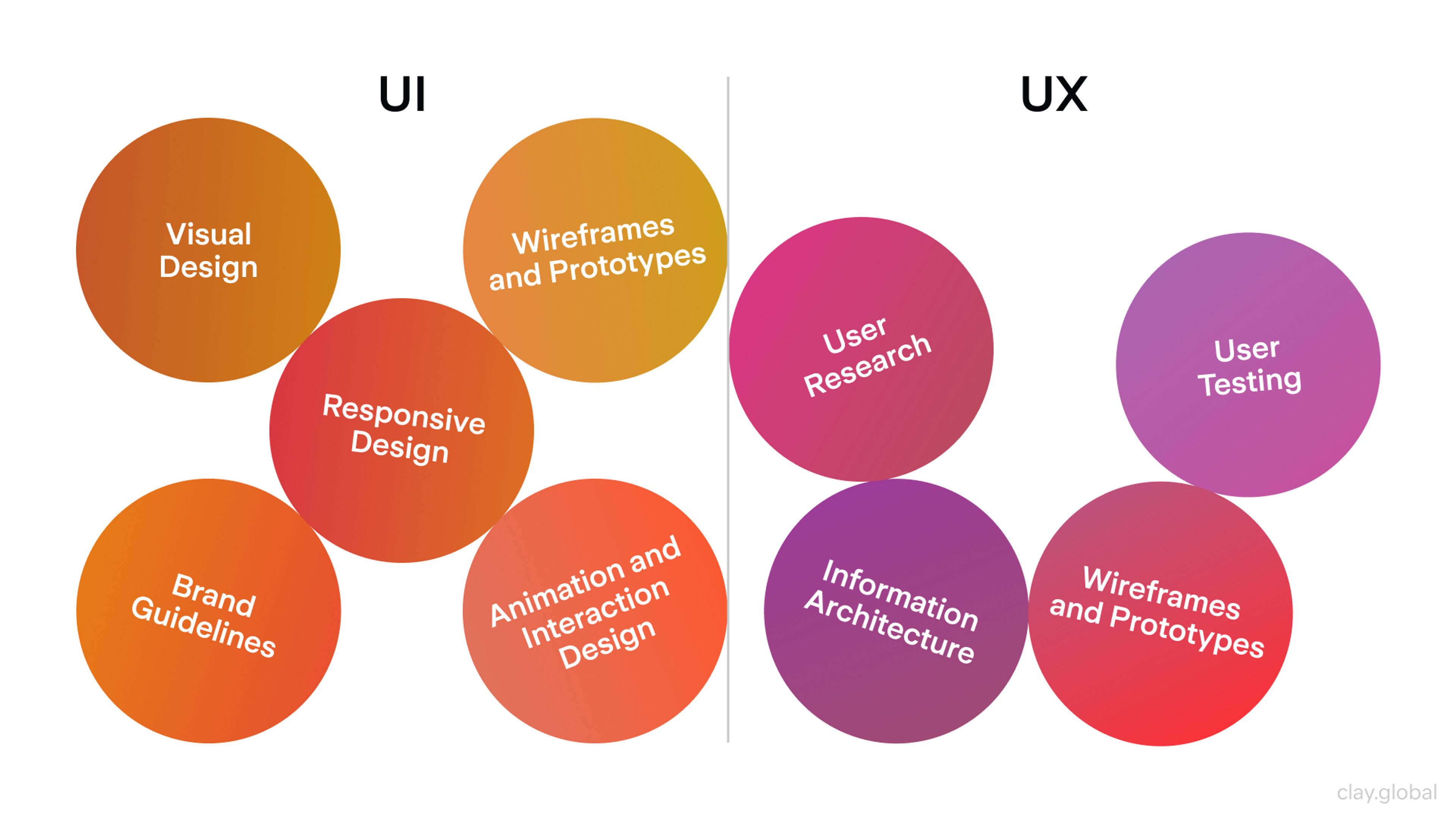
UI UX Elements by Clay
UI Is a Growth Lever
Every visitor forms a snap judgment about whether your business is worth their time, and they form it almost entirely from what they see first. That judgment happens before they've read a word of your copy or checked a single price. If the layout looks dated, cluttered, or confusing, that first impression works against you no matter how good the product behind it is.
For a small business, this matters more than it does for an established brand. A recognizable name buys some slack. A new business has none. Your site is the only signal a stranger has, so it either builds enough trust to keep them there or it doesn't.
The upside cuts both ways. Fixing friction in the parts of your site people actually use to convert can move the needle fast. On checkout and signup flows specifically, redesigning a clunky flow can lift an ecommerce site's conversion rate by more than 35%, and that's before you touch anything else on the page.
Small businesses rarely have the traffic volume to absorb that kind of leak without noticing it in revenue.
Signs Your Site's UI Is Costing You Customers
Most founders don't set out to build a confusing site. It happens gradually: a feature gets bolted on here, a page gets added there, and nobody steps back to look at the whole experience. A few patterns are worth checking for before you decide whether to fix it yourself or bring someone in.
- People land and leave fast. A high bounce rate on pages that should hold attention usually means visitors can't tell what to do next.
- Your homepage has no clear next step. If someone has to hunt for a way to contact you, buy, or book, most won't bother.
- Support requests repeat the same questions. When people keep asking things your site should already answer, that's a navigation or content problem wearing a customer service costume.
- Mobile visitors behave differently than desktop ones. A big gap in conversion or time on site between devices almost always points to a layout that only really works on one of them.
- Nobody on your team can explain the site's structure in one sentence. If your own staff gets lost, customers definitely do.
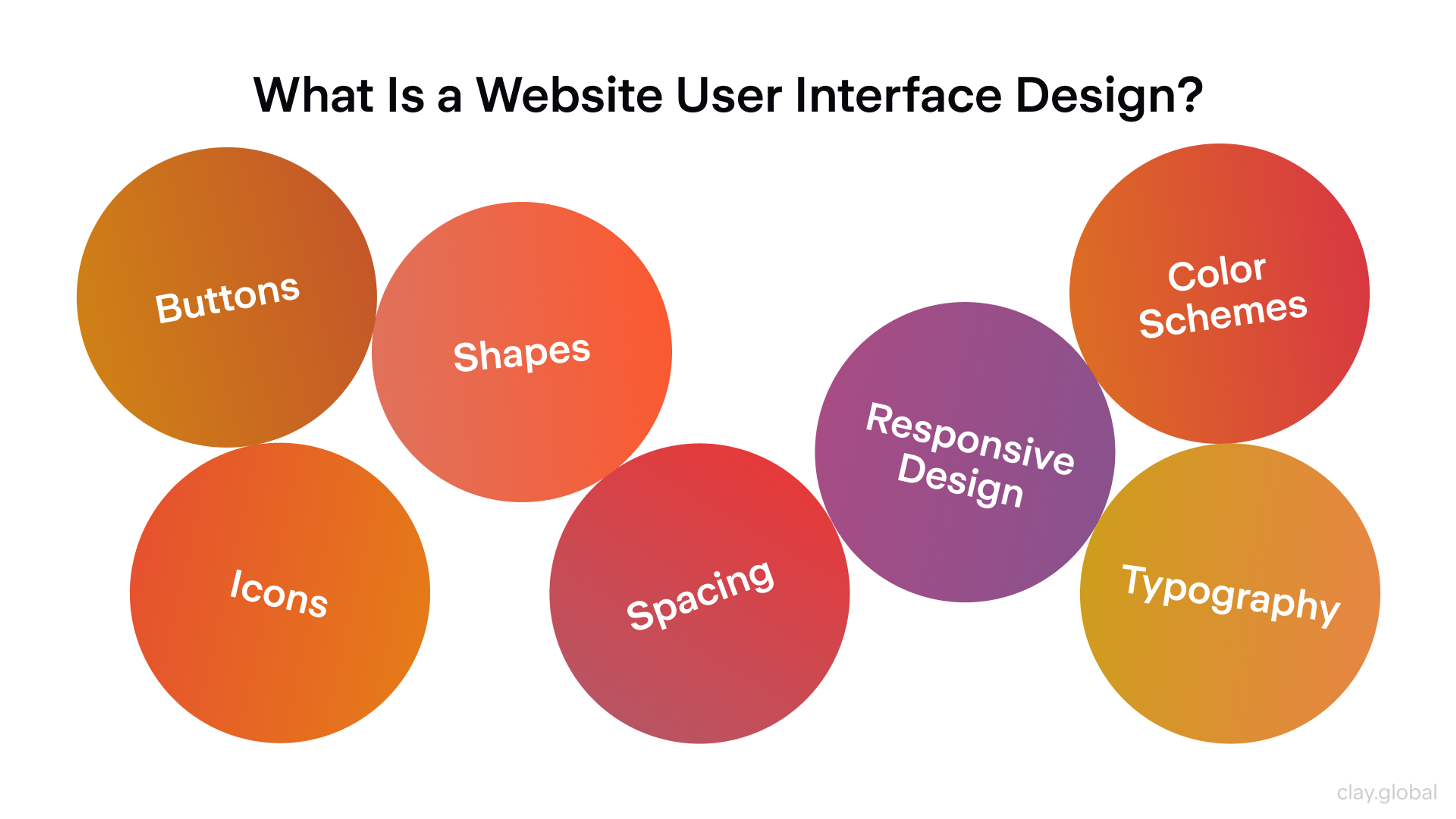
What Is a Website User Interface Design by Clay
None of these require a redesign to diagnose. They just require watching the numbers honestly instead of assuming the site is fine because it looks fine to you.
In-House Hire vs. Design Agency
Once you've decided the UI needs work, the next question is who does it. Hiring one in-house designer and hiring an agency solve different problems, and mixing them up is where a lot of small businesses waste money.
An in-house hire makes sense when design work is constant and varied, when you're shipping new features every sprint and need someone embedded in daily decisions. The tradeoff is that you're paying full-time cost for one person's range of skills, and most single hires are stronger in some areas (visual design, say) than others (research, Information Architecture, or accessibility).
An agency gives you a full team on demand, researchers, UI designers, sometimes a strategist, without carrying that overhead year-round. It's the better fit when the work has a clear scope and endpoint: a redesign, a new product launch, a rebrand. You get range you couldn't afford to hire for individually, and the engagement scales down once the project's done instead of sitting on payroll.
Plenty of growing businesses end up doing both eventually, an agency for the big structural work and someone in-house to maintain and iterate afterward.
Early on, though, most small businesses get more value per dollar from an agency engagement scoped to the actual problem in front of them.
How Much UI/UX Design Costs
Budget is usually the real question hiding behind "should I hire an agency?" Costs vary widely depending on scope, and pricing models differ enough between agencies that comparing quotes can feel like comparing apples to spreadsheets.
Most agencies price one of two ways. A fixed-scope project quotes a total price for a defined deliverable: a redesigned site, a new app flow, or a design system.
A retainer instead buys a set number of hours or a defined capacity each month, useful when the work is ongoing rather than a single project. Fixed-scope tends to suit small businesses better for a first engagement, since it caps the cost and gives you a clear deliverable to evaluate.
Components of Project Scope Statement by Clay
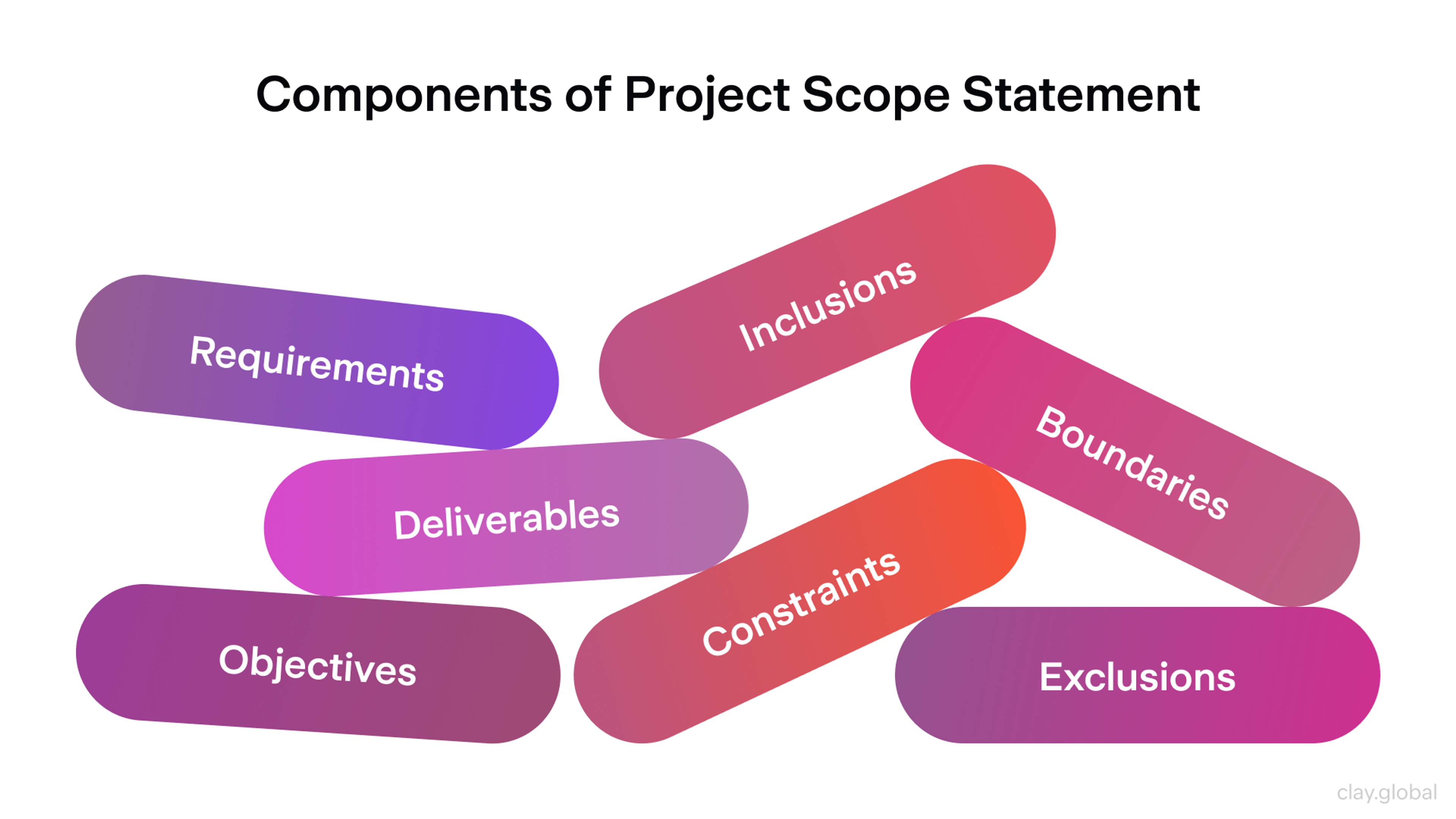
What actually drives the price is scope. A five-page marketing site redesign costs far less than a multi-step product flow with account states, edge cases, and a full design system behind it. Get specific about what you actually need designed before you request quotes.
Vague briefs produce vague, inflated estimates, because the agency is pricing in the uncertainty along with the work.
When DIY Website Builders Are Not Enough
Squarespace, Webflow, and similar builders are genuinely good tools, and for a lot of small businesses they're the right call for a long time.
They remove the two things most likely to sink a founder-built site: broken layouts and inconsistent styling. If you're pre-revenue or still validating the offer, a well-built template beats a custom design nobody's tested against real users yet.
The ceiling shows up once your business outgrows what a template was built for. A handful of signals mean it's time to look past DIY:
- Your product or flow doesn't fit a template's assumptions. Multi-step checkouts, custom account states, or anything with real logic behind it strains what page builders handle well.
- You're spending real traffic on the site, and conversion still lags. At low volume, small UI problems don't cost much. At meaningful volume, the same problems compound into real lost revenue.
- Your brand needs to differentiate, not just exist. Template sites tend to converge visually. Once competitors matter, looking like everyone else stops being neutral and starts being a disadvantage.
- You're raising funding or closing bigger deals. Buyers and investors judge credibility fast, and a site that still reads as a weekend project undercuts conversations that should be about the product.
None of these mean the builder was a mistake. It usually means the business has moved past the stage that tool was built for, which is a good problem to have.
How to Evaluate an Agency's Portfolio
Once you're looking at agencies, the portfolio is where most founders start and where most founders judge on the wrong criteria. Pretty screenshots are easy to produce and easy to be swayed by. What actually predicts a good working relationship is harder to see at a glance.
Look past the visuals and check for a few specific things:
- Relevant industry or product-type experience. An agency that's designed checkout flows before will move faster and ask sharper questions than one that hasn't, even if their general portfolio looks great.
- Range across the funnel. Anyone can make a landing page look good. Ask to see internal screens, forms, empty states, and error handling - the unglamorous parts that reveal whether they think through the whole product.
- Evidence of outcomes. A case study that only shows before-and-after screenshots tells you less than one that explains what problem existed and what changed once it was solved.
- How they talk about past clients. Do they reference the actual constraints and tradeoffs on a project, or only the parts that photograph well? The former usually means a more honest process.
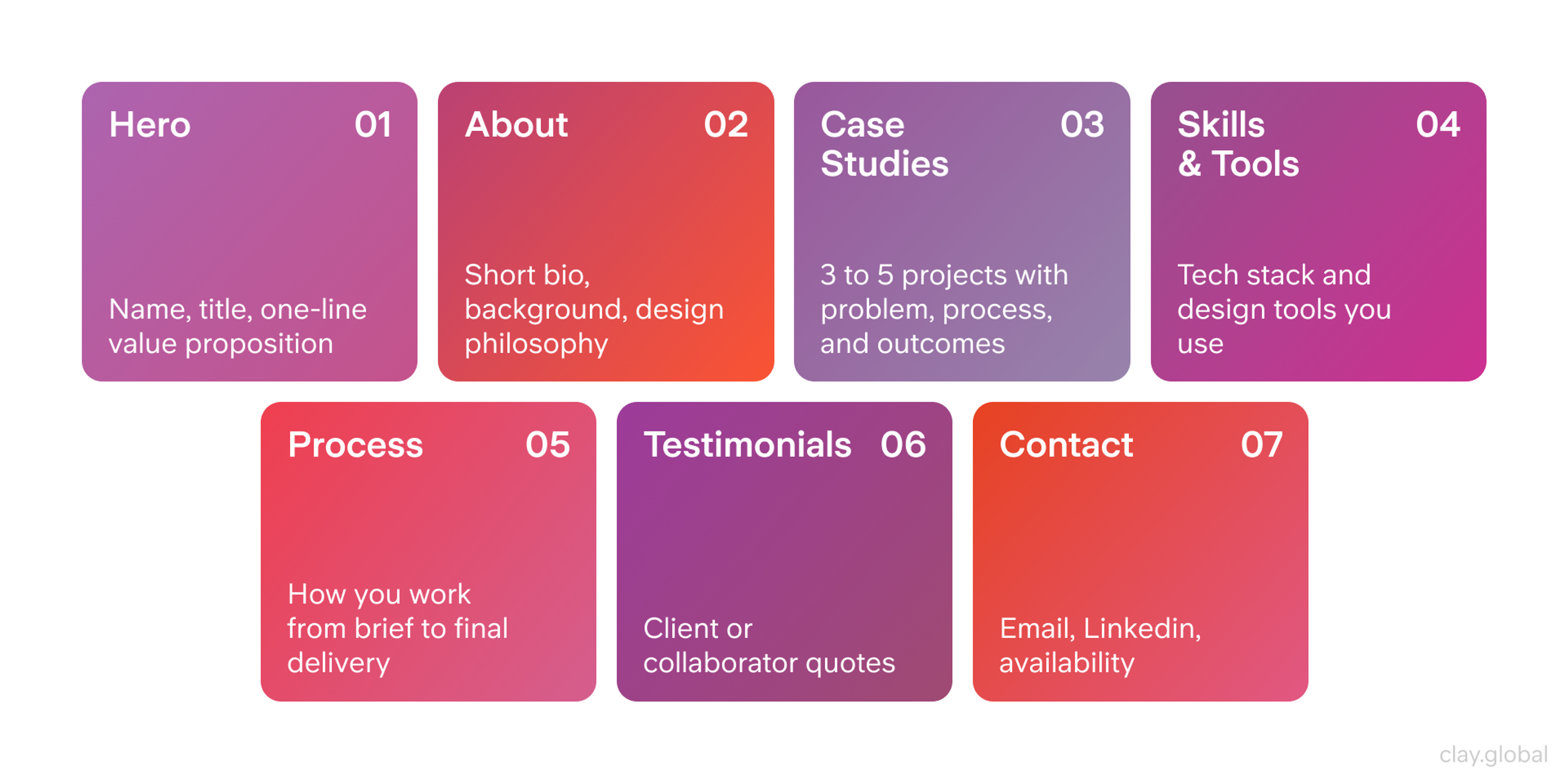
Portfolio Structure Example by Clay
It also helps to ask directly during a call: what was the hardest part of your last project, and what would you do differently now? Agencies confident in their own work answer that easily. The ones who dodge it usually haven't done much reflecting.
Mistakes to Avoid When Hiring a Design Partner
Most failed agency relationships trace back to a handful of avoidable mistakes on the client side, not a mismatch in design taste.
Choosing on price alone. The cheapest quote is usually cheap because the scope is thinner or the process is rushed, not because the agency found a more efficient way to do the same work. A low bid that balloons in scope creep ends up costing more than the higher quote that included the full picture from the start.
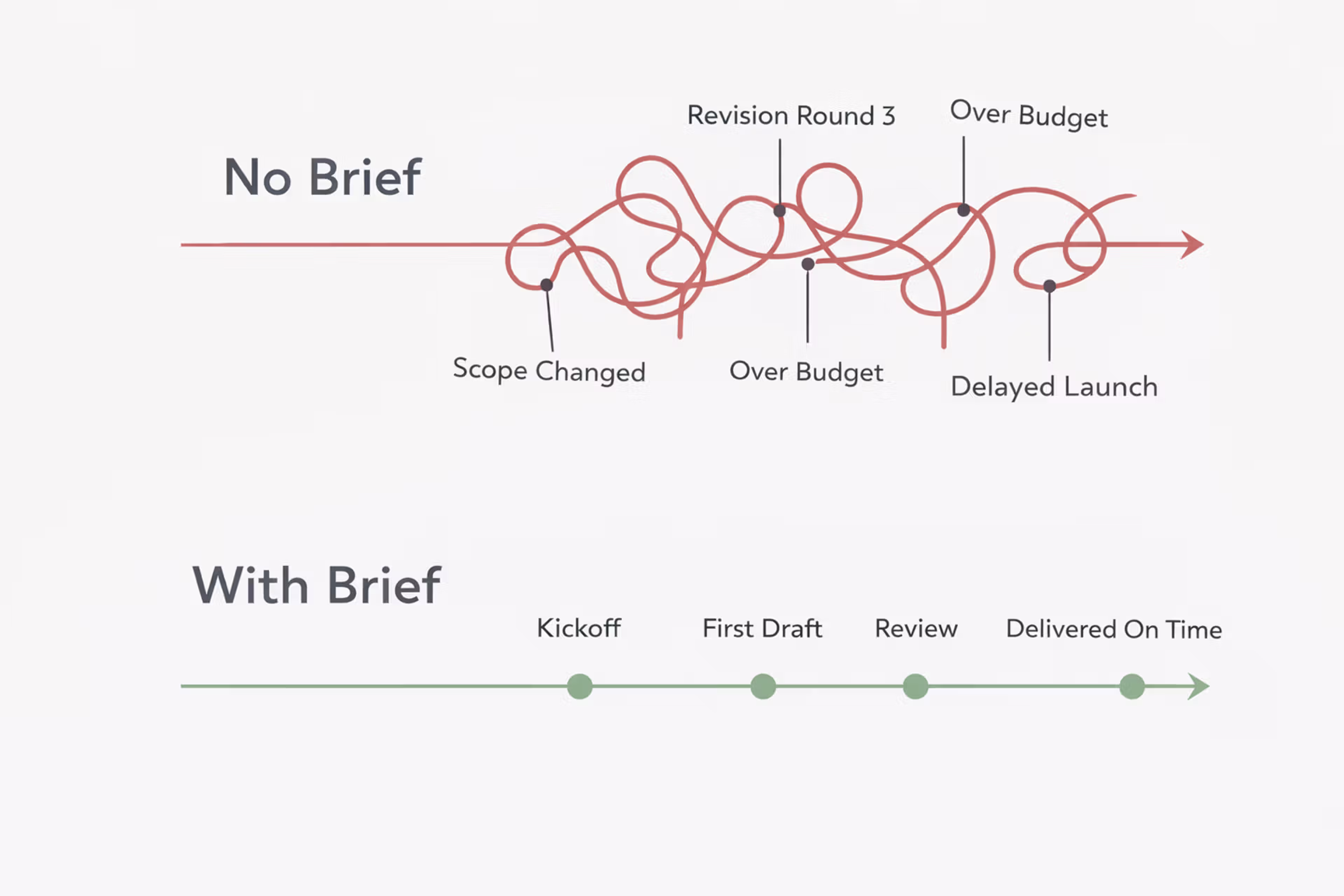
Writing a vague brief. "Make it look modern and clean" gives an agency nothing to design against and nothing to hold either side accountable to later. A brief that names the actual pages, flows, and business goals produces both a better quote and a better outcome.
With or Without Design Brief Difference
Skipping defined success metrics. If nobody agrees up front on what "worked" means (conversion rate, signup completion, support ticket volume), there's no way to know afterward whether the money was well spent. Set the metric before the project starts, not after.
Underestimating how involved you need to be. Handing over a brief and disappearing until launch rarely produces a site that fits how the business actually runs. The founder's input during review cycles is often what separates generic output from something that fits the actual customer.
What Working With an Agency Looks Like
The process itself is fairly predictable once you know the shape of it. A typical engagement moves through discovery, design, and handoff.
Discovery starts with a call where the agency asks about your business, your users, and your goals, then usually reviews your current site and analytics if you have them. This is where scope and budget get locked in.
Design covers wireframes first, the skeleton of the layout and flow before any visual style gets applied, followed by full visual design once the structure is approved. You'll typically review work at each stage and give feedback, usually across two or three rounds before something's considered final.
Handoff delivers the finished designs to whoever builds the site, your developer, the agency's own dev team, or a no-code platform, along with whatever documentation they need to build it accurately.
Timelines vary with scope, but a focused marketing site redesign often runs four to eight weeks from kickoff to handoff, while a full product redesign with multiple flows can run several months.
Ask for a timeline with the quote, and treat a vague answer here the same way you'd treat a vague answer about cost.
Measuring Whether the Redesign Worked
The project isn't finished when the new design goes live. Whether it actually worked shows up in the numbers over the following weeks, and it's worth deciding how you'll measure that before launch, not after.
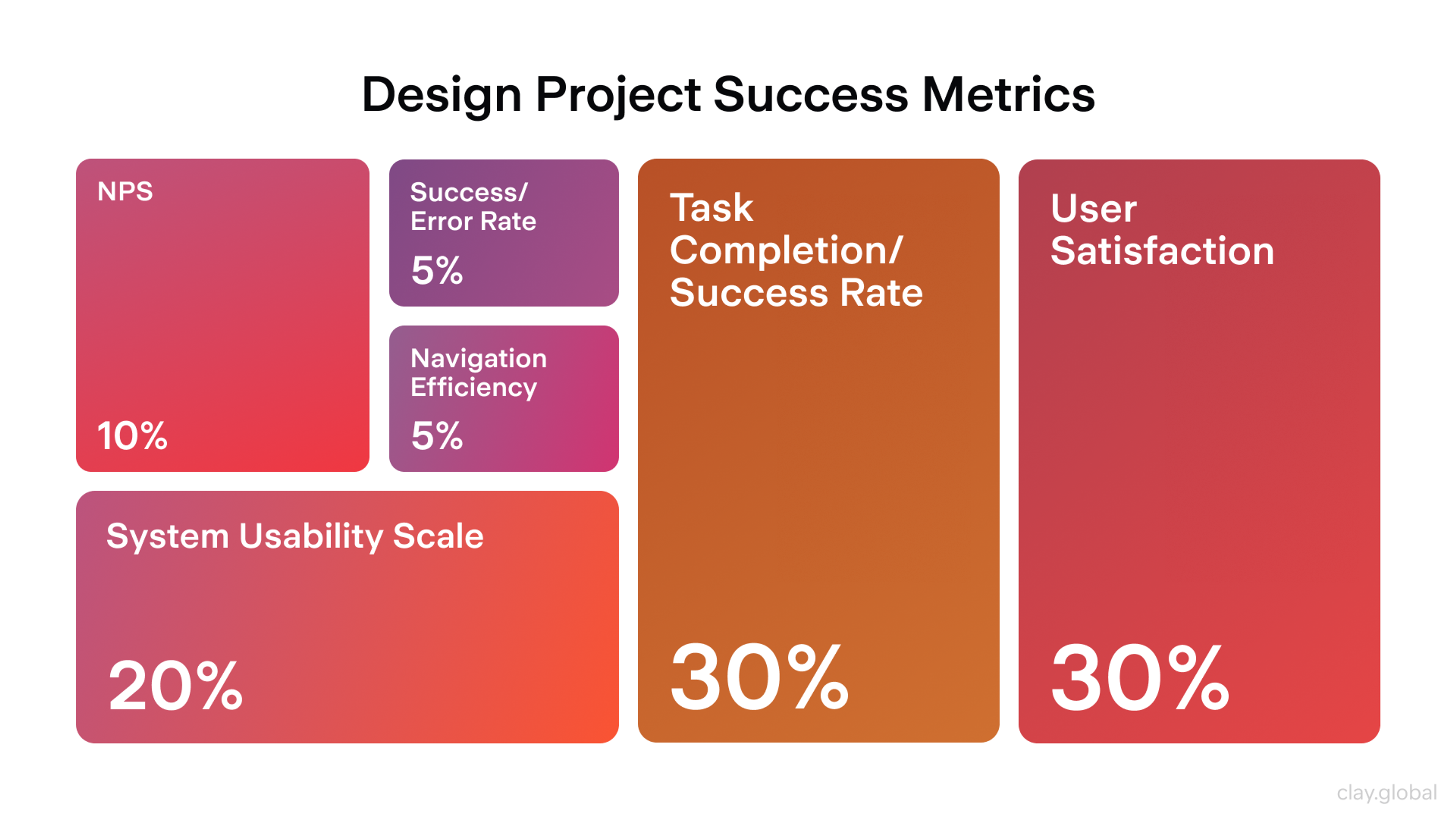
Conversion rate on the specific flow you redesigned is the most direct signal, whether that's checkout completion, signup, or booking. Bounce rate on key landing pages tells you whether the first impression improved. Revenue per visitor rolls both together into a single number worth tracking over time.
Design Project Success Metrics by Clay
Give it a real sample size before drawing conclusions. Mobile page weight has kept climbing across the web, the median mobile homepage now ships over 2,100 KB, more than double what it weighed a decade ago, so a redesign that trims load time alone can move engagement numbers even before you account for the layout changes.
A/B testing the new design against the old one, where traffic allows it, removes the guesswork and shows you the actual lift rather than a number that might have moved for other reasons.
If the metrics don't move the way you expected, that's diagnostic information, not failure. It usually points to a specific step in the flow worth revisiting rather than a reason to write off the whole redesign.
Whether you're untangling a legacy product like Tipalti or building something new like Lulo Bank, good UI starts with the right partner. Let's figure out where to begin.
Read More
- Clay Global’s Case Studies
FAQ
What does UI design actually include?
UI design covers everything a user sees and interacts with directly: layout, color, typography, buttons, icons, and the visual and interactive details that make a product usable. It works alongside UX design, which covers the broader flow and experience, but UI is specifically the surface layer people touch.
Can I use a website builder instead of hiring a design agency?
For an early-stage or simple site, yes. Builders like Squarespace and Webflow remove most of the risk of a broken or inconsistent layout. The moment your product logic, traffic volume, or brand needs outgrow what a template supports, that's the point to consider a custom build instead.
How long does a typical UI redesign take?
A focused marketing site redesign usually runs four to eight weeks from kickoff to handoff. A full product redesign covering multiple flows and states can take several months, depending on complexity and how many review rounds are needed.
How involved do I need to be as a founder during the project?
More than most founders expect. Reviewing wireframes and giving feedback at each stage is what keeps the final design aligned with how the business actually runs, rather than producing something generic that technically meets the brief.
What's a red flag when interviewing a design agency?
An agency that can't clearly answer what went wrong on a past project, or that only shows finished hero shots with no explanation of the problem behind them, usually means a thinner process than the portfolio suggests.
Do agencies charge hourly, fixed fee, or retainer?
Most use either a fixed-scope quote for a defined project or a monthly retainer for ongoing work. Fixed-scope is usually the better starting point for a first engagement since it caps cost against a clear deliverable.
Should I A/B test a new design before fully launching it?
Where your traffic allows it, yes. Testing the new design against the old one isolates the actual impact of the redesign from other factors, like seasonal traffic shifts, that could otherwise get credited to the wrong change.
What happens if the redesign doesn't improve my numbers?
It usually means one specific step in the flow needs another look, not that the whole project failed. Treat flat or mixed results as a diagnostic signal pointing to where to focus next, not a verdict on the investment.
Does my business need to be a certain size before hiring a design agency?
Size matters less than whether the work has real scope. A pre-revenue business testing an idea is usually better served by a template. Once you have a defined product, real traffic, or an upcoming funding or sales conversation where the site's credibility matters, that's the point an agency starts to pay for itself.
What's the difference between wireframes and the final design?
Wireframes are the skeleton, layout, and structure without visual styling, used to lock in the flow before any design work starts. The final design applies your actual visual language, colors, typography, and imagery on top of that approved structure. Reviewing wireframes first catches structural problems while they're still cheap to fix.
The Bottom Line
The businesses that treat UI as infrastructure, not decoration, are the ones whose websites keep working as they grow instead of needing another emergency rebuild every couple of years. Whether that means fixing a few specific flows or bringing in a partner for a full redesign, the earlier you start treating your site's usability as seriously as your product, the less it costs to fix later.
If you're at the point of comparing design partners, that's exactly the conversation Clay has with small and growth-stage businesses every week, from early fintech teams to established consumer brands rethinking their product.


About Clay
Clay is a UI/UX design & branding agency in San Francisco. We team up with startups and leading brands to create transformative digital experience. Clients: Facebook, Slack, Google, Amazon, Credit Karma, Zenefits, etc.
Learn moreAbout Clay
Clay is a UI/UX design & branding agency in San Francisco. We team up with startups and leading brands to create transformative digital experience. Clients: Facebook, Slack, Google, Amazon, Credit Karma, Zenefits, etc.
Learn more