
Design validation checks whether your product solves real user problems. It goes beyond technical specs and confirms that people can complete key tasks with clarity and confidence. A strong design validation framework ensures your process is systematic and aligned with user needs.
Why Validation Matters
Validation reduces late surprises. It shifts discussions from opinions to observable behavior and gives teams a shared language for decisions. Instead of debating which layout “feels” better, you define what success looks like, watch real users try to achieve it, and adjust based on evidence. This approach uses design validation techniques to guide product decisions.
Three kinds of gaps often surface:
- Behavior gaps: People don’t notice a control, misread a label, or hesitate at a key step.
- Context gaps: The flow that works at a desk fails on a crowded bus or in low light.
- Assumption gaps: Team shortcuts, role jargon, or expert expectations don’t match the audience.
Validation vs. Verification
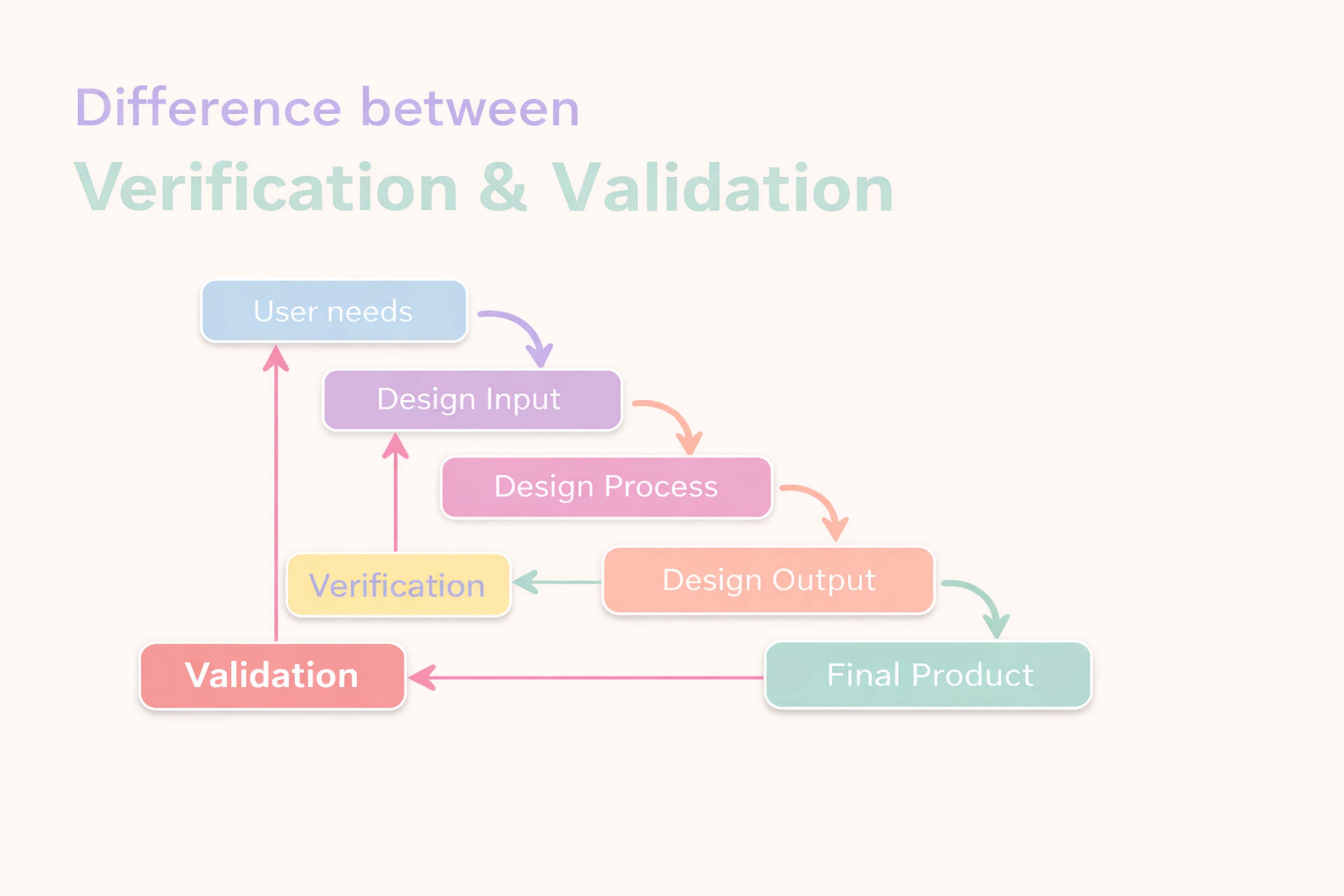
Verification asks: “Did we build it according to requirements?”
Validation asks: “Did we build the right thing for users?”
You need both. Verification prevents technical defects. Validation prevents user-experience failures. A verified product can still fail if it doesn’t match how people think, decide, and act.
A validated concept can still stumble if it isn’t built to the spec. Strong teams implement design validation techniques across the board and keep these tracks connected and visible to each other.
Differences between Verification and Design Validation
Practical, Risk-Driven Validation
Validation is planned and risk-managed. List likely failures (technical, usability, accessibility, regulatory), rank by impact, and walk the flow asking: what could go wrong, why, how would we notice, what would we do? Test more where risk is highest. Keep low-risk items lean. Update the risk map as designs change.
Start with a brief: problem, audience, key tasks, decisions, top risks, and success criteria.
Choose methods by question and risk. Use qualitative to learn why. Experiments and analytics to compare at scale. Often it’s explore, then confirm — with depth and sample size weighted by risk. This structure guides design validation and ensures proper focus on critical flows.
Define success up front. For UX: can people find, understand, and complete tasks unaided? For engineering: performance, reliability, and compatibility under real conditions.
Align stakeholders early on the brief and what “good” means (design, engineering, research, product, data, support, compliance, accessibility).
Keep a short decision log: what you tested, what you saw, what changed, why, and its impact on the risk map.
Core Methods
Usability testing. Put realistic tasks in front of real users. Moderated sessions uncover the “why” behind actions. Unmoderated tools capture natural behavior at scale. Quick guerrilla checks stress-test early ideas. Keep tasks concrete and relevant to outcomes.
Expert reviews. Heuristics, cognitive walkthroughs, and accessibility checks surface common issues early and cheaply. They are fastest when you need direction before investing in higher-fidelity work. They complement — never replace — time with users.
Analytics and experiments. Funnels, paths, heat maps, and experiments show how designs behave in the wild. Use data to find patterns and qualitative research to explain them. Define your validation method before you run the comparison.
Risk-Based Validation
Create a one-page risk map. List the most important user journeys and technical parts. Include key tasks, integrations, devices and environments, and accessibility. Score each item on likelihood, impact, and how easy it is to detect. Mark the items with high combined scores as red zones.
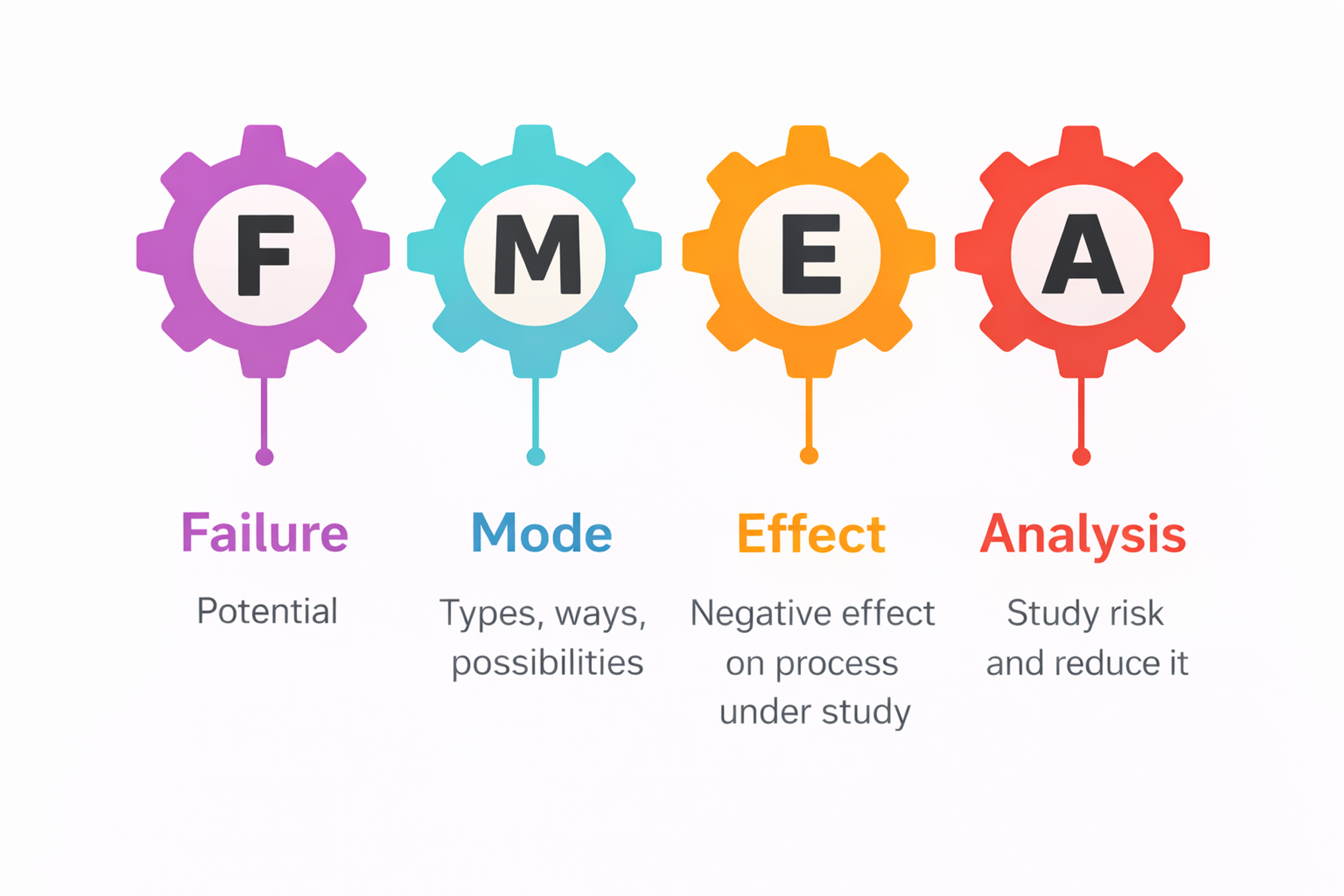
For each red zone, run a simple FMEA. Write what could fail, why it might happen, and how it would affect the user or system. Rate occurrence, severity, and detection to set priority. Add fixes right away. Remove root causes where possible. Add guardrails and failsafes. Set up telemetry. Turn each fix into a clear test case.
Start deeper testing in areas with both high risk and high value. Focus on core conversion tasks and actions that cannot be undone, like payments or deletes. Include external integrations and changing conditions such as mobile use, slow networks, or offline mode.
Test accessibility scenarios. In these areas, implement design validation techniques more thoroughly. Use more participants and devices, add negative and edge cases, test interruptions, and run field checks. Keep low risk areas to quick smoke tests and light regression.
Failure Mode and Effects Analysis (FMEA)
Execution Pillars
Technical & Performance Validation
Turn user needs into clear targets. The product should respond fast under load. It should stay stable over time. It should handle weak or changing networks with grace. Errors should be clear and easy to recover from.
Test normal, stress, and edge cases. Use lab tests and field trials to see real behavior. Simulate rare or risky scenarios. Run long-duration tests to check reliability. Add logs and metrics to catch problems early. Set service targets so the team knows when to act.
System Integration & Compatibility
Check how the product behaves in its ecosystem. Test APIs, sign-in, rate limits, and data formats. Make sure requests and responses match the contract. Validate timeouts, retries, and backoff.
The product should degrade safely when partners fail. Keep backward and forward compatibility. Provide safe fallbacks. For UI links, keep interfaces predictable with sensible defaults. Show errors in plain language. Small seams should not break trust.
Cross-Platform & Responsive Quality
Layouts should adapt without breaking the visual order. Core actions must stay easy to find. Touch targets should feel comfortable. Text must stay readable at any scale. Respect light and dark modes.
Honor reduced-motion settings. Use the right locale and time formats. Test touch, mouse, and keyboard input. Handle interruptions well. Work on slow networks and offline. Build responsiveness early. Late fixes are often brittle.
Accessibility Essentials
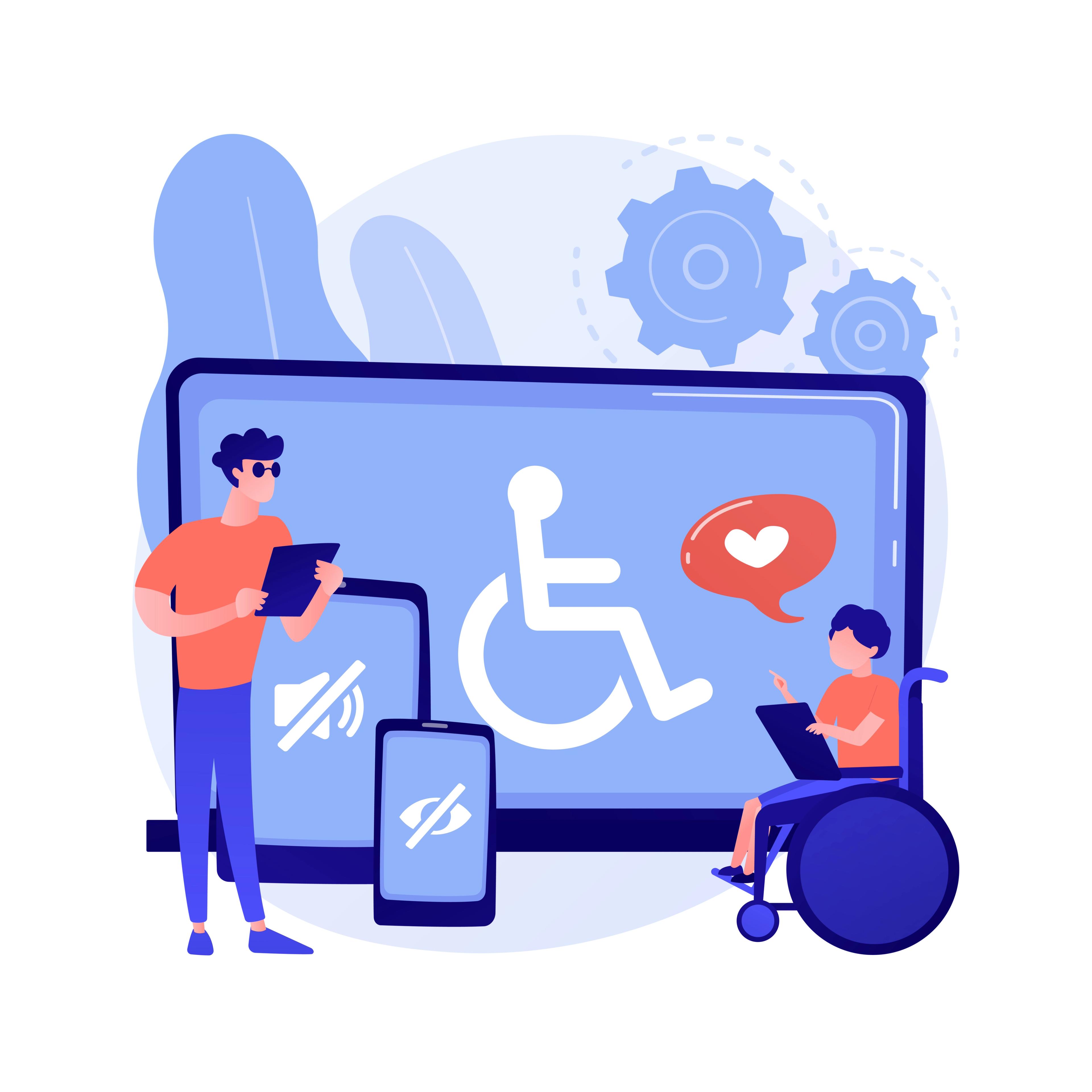
Build a clear structure with headings, landmarks, and roles. Keep focus order logical. Write meaningful labels and alt text. Support full keyboard use with a visible focus. Meet contrast rules and use comfortable target sizes.
Add captions or transcripts for media. Test with screen readers and other assistive tools on major platforms. Use WCAG as practical guidance. Record any gaps and plan fixes.
Source: Image by vectorjuice on Freepik
Regulated Environments
In regulated domains, pair human-factors work with formal design controls, traceability, and documented evidence that intended use is met. Plan formative testing during development and summative validation on the final design. Keep a clear line from requirements to validation activities so audits are straightforward and safety arguments are solid.
Implementation & Continuous Improvement
Make validation part of your operating rhythm, not a gate at the end. Add lightweight checkpoints to your design and build cycles. Train teams on core methods and accessibility basics.
Budget time and tools realistically. After each round, capture decisions and next steps so learning compounds rather than resets. Share highlights with partner teams so improvements propagate across surfaces, not just within one feature.
Common Pitfalls
- Testing opinions, not tasks. Anchor studies on real user goals. Abstract questions invite abstract answers.
- Over-relying on one method. Pair depth (qual) with breadth (quant). Each alone can mislead.
- Untested edge cases. Validate error states, empty states, and interruptions. They shape trust.
- No definition of success. Decide in advance what outcome will trigger a change, a rollout, or a rollback.
- Findings without follow-through. Assign owners and deadlines for fixes. Re-test changed areas, even briefly.
FAQ
What Is Meant By Design Validation?
Design validation is the process of confirming that a product, interface, or system meets user needs and performs as intended in real-world conditions. It ensures the design solves the right problem for the right audience.
How To Do Design Validation?
To do design validation, test your solution with real users through usability testing, A/B testing, or prototypes. Collect feedback, observe behavior, and analyze results to confirm whether the design meets user expectations and business goals.
What Does Validation In Design Thinking Mean?
In design thinking, validation means testing ideas and prototypes with users to see if they solve the core problem effectively. It helps teams refine or pivot their solutions based on real-world feedback before full development.
What Is The Main Purpose Of Validation?
The main purpose of validation is to ensure that a product, process, or idea works as intended for its target users or goals. It reduces risk, confirms assumptions, and improves decision-making before launch.
What Are The Four Types Of Validation?
The four common types of validation are:
1.
Design validation – ensuring the solution meets user needs2.
Process validation – confirming that processes produce expected results3.
Product validation – verifying final product functionality4.
Market validation – testing if there's demand for the product or idea
Read more:
Conclusion
Design validation isn’t just a checkbox — it’s a crucial step to ensure your product truly meets user needs and keeps pace with evolving standards and expectations. When done thoughtfully, it doesn’t just catch flaws — it builds trust. By validating even unconventional or experimental design solutions, teams gain confidence in what they’re building, and users get experiences that actually work for them.
Today, UX validation is entering a new era. With trends like AI-driven testing and adaptive, self-learning interfaces, it’s clear that staying ahead means embracing change. Design teams need to be ready — not just for what users expect now, but for what they’ll expect next.
Creating a strong validation ecosystem means blending innovation with structure. It’s about thoughtful experimentation, continuous feedback, and smart monitoring — all aimed at delivering experiences that are not only scalable and inclusive but also intuitive, delightful, and empowering for real people in the real world.


About Clay
Clay is a UI/UX design & branding agency in San Francisco. We team up with startups and leading brands to create transformative digital experience. Clients: Facebook, Slack, Google, Amazon, Credit Karma, Zenefits, etc.
Learn moreAbout Clay
Clay is a UI/UX design & branding agency in San Francisco. We team up with startups and leading brands to create transformative digital experience. Clients: Facebook, Slack, Google, Amazon, Credit Karma, Zenefits, etc.
Learn more