

A few years ago, AI sat at the edge of the workflow.
Something you bolted onto a Figma file when a client asked about innovation. That plugin era is over.
The AI impact on UI/UX design now touches almost every stage of the process, from the first research call to the pixel that ships to production. Design teams that treat it as optional are already behind.
The shift is about design cycles changing shape entirely, about who does what inside a team, and how much value a single designer can create in a week that used to take a month.
Key Takeaways
- AI has moved from a peripheral plugin to a structural part of the UI/UX design process, changing timelines as much as tools.
- Research, testing, and iteration are compressing from weeks into days, which changes how fast product decisions get made.
- Designers now direct AI output and apply judgment instead of producing every pixel by hand.
- Trust, transparency, and human oversight are the biggest open risks as AI takes on more of the interface.
- The agencies and teams pulling ahead treat AI as a force multiplier for design thinking, not a replacement.
The AI Impact on UI/UX Design in 2026
Ask a designer in 2023 what AI meant for their job, and you'd hear about image generation and maybe a chatbot widget. Ask the same question today, and the answer looks completely different.
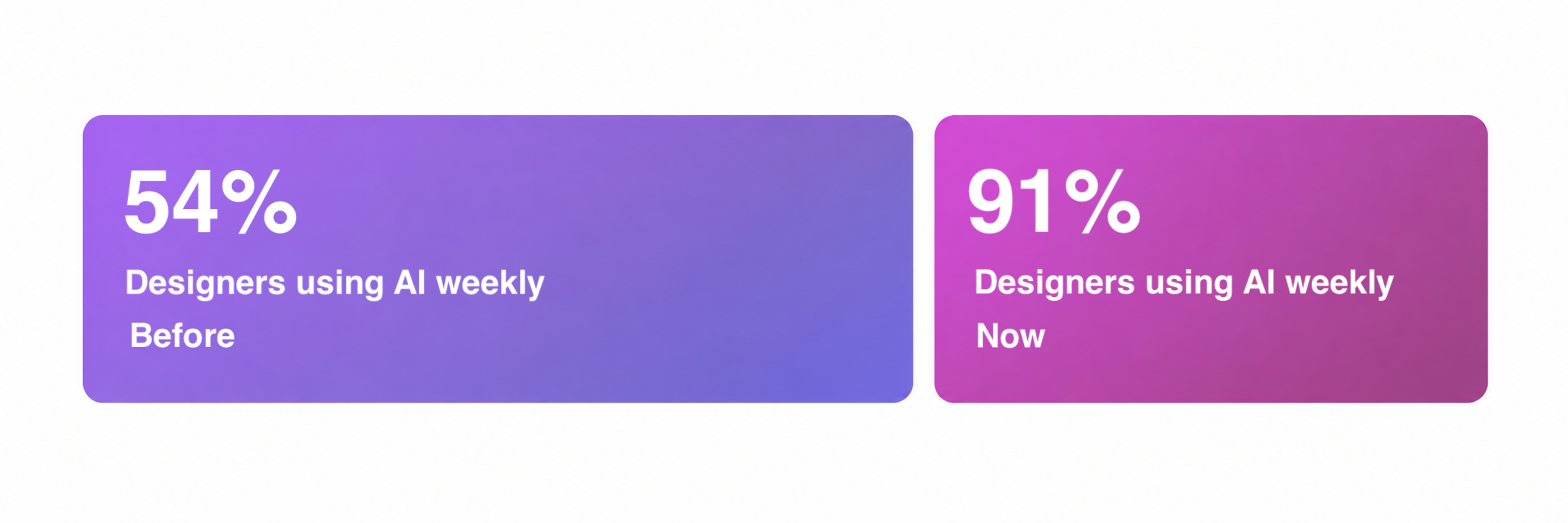
The numbers back that up. Weekly AI usage among designers jumped from 54% to 91% in a single year. AI now sits inside the loop of research, prototyping, testing, and iteration rather than at the edges.
Weekly AI Usage Among Designers, 2025–2026
That shift shows up clearest in what people call AI-native interface design, interfaces built with AI as a foundation rather than an afterthought. A team working this way doesn't ask where to add an AI feature.
They ask what the interface should do differently now that generative AI, prediction, and personalization are built in from day one. AI-powered tools work best when a team already knows the problem they’re solving. Implementing AI without that clarity is how projects stall halfway through.
The practical result of getting it right is faster iteration loops. A design cycle that took three weeks can now run in five days, and the cost per cycle for a team shipping product drops accordingly.
Where AI Actually Helps Today
The theory is interesting. The practice matters more, and there's now a long list of specific places in the workflow where AI is earning its keep.
- Research and testing, compressed. AI automates chunks of user research and usability testing, cutting feedback cycles from weeks to days and handling accessibility checks on its own. Classic UX design problems are already among the first UX design challenges AI solves. For UX professionals, that means more time on real user feedback and less time formatting reports.
- Quicker A/B tests. These predictive models need far smaller sample sizes to flag a winning variant sooner, which gives teams a sharper signal with less manual number crunching. AI tools still require regular testing, since a drifting model can steer a product the wrong way before anyone notices.
- Behavior patterns, caught early. Predictive analysis reads user interaction patterns from real-time data and flags usability bottlenecks while they're still cheap to fix. AI algorithms increasingly decide what a returning visitor sees first, which raises a transparency question designers now have to answer honestly.
- Shorter user journeys. Models anticipate user intent from session patterns and cut the clicks needed to finish a task, and that drop in friction shows up directly in conversion and retention. Mapping the full user journey used to mean a workshop and a wall of sticky notes. Now a model drafts the first version overnight.
- Personalization that compounds. Hyper-personalization increases user engagement by tailoring recommendations to what someone is likely to want next, and customer intelligence tools flag friction before it turns into churn. Better UX becomes a line on a dashboard.
- Faster wireframes and prototypes. AI tools generate wireframes, UI components, design elements, and adaptive interfaces from a prompt or rough sketch, so a team can test ten directions before committing engineering resources.
- Imagery and content on demand. AI-generated visuals and copy give teams raw material to shape instead of a blank canvas, which is where human designers add the most value.
For Eden, we created the brand identity and designed the app experience to make exploring homes more intuitive. The interface combines visual discovery with AI-powered tools while keeping the journey simple and familiar.
Eden's Reimagine Feature in Action
One example is Reimagine, which turns a user’s idea of a dream home into visual references. It shows how AI can reduce rigid inputs and help designers shape shorter, more adaptive interfaces around user intent.
If you need a hand putting AI to work in your own UI/UX design, we can help. Whether it's UI design, UX research, or usability testing, we deliver it with the right blend of AI and human judgment. Learn more about us here.
Human and AI Interaction
A newer discipline has formed around this topic, sometimes called human-AI interface design, sometimes human-AI collaboration design. It focuses on how people actually interact with AI-driven products.
Human-centered AI interface design puts a real person's mental model at the center instead of the model's internal logic. Explainable AI interface design keeps that reasoning visible so people understand why a recommendation showed up instead of guessing.
AI vs Human Intelligence by Clay Global
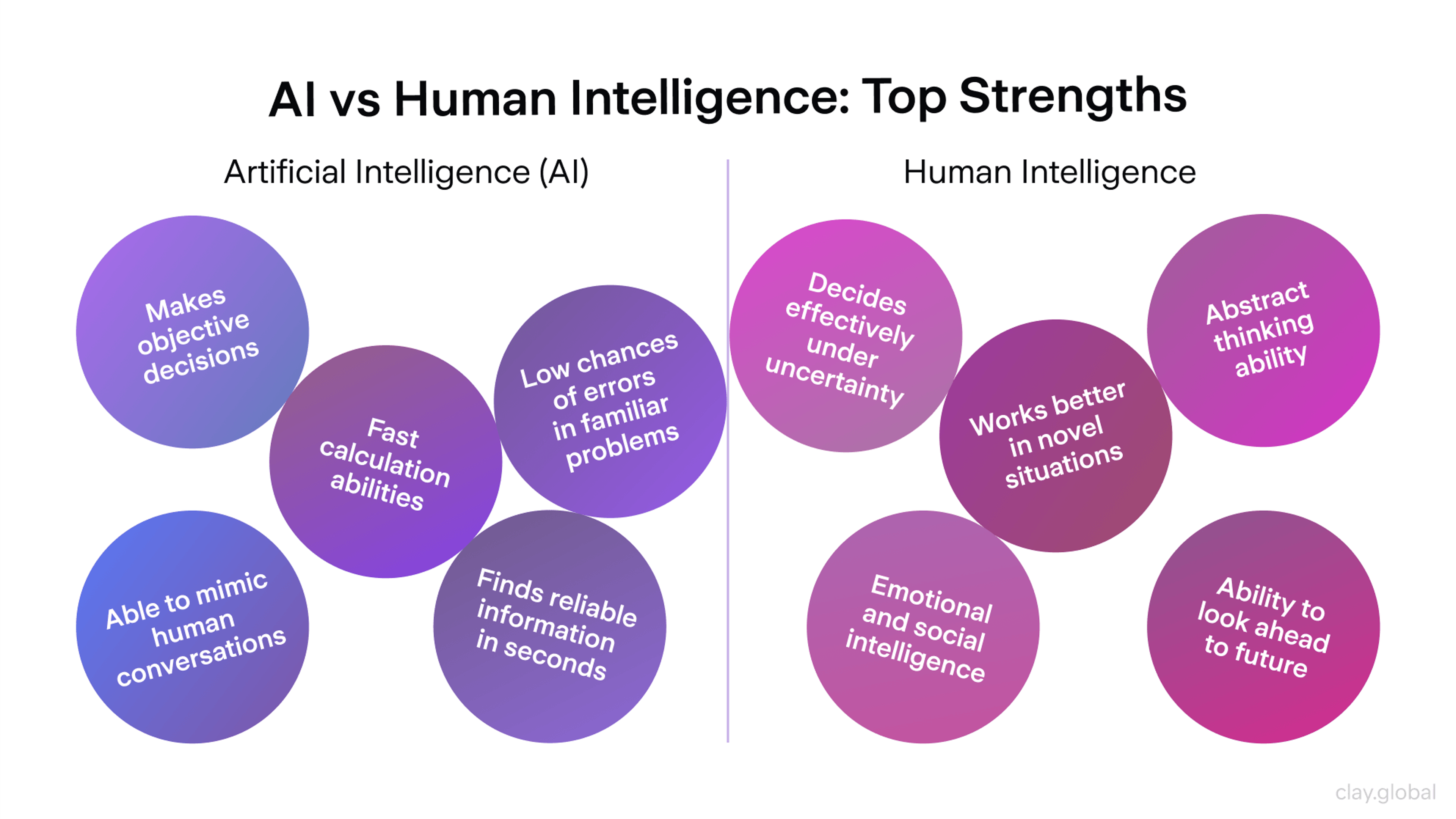
Users abandon AI-powered features fast when they can't tell why a result changed overnight. That abandonment is a direct retention risk for the business behind the feature. Without a human touch guiding tone and pacing, even a technically accurate AI response can feel cold.
Trust and transparency are the difference between a feature people keep using and one they stop touching after the second bad recommendation.
How the Designer's Role Is Changing
Same job title, different day-to-day. Here's what actually changed.
Then: Design workflow meant making every pixel by hand. Now: Designers orchestrate what AI produces and refine the option worth shipping from a set it already generated.
Then: Time went into placing individual design elements around a canvas. Now: Time goes into judging which of twenty AI-generated options is worth refining, a different skill than the one design school taught most of us.
Then: Visual design and the creative process ran entirely on a human eye for balance and hierarchy. Now: A model generates the first draft, and the creative process still needs that same human eye to decide what stays.
Then: Design systems leaned on a dedicated collaboration and layout services team to keep components consistent. Now: Design systems assemble and update themselves inside a shared component library, and that team's time shifts to strategy and review.
Then: Headcount grew in step with workload, one designer per project. Now: A senior designer who directs AI output across five projects produces more than the same designer manually executing one, so teams gain leverage without growing headcount at the same rate.
That's good news for UI/UX agencies watching margins. For anyone whose identity was built around craft execution, it's a real adjustment.
The Risks of AI in UI/UX
Artificial intelligence is transforming interfaces into something more dynamic, personalized, and conversational than static screens ever allowed. AI applications make interfaces more accessible by adapting to different needs. That part of the story is real.
The other side of the same coin comes with real risks, and designers already feel them. More than half of surveyed designers say they're worried AI is lowering the bar on design quality.
The Hidden Risks of AI in UI/UX Design
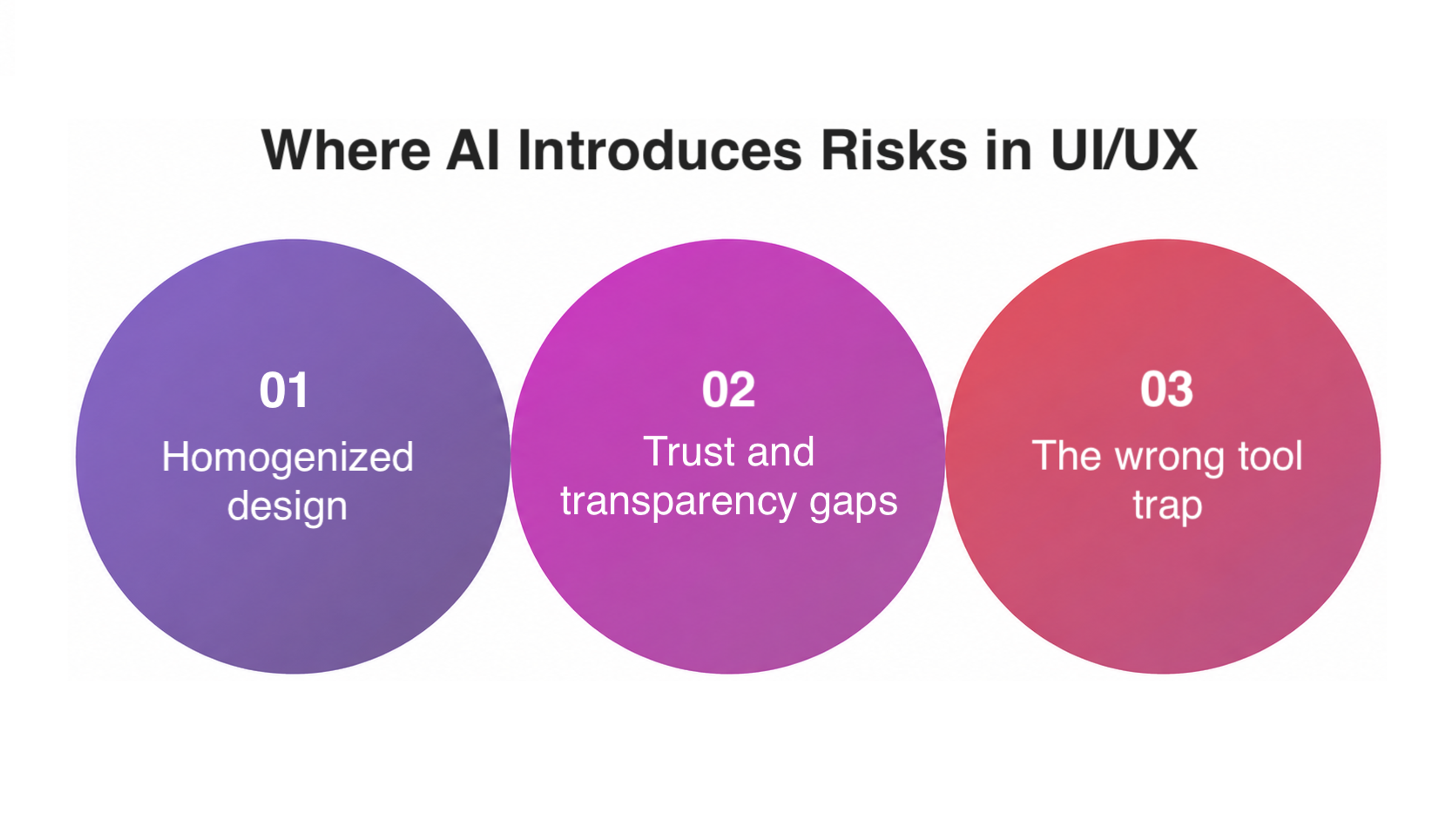
Homogenized Design
Models trained on the same data sets tend to converge on the same safe answers.
Left unchecked, that convergence perpetuates existing biases and removes the human creativity and emotional understanding that make an interface feel considered.
Once a flaw like that reaches real users at scale, it becomes a brand risk.
How to avoid it
- Get a human to push back on the safe AI answer
- Pull from more than one model before locking a direction
Trust and Transparency Gaps
Designers now have to build transparency into AI-driven experiences on purpose, because the default behavior of most models is opaque.
That's not just a design review conversation anymore, it shows up in legal review too, especially for anything touching healthcare, finance, or hiring decisions.
How to avoid it
- Show why a recommendation appeared
- Let users override or dismiss AI suggestions
- Loop in legal early for healthcare, finance, or hiring
The Wrong Tool Trap
Every year brings a fresh wave of new technologies promising to change design forever, and most experienced teams have learned to separate what's worth adopting from what just looks good in a pitch deck. Slapping an AI badge on a feature just makes it marketable.
Chase the wrong one and a digital product or service devolves into a checklist of AI features nobody asked for, while the user experience gets worse than before it started.
How to avoid it
- Tie every AI tool to a real problem first
- Cut features that just sound good on a slide
Design Jobs and Teams in the AI Era
The part everyone actually wants an answer to comes next. The AI impact on UI/UX design jobs is real, but it is not the wholesale replacement headline writers keep reaching for.
The honest question is which part of a role actually survives, and the answer to “Can AI take over UI/UX design” is mostly no, not because the technology can't generate a screen, but because generating a screen was never the hard part of the job.
Every hiring cycle brings a fresh round of predictions about design headcount shrinking to nothing, and none of them have held up the way the claims suggested.
What has held up is a narrower, more useful question: which parts of a designer's week actually needed a human, and which parts were busywork that AI was always going to handle first.
AI design agents make that distinction increasingly visible. A designer can now prompt a tool to generate interface directions, explore variations, reorganize layouts, and turn rough ideas into working prototypes in a fraction of the time.
For example, Figma has folded an agent into its core workflow this year, which says more about where this is heading than any single feature does.
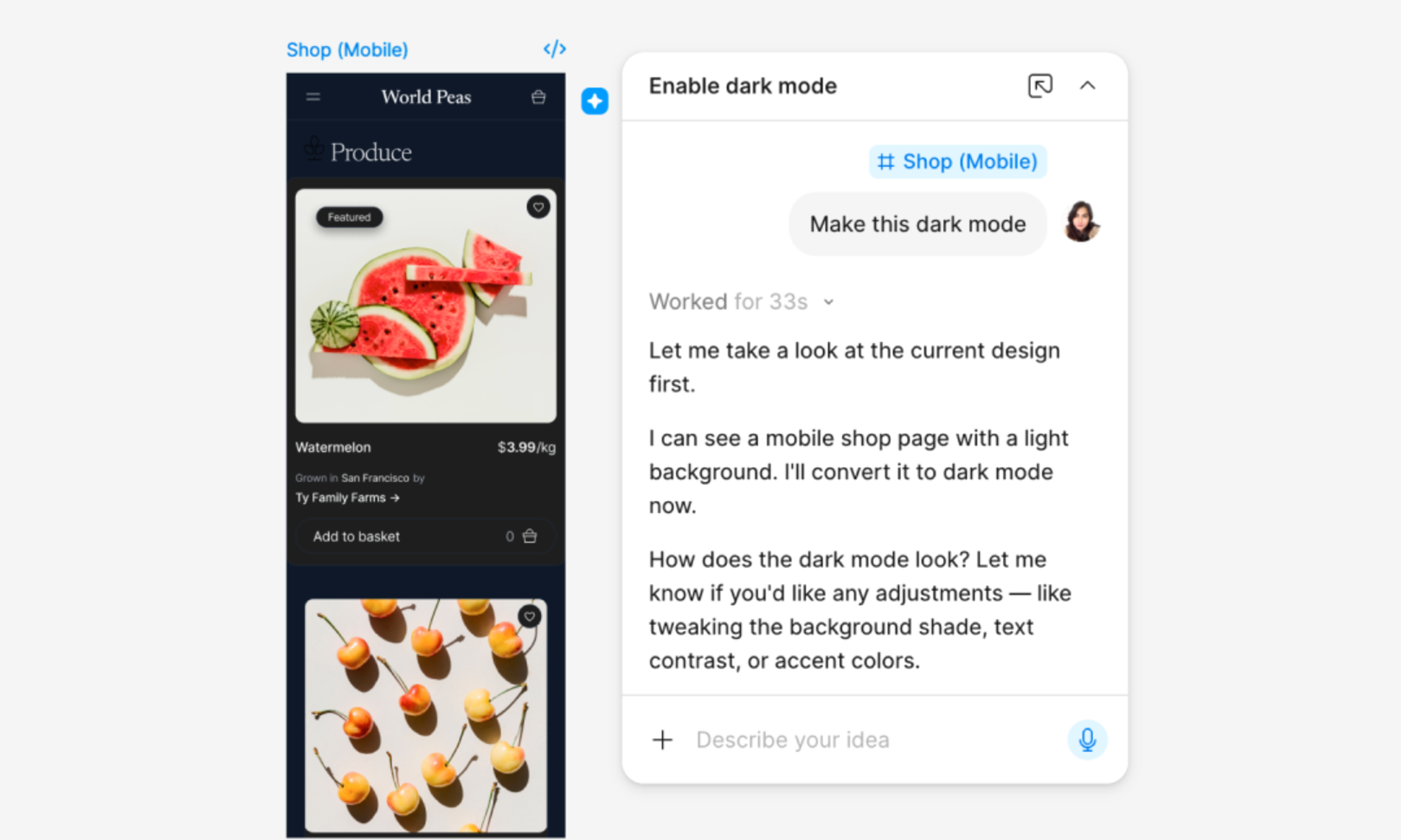
That moves much of the mechanical work closer to automation. Still, it doesn't decide which direction is worth pursuing, whether an interaction makes sense for the user, or whether the result actually supports the product's goals.
As design work shifts from execution toward oversight, judgment becomes the real differentiator between teams that pull ahead and teams that stall.
That gap is what increasingly separates design teams getting real value from AI from those that just added another tool to the stack without changing how they work.
Manual wireframing looks like caveman tools compared to what AI-assisted software can produce in seconds now, and that's just one of many technological shiny objects competing for a design team's attention this year.
Practically, this changes how teams get built. A senior designer who understands UX research, can read AI-powered analytics, and knows when to override a model's suggestion is worth more than three junior designers who only know how to execute a brief.
The New Value Equation in Design Teams
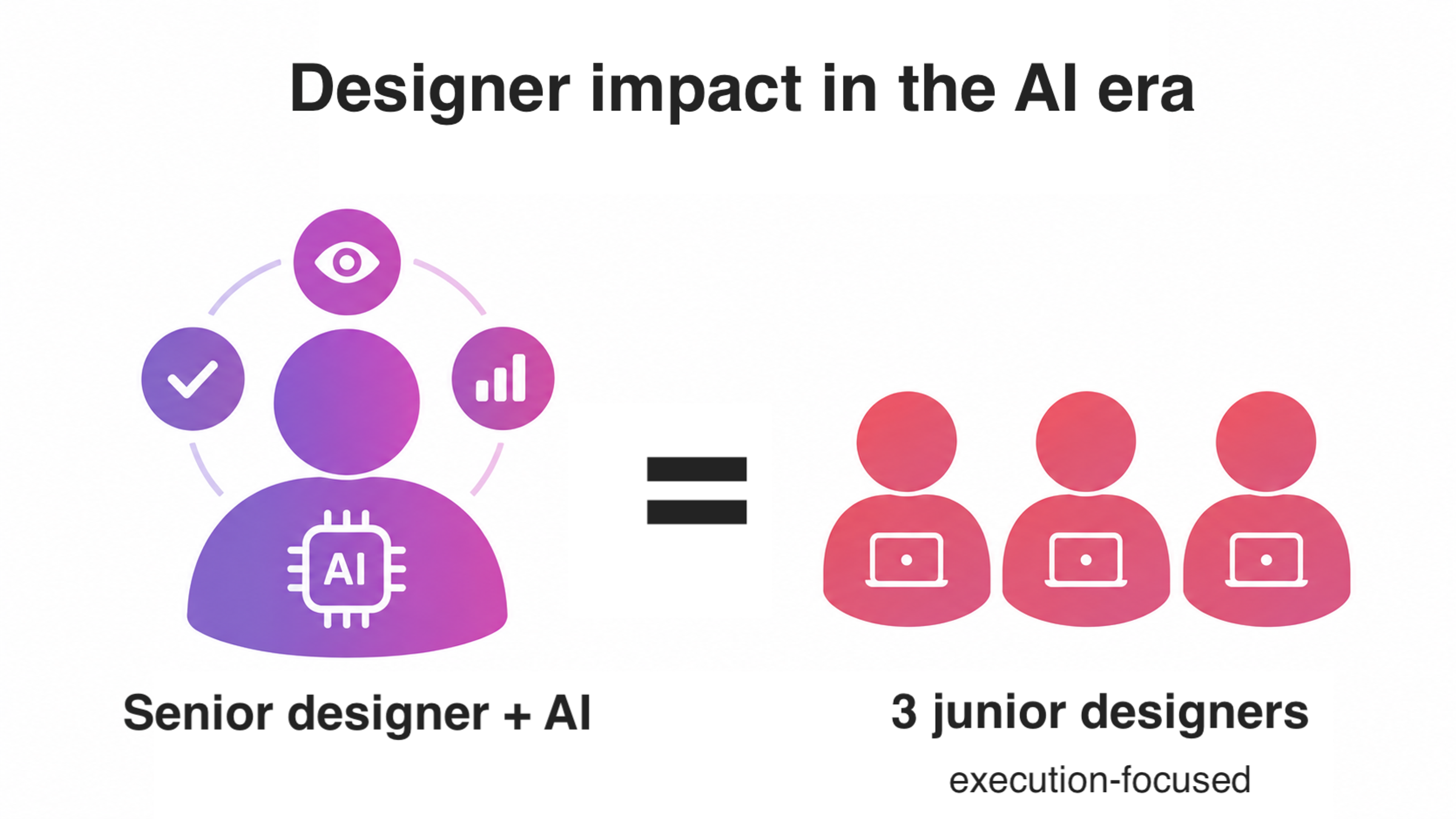
Bringing in an external perspective, whether that's a second designer or a model trained on different data, still catches blind spots internal teams miss on their own.
Not sure where AI actually fits into your own design process? We help teams get clear on that before any work starts. Let's talk.
Read more
FAQs
Is AI capable of generating interface designs?
AI can generate wireframes, layout ideas, and even full user interface design mockups from a prompt or sketch.
What it can't do reliably is choose which option best serves the user's goal, which is still a human call.
Will AI replace UI/UX designers?
Not wholesale. AI is replacing specific tasks inside the role, mostly repetitive production work, while demand grows for designers who can direct AI output and apply critical thinking.
Is UI/UX still in demand in 2026?
Yes. Demand has shifted toward designers who combine traditional craft with the ability to work alongside AI-driven UX design tools, rather than designers who only do manual production work.
Will AI replace UX researchers?
AI is automating the mechanical parts of research, things like usability testing logistics and initial pattern detection in user interactions.
Interpreting what those interactions actually mean and turning them into a product decision still needs a researcher.
Is UI/UX design at risk of being replaced by AI?
The role is changing, not disappearing.
Designers who lean into strategy, human-centered AI interface design, and judgment are in a stronger position than designers who compete purely on production speed.
What are common AI adoption mistakes?
The biggest one is chasing every new shiny feature without a clear reason, which leads to feature bloat and a service nobody asked for.
A close second mistake is skipping the regular testing of AI tools required to keep results trustworthy.
Teams also tend to ship every AI improvement announcement right away instead of testing it first.
What skills matter most for UI/UX designers now?
Critical thinking, strong UX research instincts, and the judgment to evaluate AI technology output all matter more than raw production speed did five years ago.
The ability to explain a decision, including an AI-assisted one, now counts as a hiring criterion.
How to find the right AI-human balance in design?
Let AI-powered automation handle repetitive, data-heavy tasks like streamlining testing and initial layout generation.
Keep human designers in charge of strategy, emotional tone, and any decision that touches trust, accessibility, or brand.
The next wave of tools promises even better contextualized solutions, tools that read the reasoning behind a click rather than the click alone, and that understanding is where the real gains are headed next.
Final Thoughts
AI is a force multiplier for design judgment, not a substitute for it, and that's true whether you're the one at the keyboard directing a model or the one who built the team that will use it.
The agencies and in-house teams that understand that distinction are learning to create smarter products right now, no matter how flashy their homepage badge looks.

About Clay
Clay is a UI/UX design & branding agency in San Francisco. We team up with startups and leading brands to create transformative digital experience. Clients: Facebook, Slack, Google, Amazon, Credit Karma, Zenefits, etc.
Learn moreAbout Clay
Clay is a UI/UX design & branding agency in San Francisco. We team up with startups and leading brands to create transformative digital experience. Clients: Facebook, Slack, Google, Amazon, Credit Karma, Zenefits, etc.
Learn more